ExplainGithub favicon

ExplainGithub
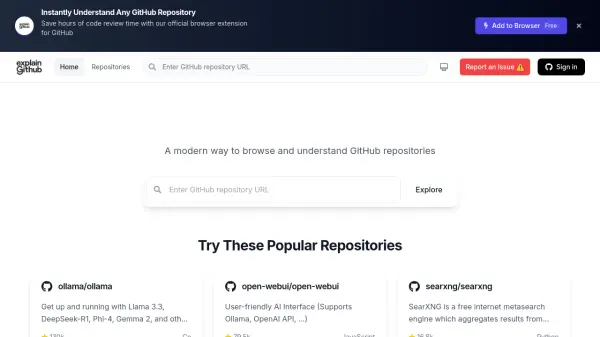
A modern way to browse and understand GitHub repositories

What is ExplainGithub?

ExplainGitHub provides users with an advanced method for navigating and comprehending GitHub repositories. It presents a contemporary interface designed to enhance the code exploration process, making it more intuitive and efficient.

Leveraging AI-powered insights, the tool aims to simplify the understanding of complex codebases. ExplainGitHub emphasizes a fast and responsive experience, allowing instant access to repository information without unnecessary delays.

Features

  • Smart Code Navigation: Browse repository code with an intuitive interface and powerful search capabilities.
  • Lightning Fast Performance: Experience instant access to any GitHub repository with optimized performance.
  • Modern User Experience: Enjoy a clean and responsive design for seamless code exploration.
  • AI-Powered Insights: Utilizes artificial intelligence to aid in understanding repository contents.

Use Cases

  • Exploring complex GitHub repositories.
  • Understanding codebases faster.
  • Searching specific code within repositories efficiently.
  • Navigating large open-source projects.
  • Assisting developers in familiarizing themselves with new project codebases.

Blogs:

  • Top 6 AI note-taking tools for 2026: in-person, online, and hybrid use cases

    Top 6 AI note-taking tools for 2026: in-person, online, and hybrid use cases

    Most AI note-taking lists are really lists of meeting bots, which join your video call and transcribe it. That's useful, but it's half the picture. Decisions happen in hallway conversations, client dinners, on-site visits, and hybrid rooms where nobody is on a video link. This guide covers different parts of the note-taking workflow: hardware capture for in-person settings, platform-native tools for online calls, and AI layers for organizing and synthesizing what you've captured. It compares six tools by capture context, workflow fit, pricing, and limitations.

  • Chat with PDF AI Tools

    Chat with PDF AI Tools

    Easily interact with your PDF documents using our advanced AI-powered tool. Whether you're reading lengthy reports, research papers, contracts, or eBooks, our platform lets you chat directly with your PDF files, ask questions, extract insights, and get summaries in real-time.

  • Best AI tools for Room Design

    Best AI tools for Room Design

    Discover cutting-edge AI tools that redefine the art of room design. From layout optimization to aesthetic finesse, these top-tier tools enhance your space to new heights.

  • Ghibli Art Generator AI tools

    Ghibli Art Generator AI tools

    List of the best AI tools to turn your photos into images that look like Studio Ghibli movies. Easy to use and fun for everyone.

Didn't find tool you were looking for?

Be as detailed as possible for better results