What is Dotnet Report?
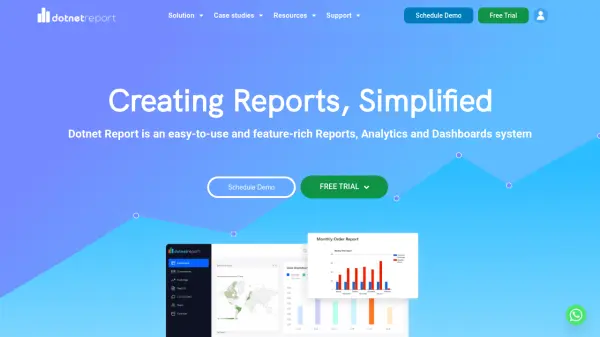
Dotnet Report streamlines the process of creating, managing, and embedding custom reports and dashboards for .NET applications. Its intuitive drag-and-drop interface empowers both developers and end users to design and schedule their own analytics without the need for extensive coding. The platform supports seamless integration with .NET software, providing real-time data visualization and tailored reporting directly within your applications.
The open-source front-end offers maximum flexibility, allowing developers to fully customize the look and feel of their reporting tools. Dotnet Report also prioritizes secure, direct data connections, powerful graph and chart creation, and significant time and cost savings for development teams through simplified report generation workflows.
Features
- Drag-and-Drop Report Builder: Users can create customized reports and dashboards with an intuitive interface.
- Open-Source Front-End: Complete control for developers to tailor report appearances and embed them in applications.
- Seamless .NET Integration: Easily embeds into .NET applications for in-app analytics.
- Ad Hoc Reporting: End users can generate, manage, and schedule their own reports without developer intervention.
- Data Visualization: Supports various chart types such as bar, pie, and line, with customization options.
- Secure Data Connections: Direct, scalable, and secure connectivity to data sources.
- Cost and Time Savings: Reduces the development time and resources required for report creation.
Use Cases
- Integrating custom analytics dashboards into .NET-based SaaS platforms.
- Allowing business users to generate their own operational and financial reports.
- Providing white-labeled, embeddable reporting tools for software vendors.
- Automating report scheduling and distribution for organizations.
- Replacing manual or hard-coded reporting with interactive self-service options.
FAQs
-
Can Dotnet Report be embedded into existing applications?
Yes, Dotnet Report is designed to embed seamlessly into .NET applications, enabling users to access analytics and reporting features directly within their software. -
Is the front-end customizable?
The front-end of Dotnet Report is open source, allowing full customization to match specific branding and functional requirements. -
Does the platform support ad hoc reporting?
Dotnet Report allows end users to independently create, customize, and run their own reports without needing assistance from developers. -
What types of visualizations are available?
Users can create various types of charts and graphs, such as bar, pie, and line charts, with options for further customization. -
Is there documentation to help with implementation?
Dotnet Report provides comprehensive documentation and a knowledgebase to assist with setup and usage.