What is Coppermine Photo Gallery?
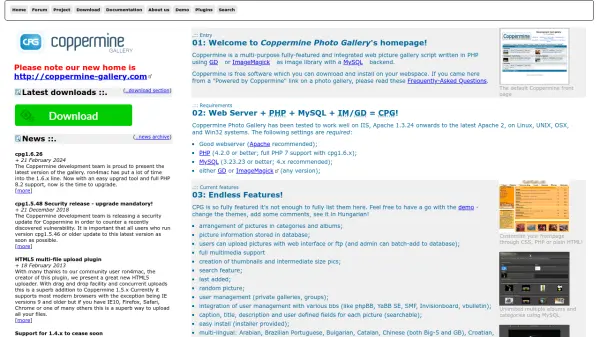
Coppermine Photo Gallery is a comprehensive web picture gallery script designed for creating and managing online photo galleries. Built with PHP and utilizing GD or ImageMagick for image processing with a MySQL database backend, it provides a robust platform for organizing pictures into categories and albums.
The script supports multiple user management features including private galleries and groups, with integration capabilities for various bulletin board systems. It offers extensive customization through templates and admin interfaces, along with multimedia support, search functionality, and multi-language options.
Features
- Multi-language Support: Available in over 30 languages including English, Spanish, French, German, Chinese, and Japanese with fallback to English for untranslated entries
- User Management: Supports private galleries, user groups, and integration with bulletin board systems like phpBB and vBulletin
- Upload Options: Allows web interface uploads, FTP uploads, and batch additions by administrators with HTML5 multi-file upload plugin
- Image Processing: Creates thumbnails and intermediate-sized pictures using GD or ImageMagick libraries
- Customization: Template system, CSS/HTML frontpage customization, and plugin API for extended functionality
Use Cases
- Creating personal photo galleries for family events and vacations
- Building professional photography portfolios for artists and photographers
- Setting up community image sharing platforms for clubs or organizations
- Developing educational image repositories for schools or universities
- Creating product galleries for e-commerce websites
FAQs
-
What are the system requirements for installing Coppermine Photo Gallery?
Coppermine requires a web server (Apache recommended), PHP 4.2.0 or better (full PHP 7 support with cpg1.6.x), MySQL 3.23.23 or better (4.x recommended), and either GD or ImageMagick image library. -
Can Coppermine integrate with existing forum software?
Yes, Coppermine offers integration with various bulletin board systems including phpBB, YaBB SE, SMF, Invisionboard, and vBulletin through a wizard-like user interface. -
How many languages does Coppermine support?
Coppermine supports over 30 languages including Arabian, Brazilian Portuguese, Bulgarian, Catalan, Chinese, Croatian, Czech, Danish, Dutch, English, French, German, Greek, Hebrew, Hungarian, Italian, Japanese, Polish, Russian, Spanish, Swedish and many others. -
What image formats does Coppermine support?
Coppermine supports full multimedia capabilities including common image formats, with features for creating thumbnails, intermediate-sized pictures, and handling EXIF/IPTC metadata from digital cameras. -
Is there an easy way to upgrade between Coppermine versions?
Yes, version cpg1.6.x includes an easy upgrade tool that simplifies the update process between versions of the gallery software.