Confetti favicon

Confetti
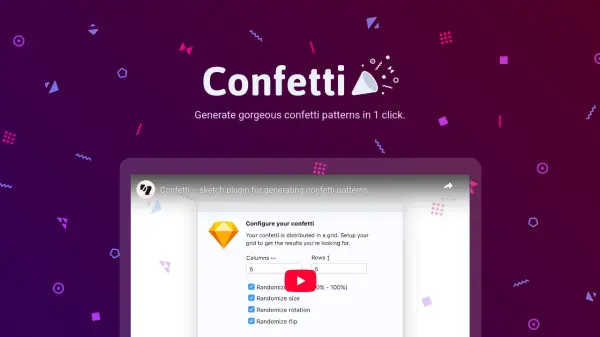
Generate gorgeous confetti patterns in 1 click

What is Confetti?

Confetti is a specialized Sketch plugin designed to streamline the creation of visually appealing confetti patterns. It operates on a grid system where users define vertical columns and horizontal rows to achieve optimal shape layouts. The tool integrates seamlessly with Sketch Symbols, allowing for dynamic updates where modifications to Symbols automatically reflect across the entire confetti pattern.

Users can fine-tune their designs by adjusting various settings such as transparency, rotation, overlap, and size. This flexibility supports continuous generation, enabling designers to experiment until they achieve the perfect composition of shapes for their projects.

Features

  • Grid Layout: Define vertical columns and horizontal rows for perfect shape arrangement
  • Symbol Integration: Update Symbols to dynamically change confetti patterns
  • Customization Settings: Adjust transparency, rotation, overlap, and size for tailored designs
  • Instant Generation: Create patterns with a single click for quick design iterations

Use Cases

  • Creating background patterns for digital designs
  • Enhancing user interfaces with decorative elements
  • Generating visual assets for marketing materials
  • Prototyping confetti effects in app or web designs

Related Tools:

Blogs:

  • Best AI tools for Product Photography

    Best AI tools for Product Photography

    Explore top AI tools that can elevate your product photography, helping you enhance images, streamline workflows, and create professional visuals with ease.

  • Top 6 AI note-taking tools for 2026: in-person, online, and hybrid use cases

    Top 6 AI note-taking tools for 2026: in-person, online, and hybrid use cases

    Most AI note-taking lists are really lists of meeting bots, which join your video call and transcribe it. That's useful, but it's half the picture. Decisions happen in hallway conversations, client dinners, on-site visits, and hybrid rooms where nobody is on a video link. This guide covers different parts of the note-taking workflow: hardware capture for in-person settings, platform-native tools for online calls, and AI layers for organizing and synthesizing what you've captured. It compares six tools by capture context, workflow fit, pricing, and limitations.

  • Best Content Automation AI tools

    Best Content Automation AI tools

    Streamline your content creation process, enhance productivity, and elevate the quality of your output effortlessly. Harness the power of cutting-edge automation technology for unparalleled results

Didn't find tool you were looking for?

Be as detailed as possible for better results