What is CodeAI Studio Pro?
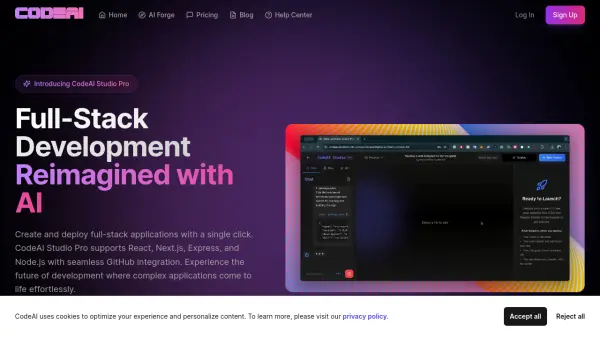
CodeAI Studio Pro offers a comprehensive AI-powered development environment designed for creating full-stack applications. Supporting React and Next.js for frontend development alongside Express and Node.js for backend, it streamlines the entire development process. The platform emphasizes a privacy-first approach; code remains local, never stored on external servers, providing robust security and user control.
Functionalities include one-click deployment, and seamless GitHub integration for efficient version control and collaboration. The suite leverages various AI models, such as OpenAI's GPT series and Anthropic's Claude series, to enhance code completion, debugging, and architectural decision-making.
Features
- Full-Stack Generation: Create complete applications with frontend and backend in one click.
- Local-First Privacy: Your code stays on your machine - we never store it on our servers.
- GitHub Integration: Seamless version control and collaboration features built-in.
- One-Click Deploy: Deploy your applications instantly to your preferred platform.
- Multiple AI Models: Access to various AI models like GPT-3.5, GPT-4, GPT-4O, and Claude-3 series for tasks such as code completion, debugging, and architectural design.
Use Cases
- Rapid prototyping of web applications.
- Developing and deploying full-stack applications with minimal setup.
- Collaborative coding projects with seamless version control.
- Securely developing applications with sensitive code.
- Streamlining development workflows with AI-powered assistance.
FAQs
-
How secure is my code with CodeAI?
Your security is our top priority. All code is stored locally in your browser and, when committed, is stored exclusively in your connected GitHub repository. We never store or access your code on our servers, ensuring complete privacy and control over your intellectual property. -
Can I delete my projects?
Yes, you have full control over your projects. You can easily delete any project through the settings menu. This action will remove the project from your account while maintaining any existing commits in your GitHub repository.