What is Cloud Data Connect?
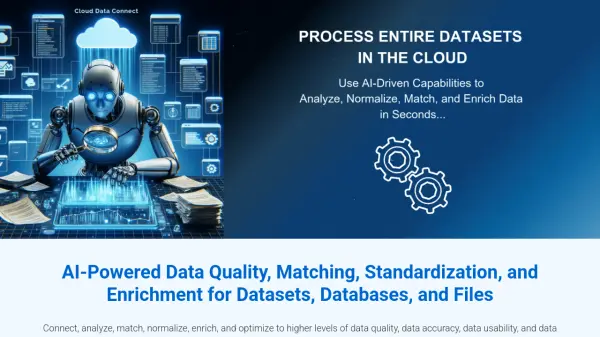
Cloud Data Connect is an AI-powered platform that simplifies the process of improving data quality within datasets, databases, and files. The tool enables users to connect, analyze, match, normalize, enrich, and optimize their data through a user-friendly interface.
It leverages Interzoid's SmartMatchAI technology, which uses Generative AI-enhanced algorithms and machine learning to identify inconsistent, redundant, and problematic data. This ensures higher levels of data accuracy, usability, and ROI.
Features
- Data Matching: Identifies and groups similar data entries within and across datasets.
- Data Standardization: Normalizes data inconsistencies to improve data quality.
- Data Enrichment: Appends new columns of information from APIs to enhance datasets.
- AI-Powered Analysis: Leverages SmartMatchAI technology for advanced data analysis.
- Multiple Data Source Connectivity: Supports major Cloud databases and various file types (CSV, TSV, Excel).
- Batch Processing: Offers high-performance, parallel processing for large datasets.
- API Integration: Full dataset capabilities available via API for workflow integration.
Use Cases
- Identifying and resolving duplicate data entries within a customer database.
- Standardizing company names across multiple data sources.
- Enriching customer data with additional information via API connections.
- Analyzing and improving data quality in preparation for data migration.
- Automating data quality checks within a data pipeline.
- Matching individual names across different datasets to identify potential overlaps.
- Generating match reports to identify inconsistencies in address data.
FAQs
-
What is the Cloud Data Connect Wizard?
The Cloud Data Connect Wizard is a tool that simplifies the process of connecting to various data sources, such as Cloud databases, CSV/TSV text files, and Excel spreadsheets, allowing users to run match reports, identify data inconsistencies, and more, all through a user-friendly, step-by-step interface. -
How does the matching report feature work?
The matching report feature analyzes data to identify similar entries based on generated similarity keys, helping users find inconsistent, non-normalized, or redundant data effectively. -
What types of data sources can I connect to with the Cloud Data Connect Wizard?
Users can connect to top Cloud databases like PostgreSQL, MySQL, AWS RDS/Aurora, Azure SQL, Google Cloud SQL, Snowflake, and others, as well as CSV/TSV text files, Parquet files, and Excel spreadsheets, either stored in the Cloud or locally. -
What is a similarity key, and how is it used in data matching?
A similarity key is an identifier used to group similar data entries, aiding in the detection of duplicates or inconsistencies within or across datasets, thereby facilitating data normalization and deduplication. -
How does Interzoid's pricing model work?
Interzoid uses a credits-based system, where each API call deducts a credit from your balance. Credits are purchased either pay-as-you-go, or monthly and annually, with annual subscriptions offering a cost benefit.