What is TalktoData?
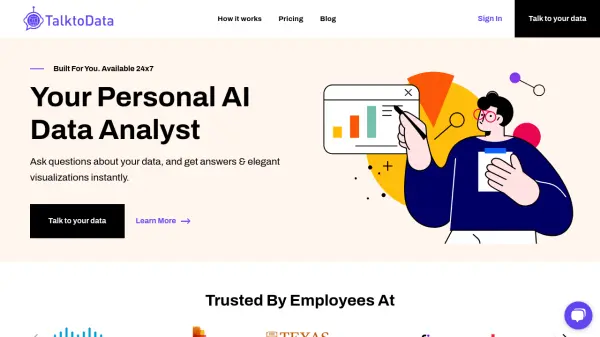
TalktoData is an AI data analyst tool designed to simplify data analysis. It allows users to connect to various data sources, including spreadsheets and SQL databases, and interact with their data using natural language.
This tool provides instant answers and visualizations, making complex data analysis accessible to everyone. With TalktoData, users can perform advanced data analysis techniques such as correlation analysis, segmentation, and forecasting.
Features
- Data Connection: Easily connect to structured data in Spreadsheets and SQL databases.
- Natural Language Interface: Ask questions in natural language and generate insightful reports.
- Advanced Analysis: Perform advanced data analysis like correlation analysis, segmentation, and forecasting.
- Instant Visualizations: Get elegant visualizations of your data instantly.
Use Cases
- Quick data analysis for business insights.
- Generating reports from connected databases.
- Performing advanced analysis on business data.
- Data exploration through natural language questions.
FAQs
-
What data sources are supported?
We currently support most of the structured data format files like Excel Spreadsheets, CSV Files, Google sheets. We also support large SQL databases like MySQL, PostgreSQL, BigQuery and Snowflake. If you have any specific requirements for data sources, email us. -
What is TalktoData AI data privacy policy?
Our security measures We at Julius respect your data privacy and are strongly committed to keeping secure any data we are provided. Below are several best practices we have implemented to protect your data. Secure access controls. Files are stored temporarily to user specific temporary workspaces which are deleted after a period of inactivity. Sandboxed execution. Even our Python code execution environments are sandboxed by user. Default encryption at rest. All data sources that are connected to Julius are protected by encryption at the storage layer using the Advanced Encryption Standard (AES) algorithm, AES-256. Complete control. Whenever you delete a data source, all traces of the data are completely erased from our servers. -
I'm having a problem working with TalktoData. How to get help?
Please reach out to us through the Live Chat at the bottom right corner, we will respond as soon as possible. You can also email us at [email protected] -
Is this free?
Yes! By default, all users can send up to 10 messages a month with our most advanced AI model. Once you hit the monthly limit, you can upgrade your plan to Pro within our application. -
Why is it taking so long to get answers ?
We are sorry you are facing this, we are constantly trying to improve this issue. For now please try the below steps: Try to remove any empty rows or columns before uploading the file to TalktoData. Sometimes, rows with blank columns can also exist. And try to avoid asking broader questions like "Give me an overview of this data" as a first question. It may take more time to review the entire data on the first go. (Instead, ask something like "What are all the column names?", then proceed to ask whatever you want. This will reduce the response times to < 20 seconds) Sometimes, if the responses are not coming, Try starting a New Chat, by connecting a file and asking questions. If all of those don't work, Come back after a couple of hours and try again.