What is cellarmate.ai?
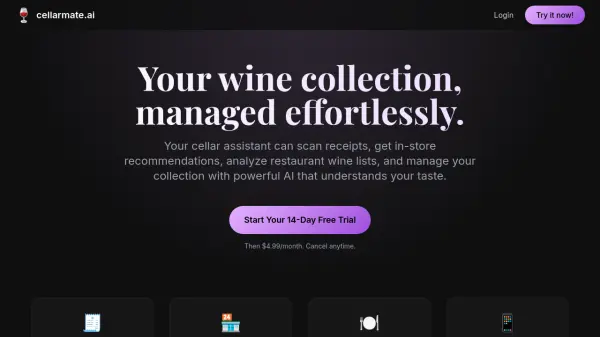
cellarmate.ai offers a sophisticated solution for managing wine collections using advanced artificial intelligence. This platform serves as a personal AI sommelier, capable of understanding individual taste preferences to provide tailored recommendations. Users can easily track their inventory with features like intelligent organization and predictive drinking window analysis, ensuring bottles are enjoyed at their peak. The tool simplifies logging new additions through innovative features like bulk wine recognition from a single photo and automatic data extraction from receipts or invoices.
Beyond basic inventory management, cellarmate.ai enhances the wine discovery process. It provides in-store recommendations by analyzing photos of wine shelves and advises on restaurant wine lists based on the user's collection and preferences. The platform also includes a tasting journal for detailed record-keeping. Its natural conversation interface allows users to interact with their digital cellar assistant seamlessly, making wine management intuitive and engaging.
Features
- Smart Cellar Tracking: Effortlessly manage your collection with intelligent organization and drinking window predictions.
- AI Sommelier: Get personalized wine recommendations based on your taste preferences and collection.
- Tasting Journal: Keep detailed records of your wine experiences.
- Bulk Wine Recognition: Log multiple wines with a single photo; AI identifies each bottle instantly.
- Receipt & Invoice Scanning: Capture prices and details from receipts and invoices to automatically update your cellar.
- In-Store Recommendations: Snap a photo of wine shelves and get personalized recommendations based on your collection.
- Restaurant Wine List Advisor: Take a photo of a restaurant wine list and get personalized recommendations instantly.
- Predictive Cellar Management: AI predicts optimal drinking windows based on professional reviews and historical data.
- Natural Conversation Interface: Chat with your AI cellar assistant like a human sommelier.
Use Cases
- Managing personal wine collections intelligently.
- Getting personalized wine recommendations in stores or restaurants.
- Tracking wine tasting notes and experiences.
- Quickly logging multiple new wine purchases.
- Automatically updating cellar inventory with purchase details.
- Determining optimal drinking times for wines in a collection.
- Interacting with a cellar management tool via conversation.