What is Castle Game Engine?
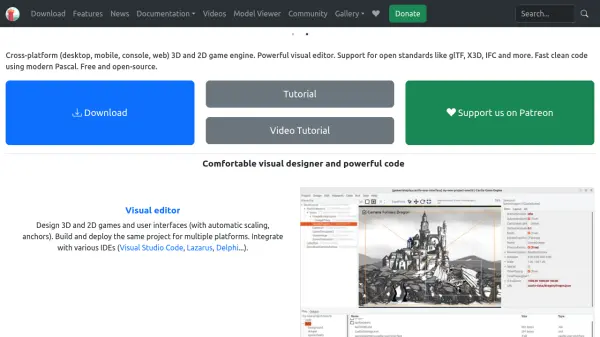
Castle Game Engine is a versatile open-source engine aimed at developers looking to create 2D and 3D games for desktop, mobile, web, and consoles. The engine provides a powerful visual editor that enables both game design and user interface creation, with automatic scaling and anchoring for various screen sizes. Developers can utilize a wide range of components to build advanced graphics, user interfaces, and complex scene hierarchies, all while benefiting from the robust, efficient codebase in modern Object Pascal.
The platform supports open standards such as glTF, X3D, and IFC, allowing for seamless integration with popular authoring tools like Blender. Castle Game Engine delivers advanced graphic features including shader effects, physically-based rendering, shadows, and mirrors. The engine is ideal for teams or individuals seeking a cross-platform, community-driven solution that is friendly to continuous integration and fully documented for fast development and deployment cycles.
Features
- Visual Editor: Design 2D and 3D games and user interfaces with ease.
- Multi-Platform Deployment: Build and deploy projects to desktop, mobile, console, and web platforms.
- Open Standards Support: Seamless integration with glTF, X3D, IFC, and more.
- Extensive Component Library: Includes tools for viewport content, user interfaces, and scenes.
- Modern Pascal Codebase: Fast, object-oriented programming with native performance.
- Advanced Graphics: Offers shader effects, physically based rendering, shadows, and mirrors.
- Continuous Integration Support: Friendly with command-line tooling, Docker, and various CI platforms.
- Open Source: Completely free and modifiable for both open and proprietary projects.
Use Cases
- Developing cross-platform 2D or 3D games for multiple operating systems.
- Creating graphics-intensive applications with advanced rendering techniques.
- Building educational or interactive simulations utilizing physics and 3D models.
- Rapid prototyping of games and visual applications with a visual editor.
- Integrating assets from Blender or external graphics shops using open formats.
FAQs
-
Which platforms does Castle Game Engine support?
Castle Game Engine supports desktop (Windows, Linux, macOS, FreeBSD, Raspberry Pi), mobile (Android, iOS), console (Nintendo Switch), and web deployment. -
Can I use proprietary or commercial assets with projects built in Castle Game Engine?
Yes, Castle Game Engine is open source and can be used to create proprietary and commercial projects. -
What programming language is used with Castle Game Engine?
Castle Game Engine utilizes modern Object Pascal for fast and efficient code development. -
Does Castle Game Engine support integration with Blender?
Yes, the engine supports open standards like glTF and X3D, enabling seamless integration with Blender and similar tools. -
Is there documentation available for Castle Game Engine?
Yes, comprehensive documentation including tutorials, manuals, and API references is provided.