What is Beacon?
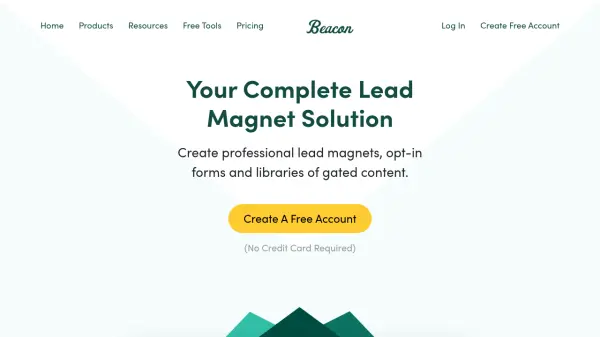
Beacon is an all-in-one platform designed for creating, publishing, and managing lead magnets. It enables businesses to quickly generate professional lead magnets using customizable templates, drag-and-drop editors, and brand styling options. The platform supports the design and distribution of eBooks, guides, checklists, and other high-converting gated content to capture website leads efficiently.
Beacon also provides resource library building features, allowing users to organize documents, videos, links, and audio files in one central, easily accessible location. With built-in lead capture forms, password protection, and smart PDF options, Beacon streamlines the process of attracting, nurturing, and converting prospects, resulting in significantly higher conversion rates and improved lead management.
Features
- Lead Magnet Creator: Design professional lead magnets with drag-and-drop functionality and templates
- Lead Capture Forms: Collect leads through customizable opt-in forms
- Resource Library Builder: Organize and share documents, videos, links, and audio from a single hub
- Pre-Made Templates: Use and customize professionally designed templates
- Smart PDF: Downloadable gated content with smart PDF options
- Brand Styles: Apply consistent branding throughout all created materials
- Password Protection: Restrict access to exclusive content
- Multiple Formats: Create eBooks, guides, checklists, and more
- Blog Post Recycle: Repurpose existing blog posts into lead magnets
- Personal Image Library: Store and use your own graphics and images
Use Cases
- Generating leads through downloadable eBooks and guides
- Increasing email subscribers with high-converting opt-in forms
- Organizing and sharing content in a resource library for customers or prospects
- Repurposing blog content into gated assets for lead generation
- Offering exclusive resources to website visitors in exchange for contact information
- Building a library of marketing assets for internal or client use
- Delivering content upgrades to nurture and qualify leads
FAQs
-
Do you offer an annual discount?
Yes, annual plans are available at a 15% discount, providing two months free for all plan tiers. -
What is the cancellation policy?
There is no minimum contract term, and you can cancel your account at any time. Your account remains active until the end of the billing cycle. -
Can I manage multiple WordPress accounts with a single Beacon account?
Yes, you can install the WordPress plugin on as many sites as you want, managing them from a single Beacon account.