
What is Apploye?
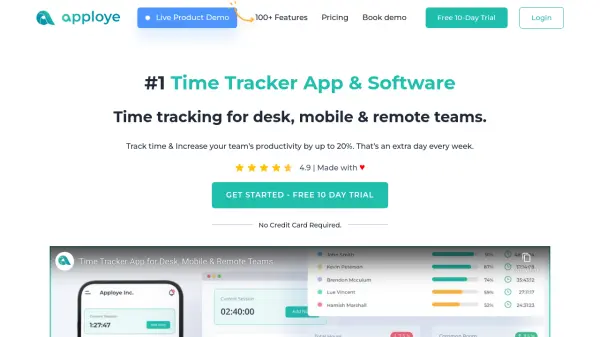
Apploye delivers a comprehensive time tracking solution that covers desktop, mobile, and web platforms to streamline work hours management and productivity monitoring. The platform provides highly accurate tracking with features like project allocation, budget management, invoicing, and payroll calculation, all accessible from a centralized dashboard. Advanced reporting gives organizations deep insights into employee performance, while optional remote employee monitoring with live screenshots and activity analytics ensures teams stay productive and accountable. Apploye also offers seamless integrations with popular project management tools, enabling workflow automation and detailed timesheet analysis for improved decision-making.
With dedicated solutions for businesses of all sizes, freelancers, and remote teams, Apploye simplifies resource allocation, billing, and performance evaluation. Its robust security standards protect user data through cloud hosting and encryption, and companies benefit from a scalable pricing model that supports growth. By automating manual time entry, facilitating real-time team oversight, and providing actionable analytics, Apploye empowers businesses to achieve up to 20% higher productivity while retaining top talent and ensuring accurate, efficient operations.
Features
- Accurate Time Tracking: Real-time tracking via desktop, mobile, and Chrome extension.
- Project & Task Management: Assign, monitor, and analyze time invested in projects and tasks.
- Payroll & Invoicing: Automated payroll management and client invoicing based on tracked hours.
- Advanced Reporting: Customizable timesheet reports with export options for detailed analysis.
- Remote Employee Monitoring: Optional screenshots, app and URL usage, and activity tracking for remote staff.
- Comprehensive Dashboard: Visualize team performance, top performers, and real-time activity.
- Manual & Automated Time Entry: Support for both automated tracking and manual adjustments with entry notes.
- Integrations: Connect seamlessly with leading project management platforms.
- Pomodoro Timer & Idle Detection: Boosts focus and flags unproductive time.
- Multi-Platform Availability: Accessible via Windows, Mac, Linux, Android, iOS, and browser.
Use Cases
- Tracking and optimizing employee work hours for in-office, remote, and hybrid teams.
- Automating payroll and generating client invoices based on billable hours.
- Monitoring remote employee productivity with live screenshots and app usage analytics.
- Managing project budgets and task allocations with real-time insights.
- Generating advanced custom reports for HR, finance, or management review.
- Supporting freelancers and independent contractors in billing and performance tracking.
- Managing team attendance, leave, and time-off requests efficiently.
- Enhancing work focus with Pomodoro timers and idle time tracking.
FAQs
-
Can I try Apploye before purchasing a subscription?
Yes, Apploye offers a free 10-day trial with full access to its features and does not require a credit card to get started. -
Does Apploye track keystrokes?
Apploye only counts keystrokes for activity calculation and does not record the content of keys pressed. -
What platforms does Apploye support?
Apploye is compatible with Windows, Mac, Linux, Android, iOS, and offers a Chrome extension for browser-based tracking. -
How secure is my data with Apploye?
Apploye uses enterprise-grade cloud hosting on Amazon AWS, end-to-end encryption, SSL certificates, and restricted access controls to ensure user data security. -
Is there a refund policy for Apploye?
Yes, Apploye provides refunds if requested within the first 30 days of purchase.