What is AppLogoCreator?
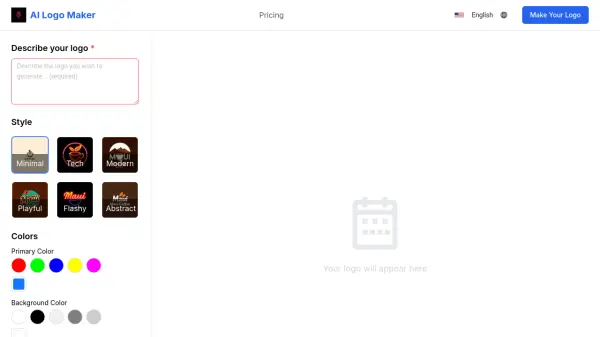
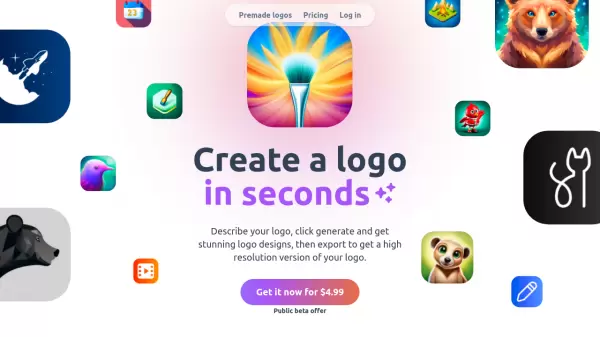
AppLogoCreator revolutionizes the logo design process by leveraging artificial intelligence to generate professional logos based on simple text descriptions. The platform offers instant logo creation capabilities, allowing users to quickly generate multiple design variations until they find their perfect match.
The service provides high-resolution exports of the final designs, granting users full commercial rights to their created logos. While currently focused on graphical elements, the platform is evolving to include text editing capabilities, making it a comprehensive solution for business branding needs.
Features
- Instant Generation: Creates logos within seconds from text descriptions
- High-Resolution Export: Provides high-quality logo files for professional use
- Full Rights: Complete commercial usage rights for all generated logos
- Multiple Iterations: Allows multiple generation attempts for perfect results
- AI-Powered Design: Utilizes advanced AI for professional logo creation
Use Cases
- Business branding creation
- Startup logo design
- Product logo development
- Brand identity establishment
- Quick logo prototyping
FAQs
-
How do I create a logo?
You give a simple description of your logo and our AI generates stunning logo ideas for you. When you're happy with the results you can edit and export a high definition version of your logo. -
Can it do text?
Not at the moment. We plan to add an editor so you can combine your logos with text. You can use Figma for free to add text to your logo. -
Do I get all the rights to the logos?
Yes, you can use the logos for any purpose, including selling them. -
Do you offer a refund?
No, GPUs are expensive to run. If you can't get good results, we will help you get the result you want.