What is AdsLibrary?
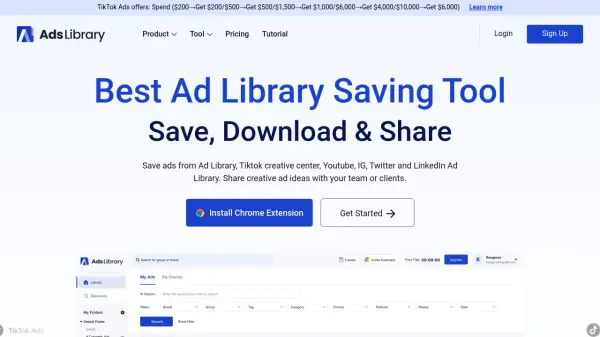
AdsLibrary empowers marketers and creative teams with a unified platform for managing advertising content across multiple social media platforms. The platform features an intelligent Chrome extension that enables one-click saving of ads from major platforms like TikTok Creative Center, YouTube, Instagram, Twitter, and LinkedIn Ad Library.
Through its comprehensive suite of tools, users can organize saved ads into customizable folders, track active ad statuses, and share collections with team members or clients. The platform hosts over 600,000 high-quality ads from 80,000+ brands, providing users with an extensive library of creative inspiration and competitive intelligence.
Features
- Chrome Extension: One-click ad saving from multiple platforms
- Bulk Download: Download both ad media and detailed ad data
- Team Collaboration: Share ad collections and add team comments
- Custom Organization: Create folders and groups for saved ads
- AI Search: Smart search functionality within the ad library
- Active Status Tracking: Monitor running time of saved ads
- Community Library: Access to 600k+ ads from 80k+ brands
- Manual Upload: Option to upload custom content or save via links
Use Cases
- Competitive analysis of advertising campaigns
- Building creative inspiration libraries
- Sharing ad collections with clients
- Team collaboration on ad research
- Tracking competitor ad strategies
- Creating organized ad swipe files
- Marketing campaign research
How It Works
Install Chrome Extension
Add the AdsLibrary extension to Chrome browser
Save Ads
Use the extension to save ads from various platforms with one click
Organize Content
Create folders and groups to organize saved ads
Share and Collaborate
Share ad collections with team members or clients via sharing links
FAQs
-
Does AdsLibrary offer a trial?
No, AdsLibrary does not offer trials at this time. -
How can I unsubscribe?
You can cancel your subscription in Account > Subscription page, after cancellation, no charges will be deducted. -
Do you offer refunds?
No. While they support canceling the subscription at any time, they do not offer refunds. -
Where can I get an invoice?
You can find your order in Account -> Invoice page and download your invoice after filling in your invoice information.