Agent skill
deep-linking-for-flutter-web
Learn how to implement proper URL navigation in your Flutter application, including deep linking to specific pages, handling protected routes, and creating custom transitions for a seamless user experience.
Install this agent skill to your Project
npx add-skill https://github.com/rodydavis/skills/tree/main/skills/deep-linking-flutter-web
Metadata
Additional technical details for this skill
- last modified
- Tue, 03 Feb 2026 20:04:25 GMT
SKILL.md
Deep Linking for Flutter Web
In this article I will show you how to have proper URL navigation for your application. Open links to specific pages, protected routes and custom transitions.
Setup
Create a new flutter project called “flutter_deep_linking”
Open that folder up in VSCode.
Update your “pubspec.yaml” with the following:
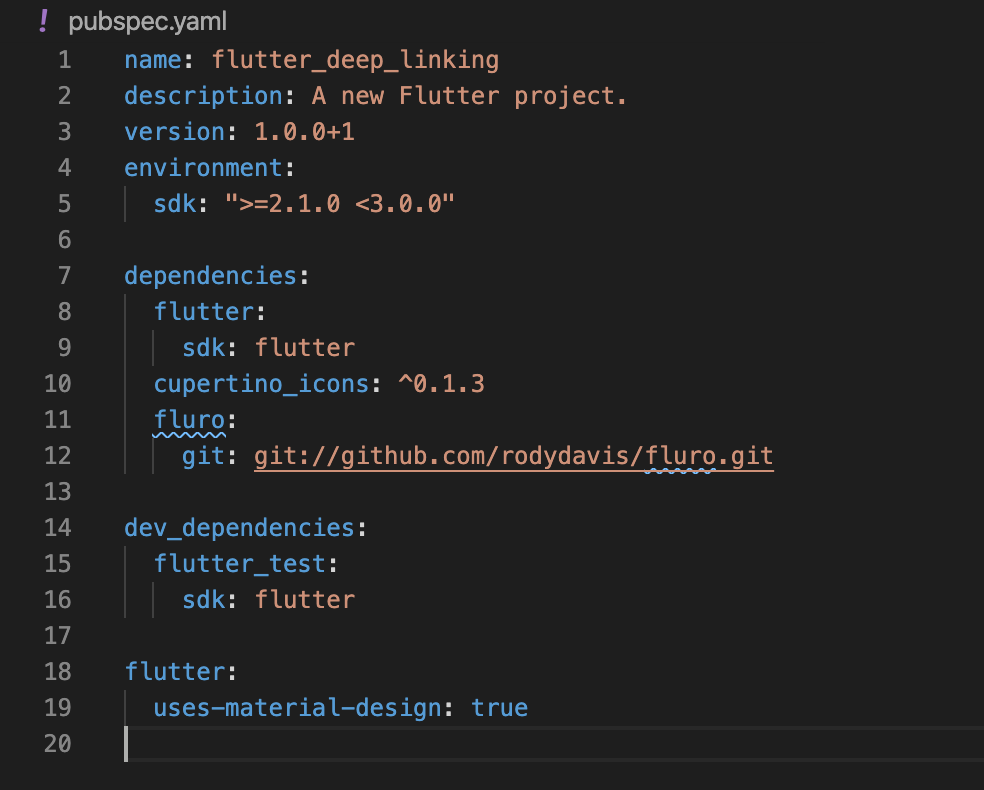
Step 1
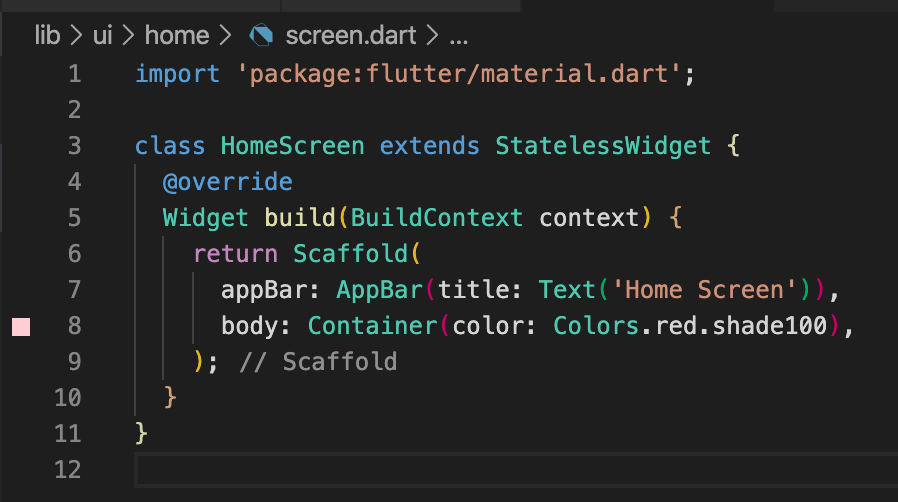
Create a file at “lib/ui/home/screen.dart” and add the following:
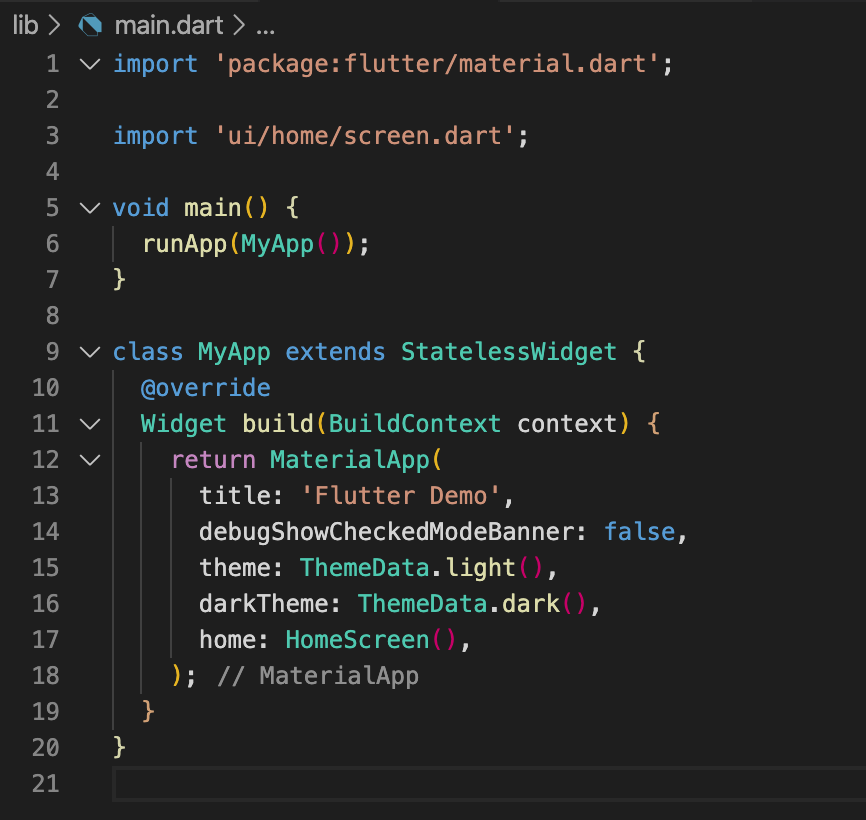
Update your “lib/main.dart” with the following:
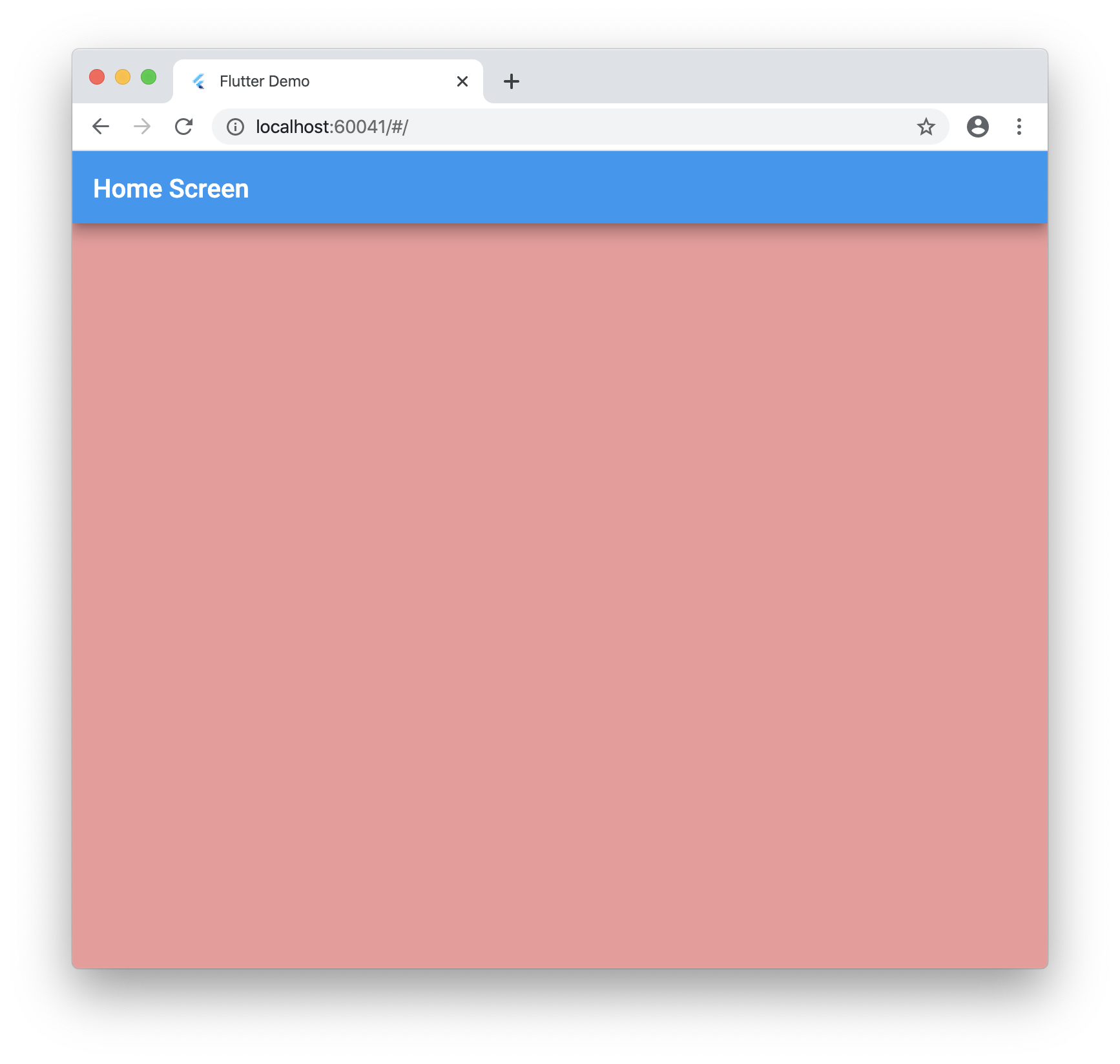
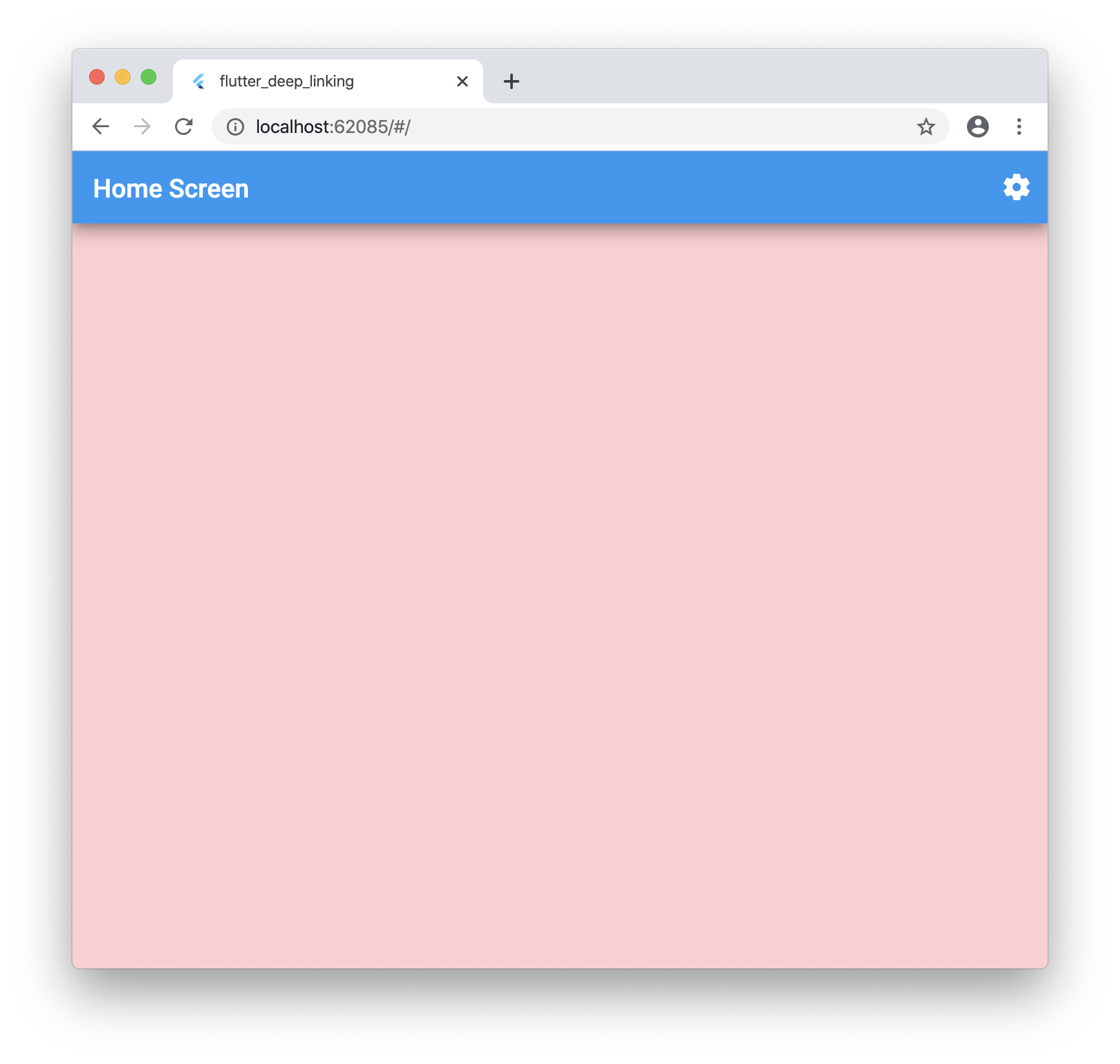
Run your application and you should see the following:
Step 2
Now we need to grab the url the user enters into the address bar.
Create a folder at this location “lib/plugins/navigator”
Create a file inside named: “web.dart” with the following:
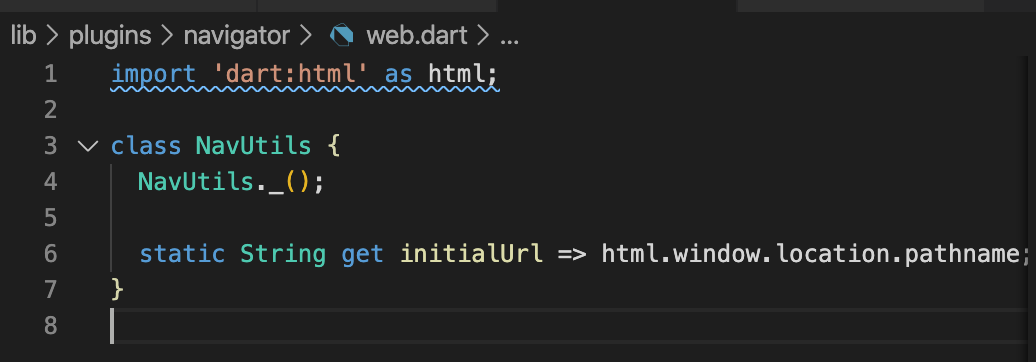
Create a file inside named: “unsupported.dart” with the following:
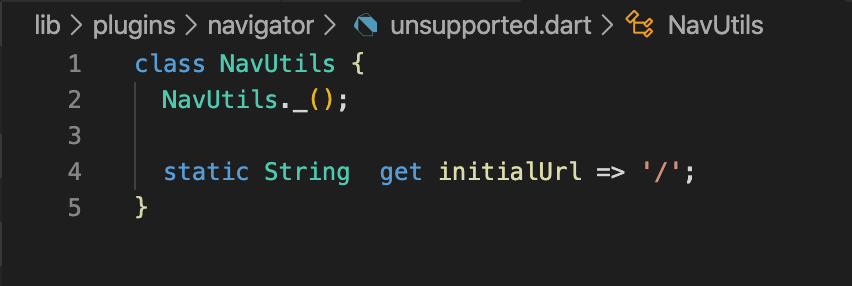
Create a file inside named: “navigator.dart” with the following:

Now go back to your “lib/main.dart” file and add the navigator:
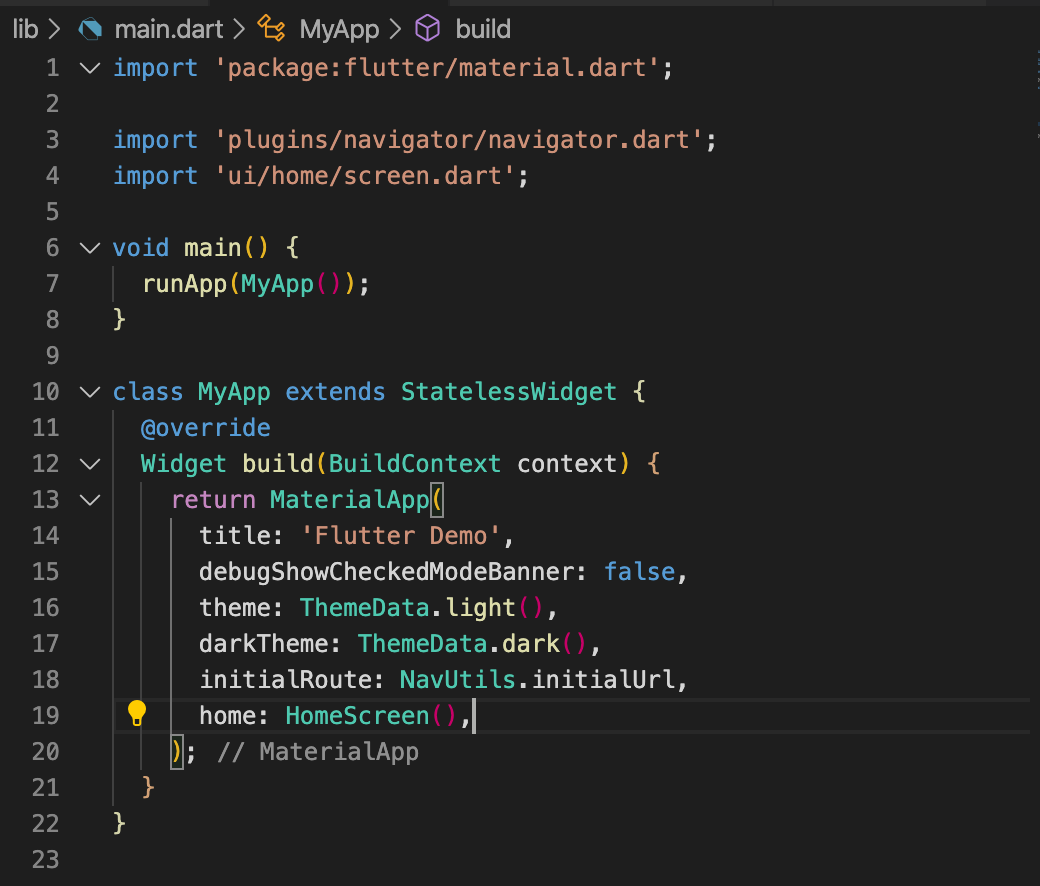
It’s important to import the navigator as shown as this will have the conditional import for web compiling.
If you run the app now nothing should change.
Step 3
Now let’s add the proper routing.
Create a new file “lib/ui/router.dart” and add the following:
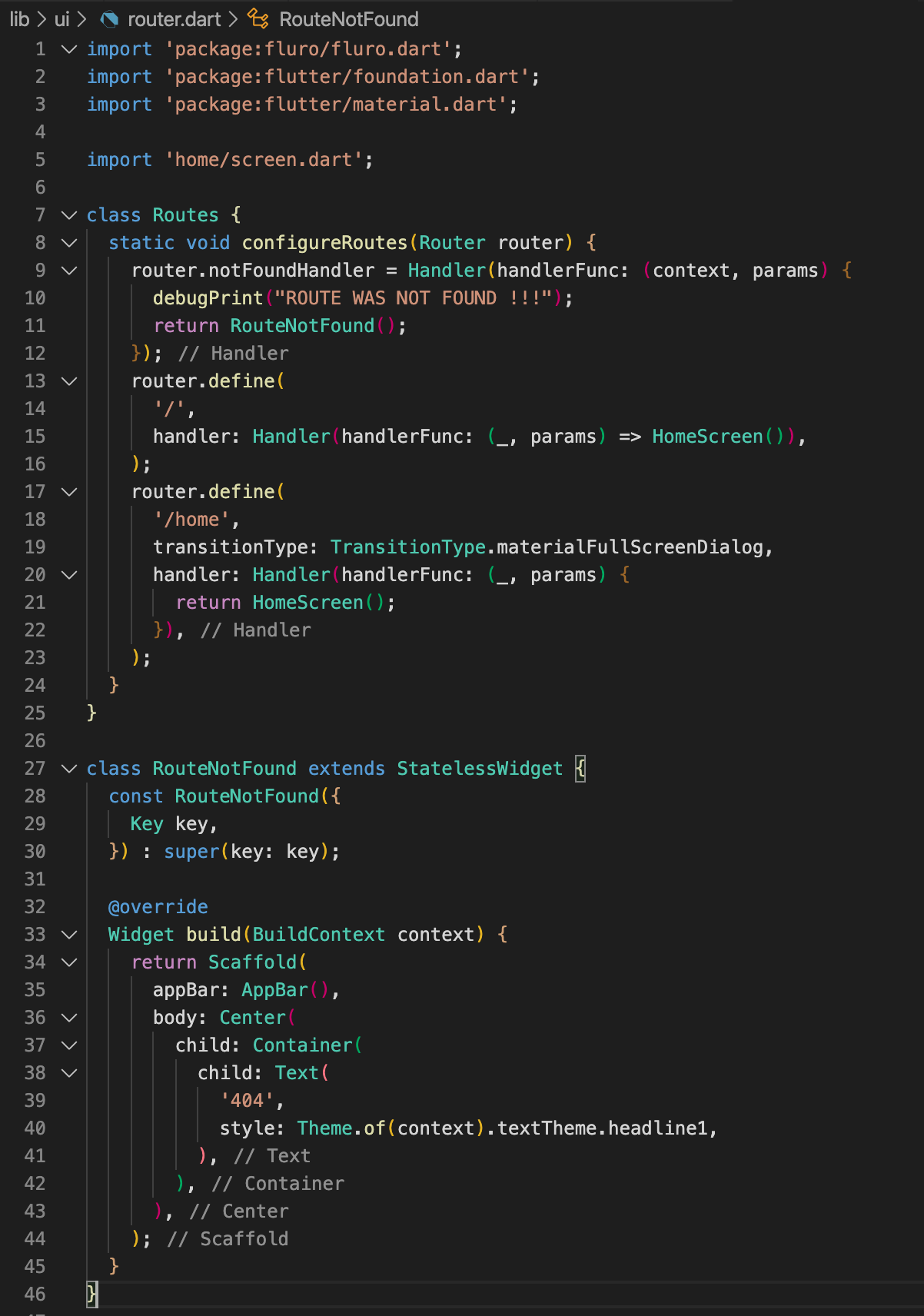
Also update “lib/main.dart” with the following:
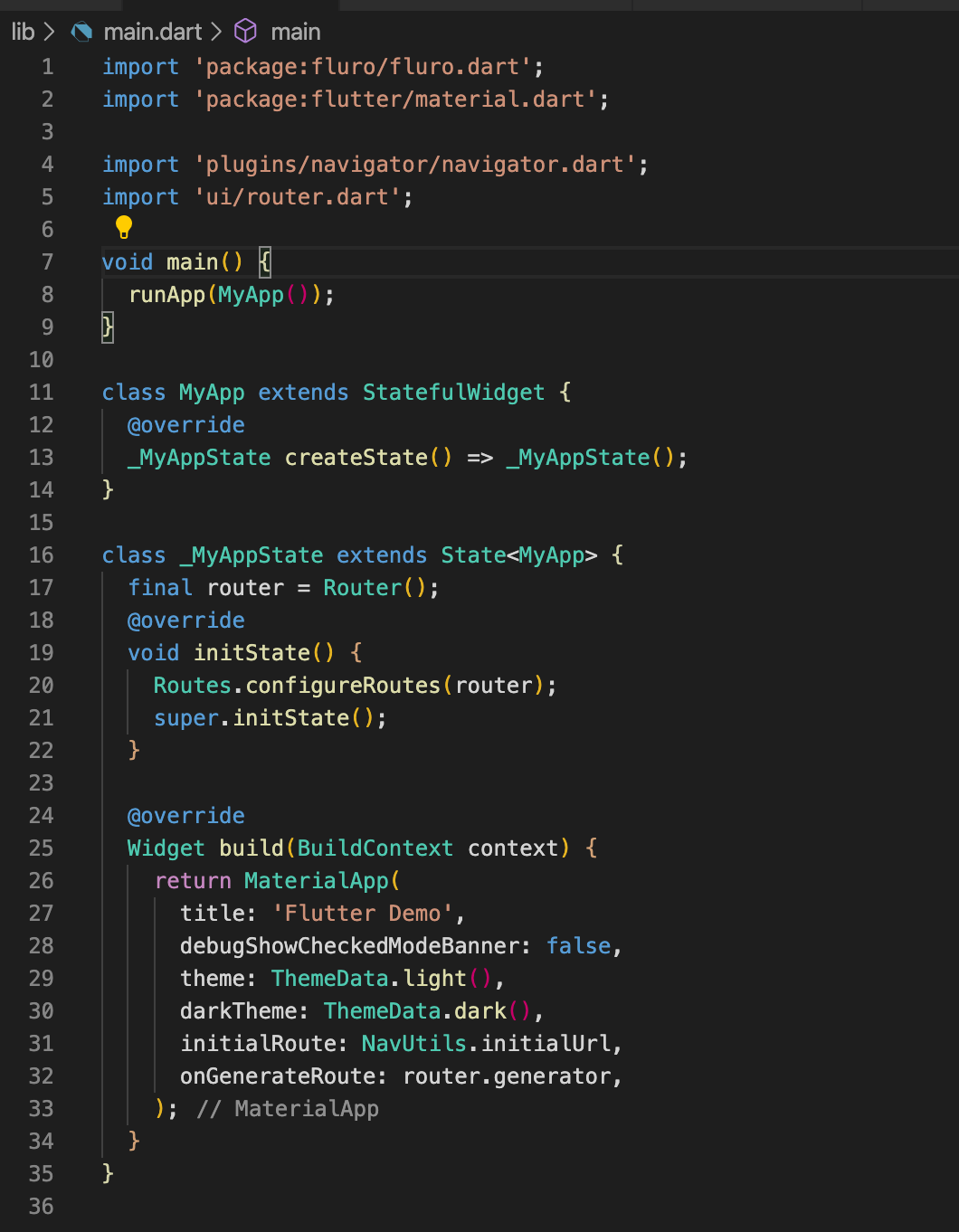
Notice how we removed the “home” field for MaterialApp. This is because the router will handle everything. By default we will go home on “/”
Step 4
Now let’s add multiple screens to put this to the test! Add the following folders and files.
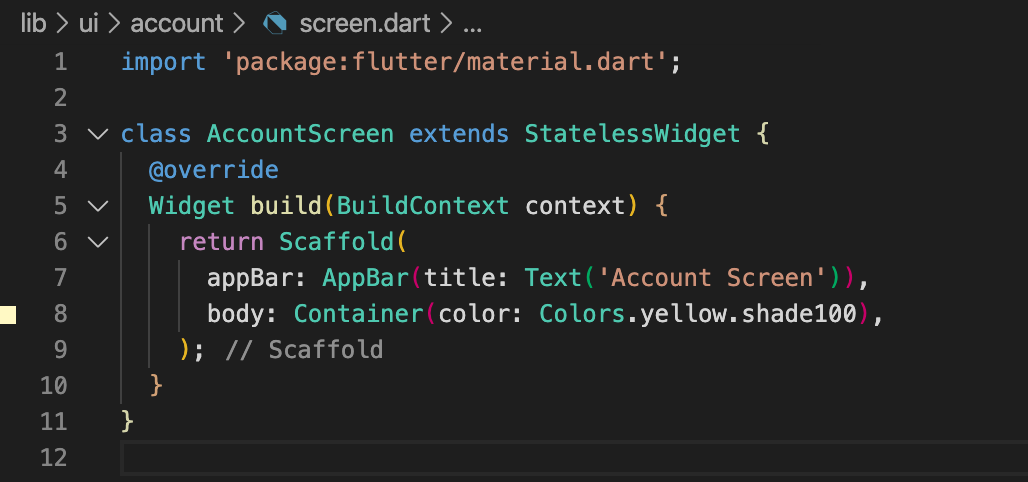
Create a file “lib/ui/account/screen.dart” and add the following:
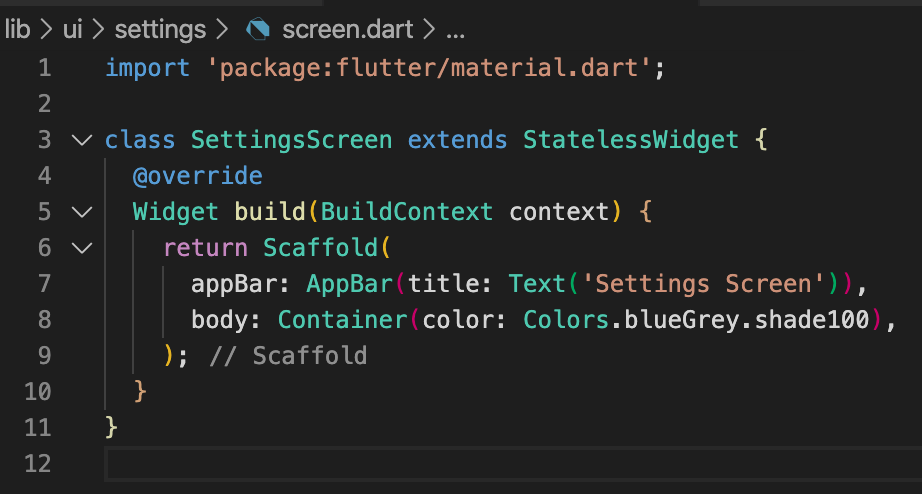
Create a file “lib/ui/settings/screen.dart” and add the following:
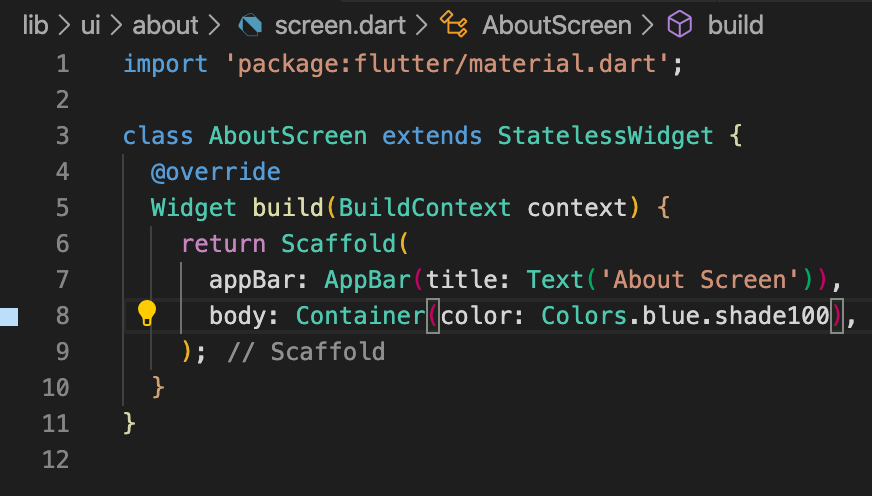
Create a file “lib/ui/about/screen.dart” and add the following:
Add the following to “lib/ui/router.dart”:
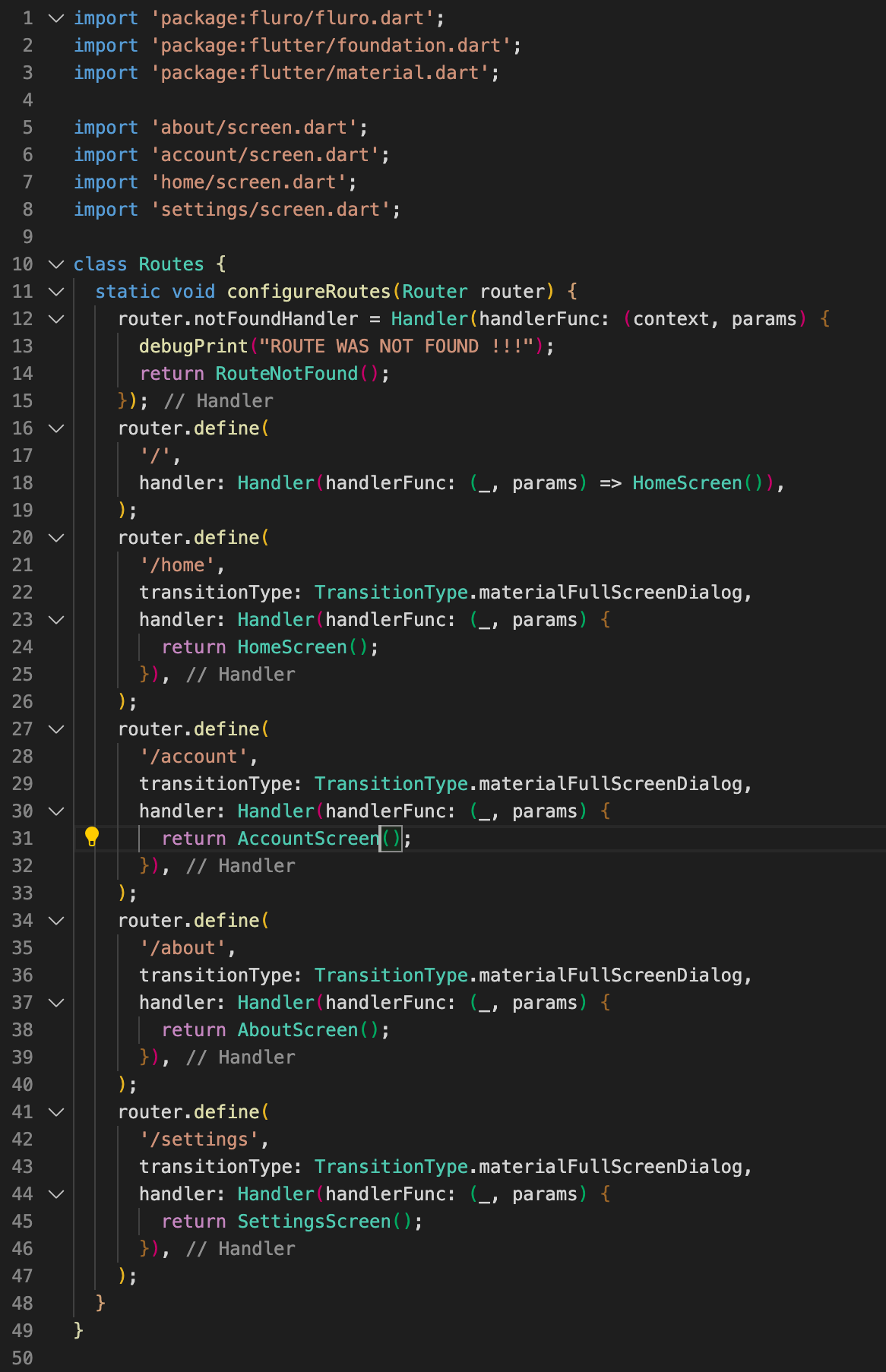
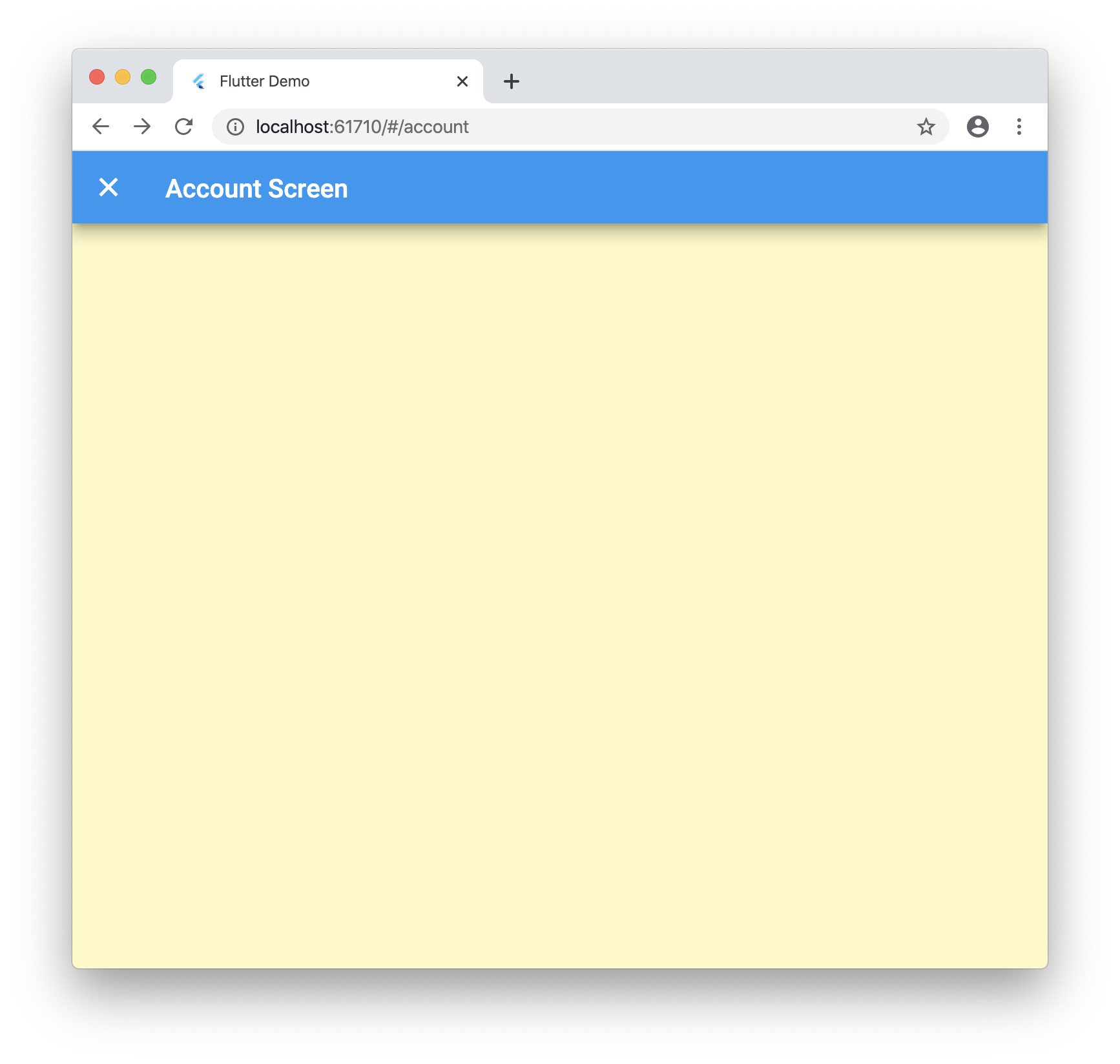
Now when you navigate to /about, /account and /settings you will go to the new pages!
Step 5
Now let’s tie into the browser navigation buttons! Update “lib/ui/home/screen.dart” with the following:
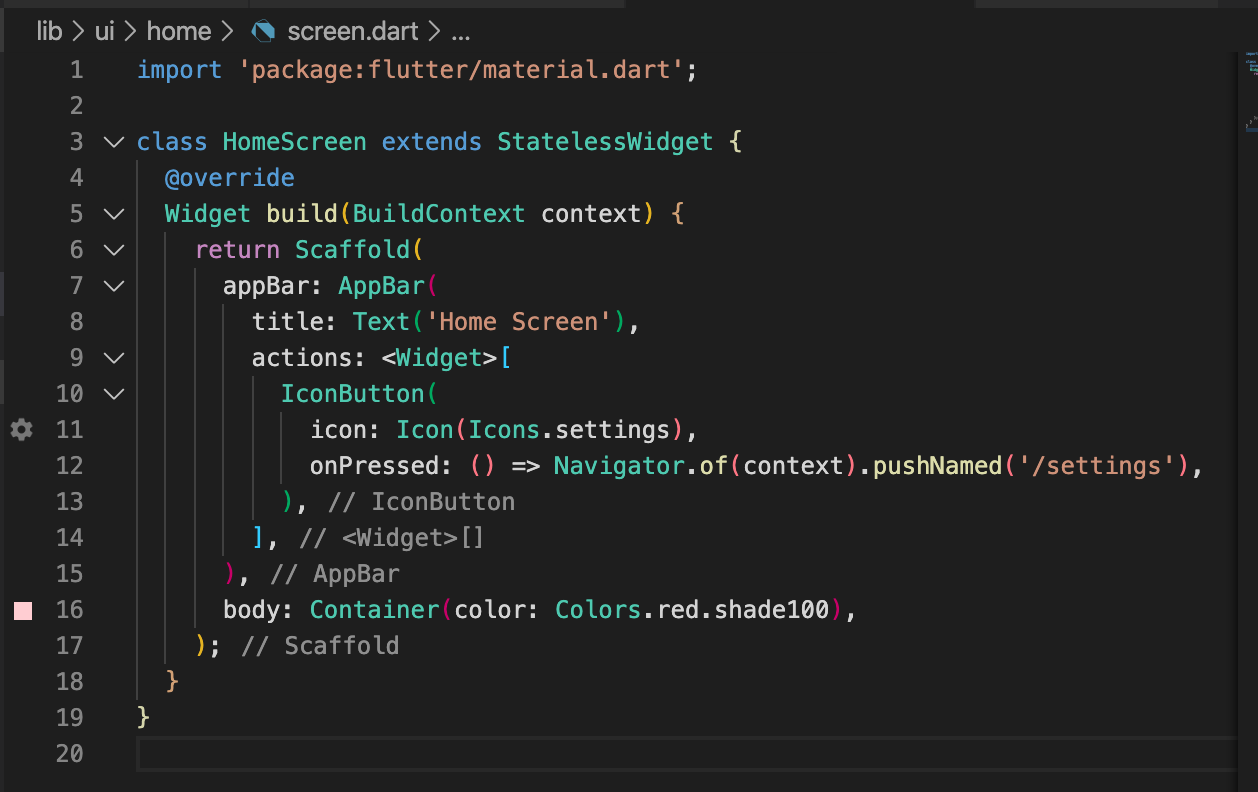
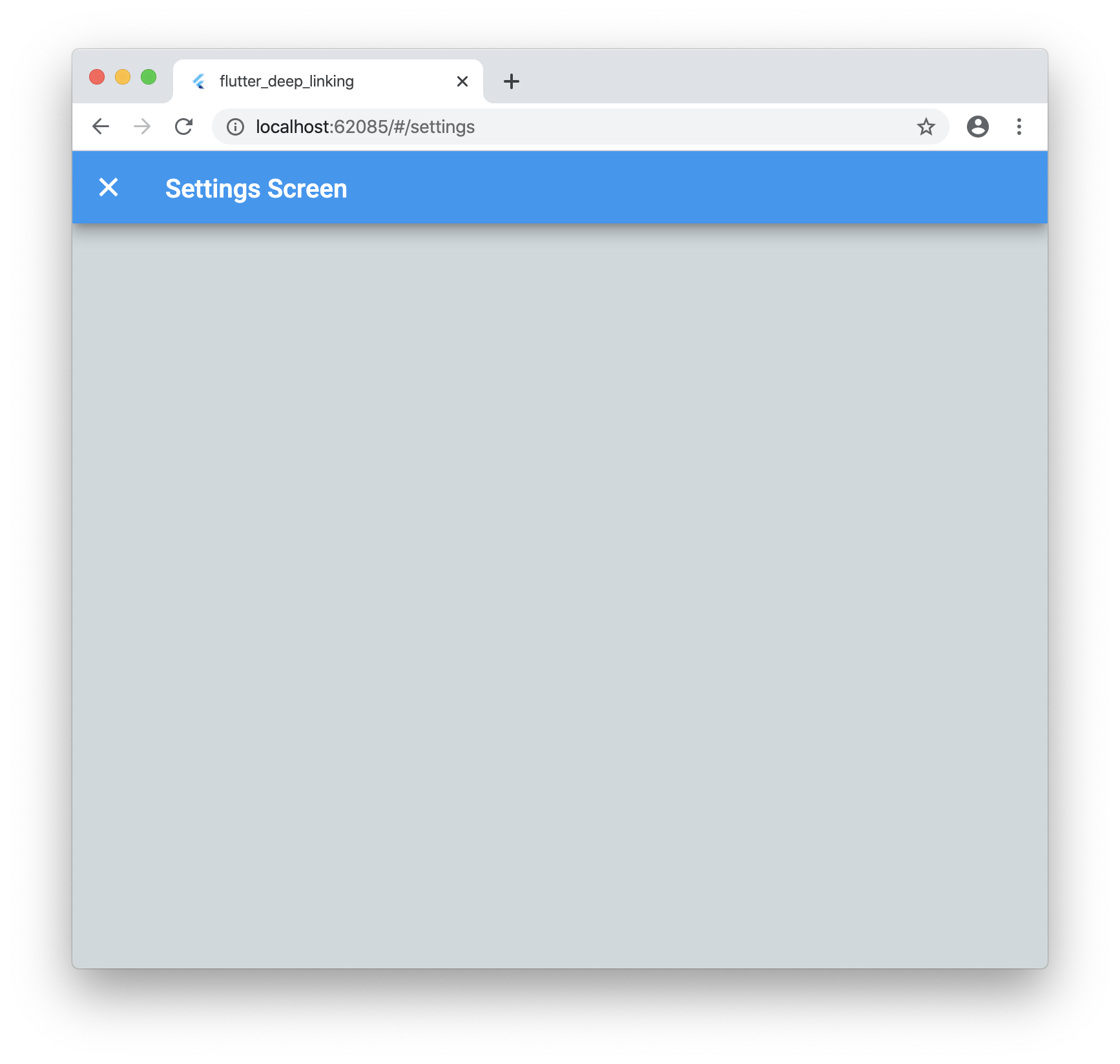
Now when you run the application and click on the settings icon it will launch the new screen as expected. But if you click your browsers back button it will go back to the home screen!
Step 6
These urls are great but what if you want to pass data such as an ID that is not known ahead of time? No worries!
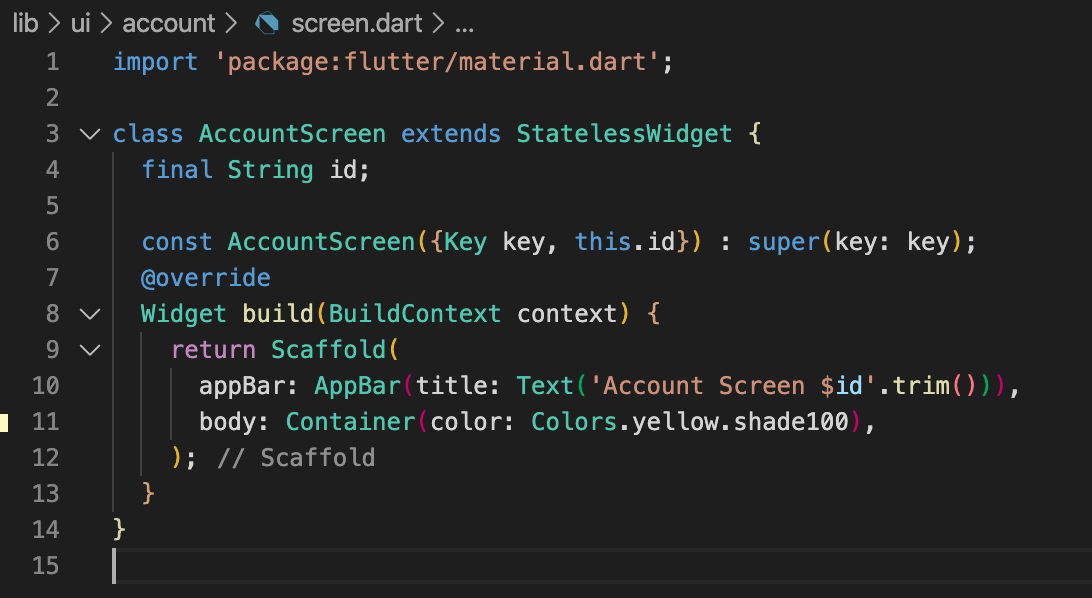
Update “lib/ui/account/screen.dart” with the following:
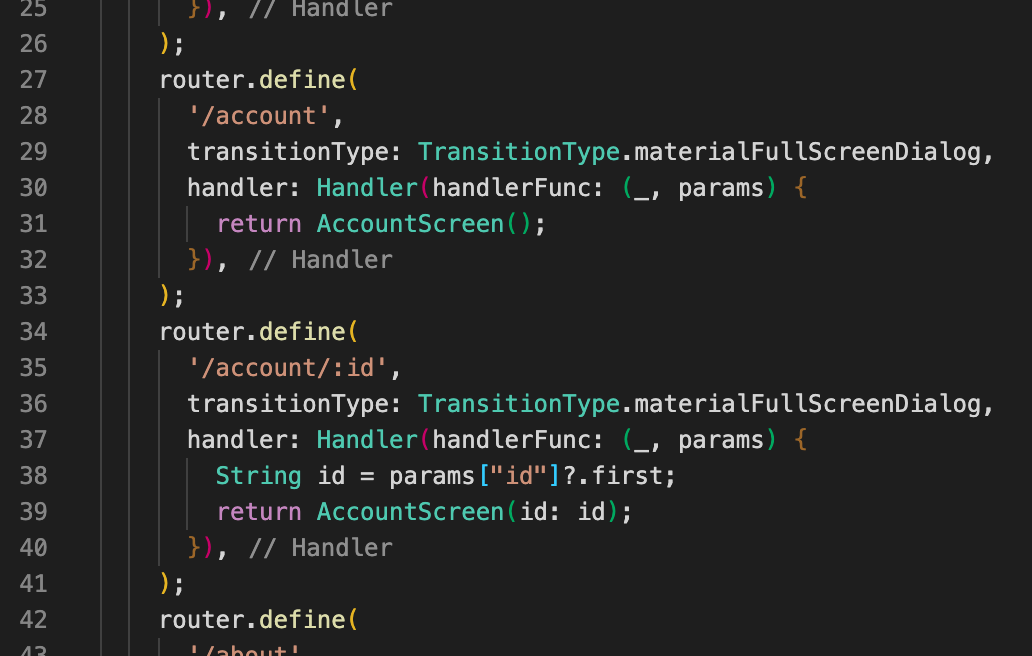
Let’s update our “lib/ui/router.dart” with the following:
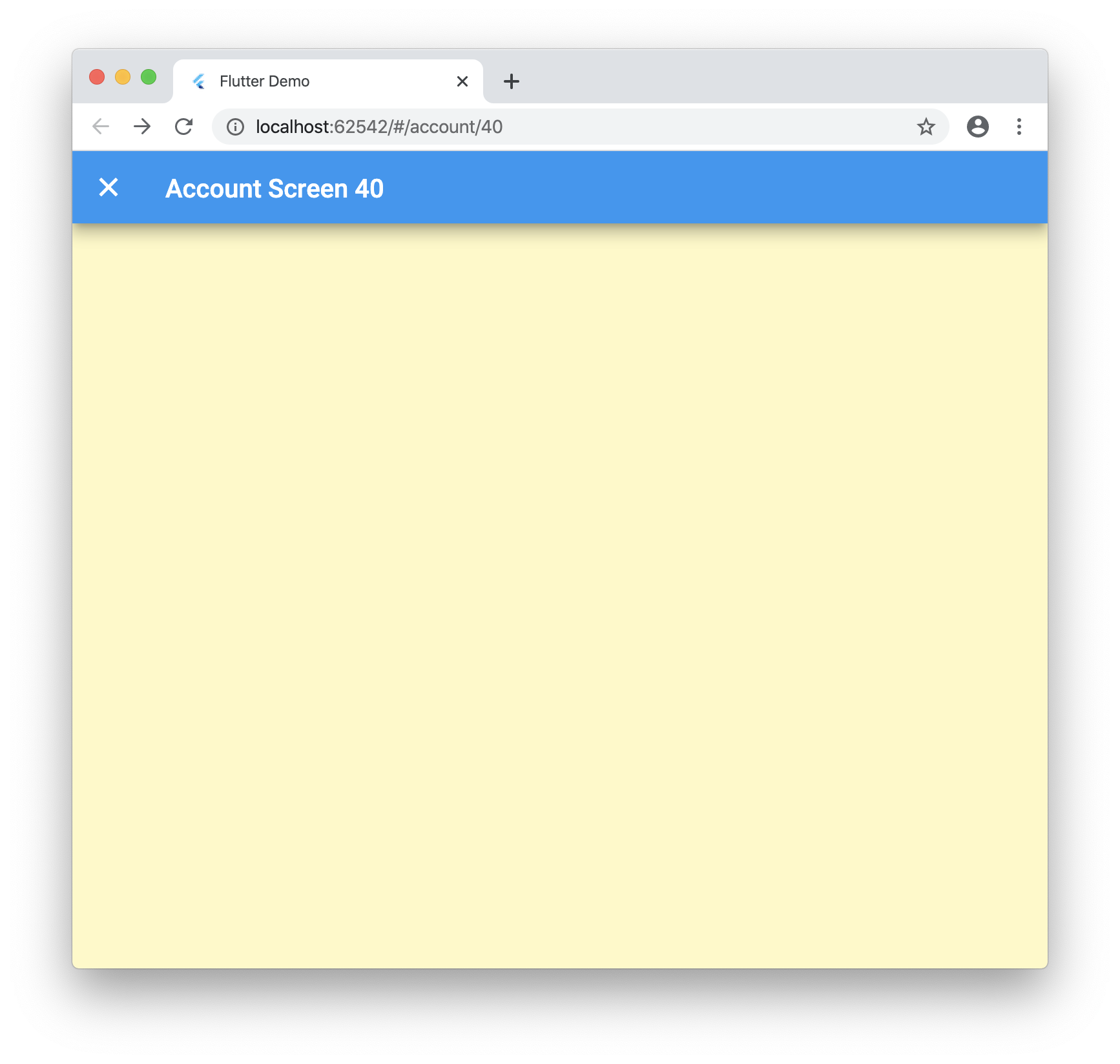
Now when you run your application and navigate to “/account/40” you will see the following:
Conclusion
Dynamic routes work great for Flutter web, you just need to know what to tweak! This package uses a forked version of fluro for some fixes I added but once the PRs is merged you can just use the regular package. Let me know what you think below and if there is a better way I am not seeing!
Here is the final code: https://github.com/rodydavis/flutter_deep_linking
Recommended Agent Skills
Expand your agent's capabilities with these related and highly-rated skills.
 rodydavis/skills
how-to-do-offline-recommendations-with-sqlite-and-gemini
Learn how to enhance your CMS like PocketBase with AI-powered content recommendations using text embeddings, SQLite, and k-nearest neighbor search for efficient and scalable related content suggestions.
rodydavis/skills
how-to-build-a-webrtc-signal-server-with-pocketbase
Learn how to build a simple WebRTC video call application using PocketBase as a signaling server, enabling peer-to-peer communication with SQLite on the server and realtime updates via Server Sent Events.
rodydavis/skills
flutter-terminal-cheat-sheet
This post provides a handy collection of Flutter commands and scripts for web development, package creation, troubleshooting, testing, and more, streamlining your Flutter workflow.
rodydavis/skills
how-to-print-multiple-objects-to-the-console-with-print-in-dart
Learn how to print multiple objects to the console in Dart using Records, offering a similar experience to JavaScript's `console.log()` functionality.
rodydavis/skills
flutter-input-output-preview
Build responsive Flutter apps with a reusable `TwoPane` widget and an `InputOutputPreview` component for side-by-side code and preview display on both mobile and desktop.
rodydavis/skills
displaying-html-in-flutter
Easily display and interact with HTML content in your Flutter app using the `easy_web_view` package, which supports both web and mobile platforms.
Didn't find tool you were looking for?