Agent skill
displaying-html-in-flutter
Easily display and interact with HTML content in your Flutter app using the `easy_web_view` package, which supports both web and mobile platforms.
Install this agent skill to your Project
npx add-skill https://github.com/rodydavis/skills/tree/main/skills/display-html-in-flutter
Metadata
Additional technical details for this skill
- last modified
- Tue, 03 Feb 2026 20:04:25 GMT
SKILL.md
Displaying HTML in Flutter
Sometimes you have content in HTML that needs to be displayed and interacted with in Flutter.
Online Demo:https://rodydavis.github.io/easy_web_view/#/
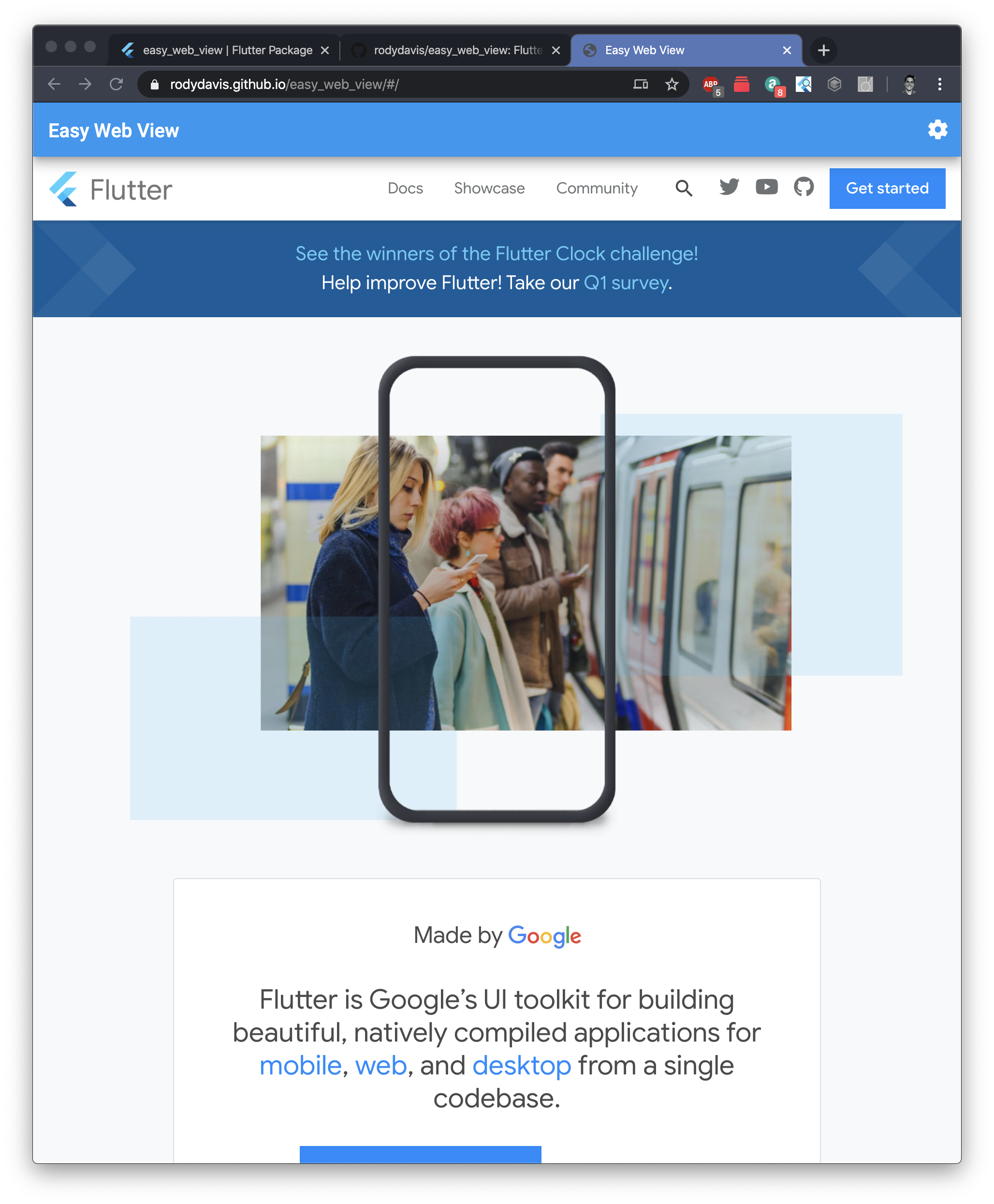
For those impatient I created a package for you to get all the following functionally and more here: https://pub.dev/packages/easy_web_view
Getting Started
Create a new flutter project named whatever you want.
If you plan on showing HTML content on iOS/Android you will need to add the following to your pubspec.yaml
dependencies:
    webview_flutter: ^0.3.15+1
Web
Reference: /lib/src/web.dart
To show html on Flutter web we need to use an HTMLElementView. This is a platform view that allows us to display native content.
We first need to register the Element and add all the options we need. Here we are creating an iFrame element and setting the source based on if it is markdown, html or a url.
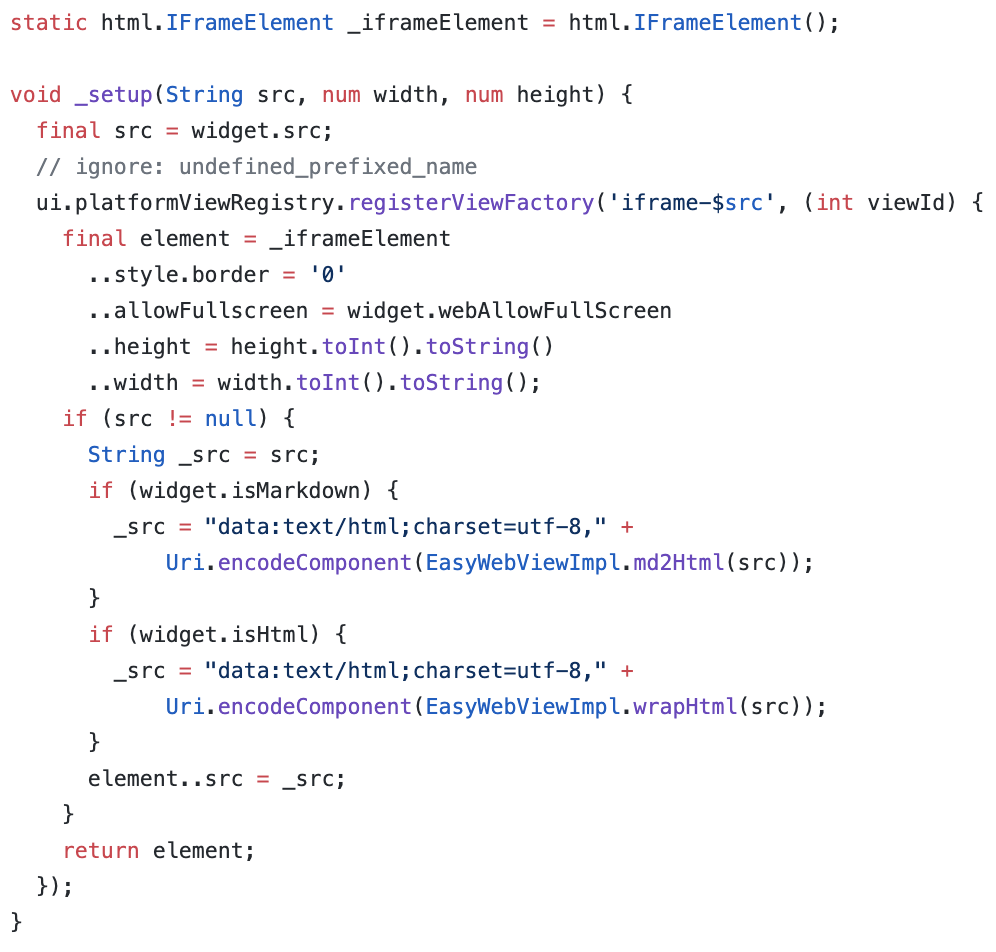
To display valid HTML you can set the src field to the following:
_src = "data:text/html;charset=utf-8," + Uri.encodeComponent("HTML_CONTENT_HERE");
For the package you can also pass markdown to the src and it will convert it for you.
After you call the setup method it is now time to display your new platform view:
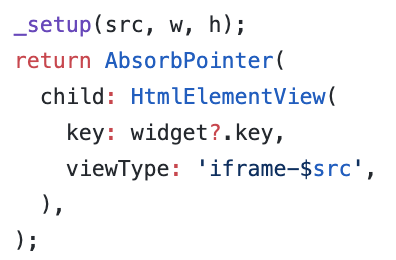
You need to use the same viewType string as you registered for “registerViewFactory” method earlier.
Finally you need to wrap it in a container or sized box with an explicit width and height!
Mobile
Reference: https://github.com/rodydavis/easy_web_view/blob/master/lib/src/mobile.dart
Mobile setup should be easier. Let’s add a method for updating the url that we will pass to the web view.
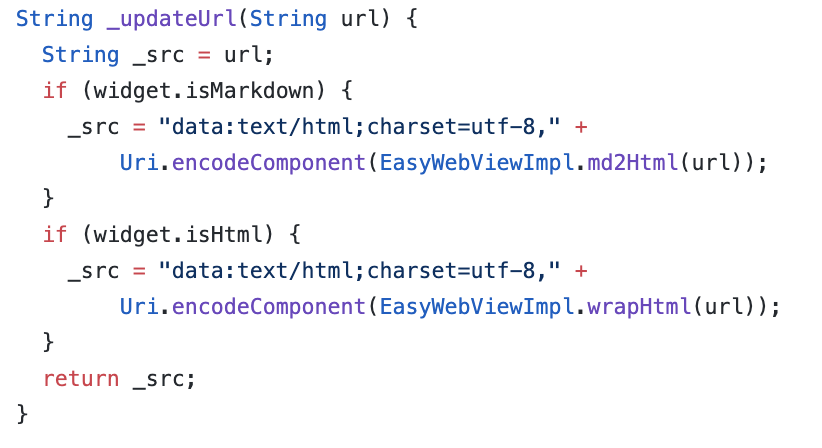
Create the controller:
WebViewController _controller;
And when ever the src changes call this method:
_controller.loadUrl(_updateUrl(widget.src), headers: widget.headers);
Finally lets show the html in the widget tree:
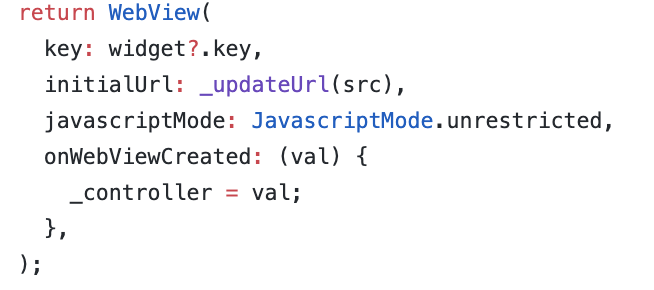
Conclusion
If you want to see a complete example and advanced use case view the source here: https://github.com/rodydavis/easy_web_view
And if you just want to have it all done for you use this package: https://pub.dev/packages/easy_web_view
Feel free to make PRs if you have anything that could help make it better too (Or if you find bugs).
When you show HTML this way you will find that you can interact, select text and work with it just like you would it it were a regular web page. If you are using the package you can also just pass embedded content or html elements too without needing a full html valid file (YouTube video for example).
Recommended Agent Skills
Expand your agent's capabilities with these related and highly-rated skills.
 rodydavis/skills
how-to-do-offline-recommendations-with-sqlite-and-gemini
Learn how to enhance your CMS like PocketBase with AI-powered content recommendations using text embeddings, SQLite, and k-nearest neighbor search for efficient and scalable related content suggestions.
rodydavis/skills
how-to-build-a-webrtc-signal-server-with-pocketbase
Learn how to build a simple WebRTC video call application using PocketBase as a signaling server, enabling peer-to-peer communication with SQLite on the server and realtime updates via Server Sent Events.
rodydavis/skills
flutter-terminal-cheat-sheet
This post provides a handy collection of Flutter commands and scripts for web development, package creation, troubleshooting, testing, and more, streamlining your Flutter workflow.
rodydavis/skills
how-to-print-multiple-objects-to-the-console-with-print-in-dart
Learn how to print multiple objects to the console in Dart using Records, offering a similar experience to JavaScript's `console.log()` functionality.
rodydavis/skills
flutter-input-output-preview
Build responsive Flutter apps with a reusable `TwoPane` widget and an `InputOutputPreview` component for side-by-side code and preview display on both mobile and desktop.
rodydavis/skills
how-to-export-sqlite-tables-to-create-statements
Learn how to export your entire SQLite database schema, including tables and indexes, into runnable CREATE statements at runtime using Flutter and the `sqlite3` package.
Didn't find tool you were looking for?