What is Zdog?
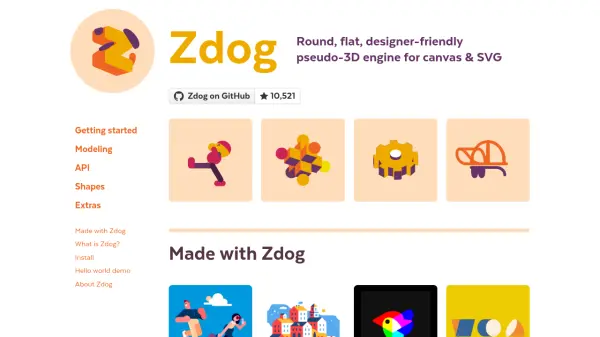
Zdog offers a unique approach to 3D modeling on the web, allowing users to design and render simple 3D models directly in <canvas> and SVG elements. Unlike traditional 3D engines, it uses flat shapes to create the illusion of three-dimensional geometries, making it ideal for vector illustration enthusiasts seeking to explore an added dimension while maintaining ease of use. Its small footprint and designer-friendly declarative API enable quick prototyping and integration into web projects.
With Zdog, circular shapes are rendered with smooth, rounded edges, preserving visual quality without the polygonal artifacts often associated with vector graphics. The tool is inspired by classic virtual pet games and focuses on making 3D modeling fun, approachable, and visually appealing for creative coding, simple animations, and educational projects.
Features
- Pseudo-3D Rendering: Models 3D geometries but renders them as flat 2D shapes for unique visual effects.
- Canvas and SVG Support: Direct rendering compatibility with HTML canvas and SVG elements.
- Lightweight Library: Small 28KB minified size, suitable for fast loading and web integration.
- Rounded Shape Rendering: All circular shapes retain smooth, rounded edges for clean visuals.
- Declarative API: Straightforward, user-friendly JavaScript interface for easy modeling and animation.
- Open Source: Available via npm, Bower, and a public GitHub repository.
Use Cases
- Creating vector-based 3D illustrations and animations for web design.
- Developing interactive educational tools to teach or showcase 3D concepts.
- Prototyping simple 3D visual elements without the overhead of traditional 3D engines.
- Designing interactive graphics or game assets for browser-based applications.
- Animating simple shapes for creative coding projects or digital art.
FAQs
-
What platforms does Zdog support?
Zdog works in web browsers, rendering graphics using HTML canvas and SVG elements. -
How do I install Zdog?
You can install Zdog by downloading it directly, using a CDN, or via npm or Bower package managers. -
Is Zdog suitable for complex 3D modeling?
Zdog is designed for simple 3D illustrations and animations, not for complex 3D modeling or high-performance graphics. -
Is Zdog open-source?
Yes, Zdog is open-source and available on GitHub.