What is TrackRak?
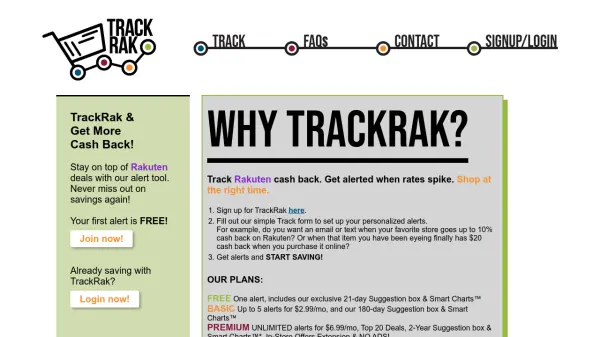
TrackRak provides a specialized service for tracking Rakuten cash back deals through an intelligent alert system. Users can set up personalized notifications to receive alerts via email or text when cash back rates spike at their favorite stores or for specific items they're interested in purchasing.
The platform offers different subscription tiers with varying features, including access to historical data through Smart Charts™ and Suggestion boxes. By monitoring cash back fluctuations, it enables shoppers to make purchases at optimal times to secure the highest possible savings on their online shopping.
Features
- Alert System: Sends email or text notifications when Rakuten cash back rates increase
- Personalized Alerts: Customizable notifications for specific stores or items
- Smart Charts™: Historical data visualization of cash back trends
- Suggestion Box: Recommendations based on user preferences and shopping history
- Multiple Plans: Options ranging from free to premium with unlimited alerts
Use Cases
- Monitoring cash back rates for favorite online stores
- Getting notified when specific items have increased cash back offers
- Timing purchases to maximize Rakuten savings
- Tracking historical cash back trends for budgeting purposes
- Receiving personalized shopping recommendations based on past behavior