

What is Teamleader?
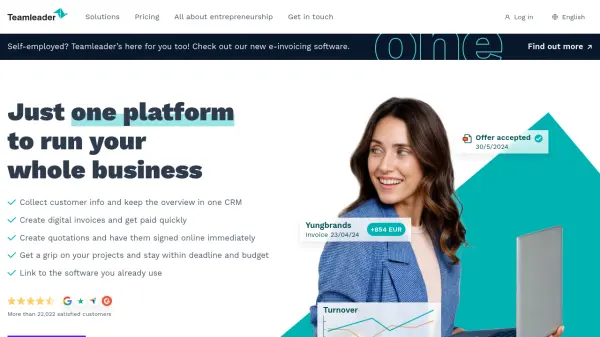
Teamleader provides a powerful and user-friendly platform designed to streamline all essential business processes for small and medium-sized enterprises as well as agencies. The software consolidates customer relationship management, invoicing, quotation handling, project management, and insightful reporting within a single, cohesive environment. Users can efficiently track clients, create and follow up on digital invoices, analyze business performance through ready-made or customizable reports, and enable seamless project delivery on time and within budget.
The platform offers advanced automation features to simplify tedious tasks such as billing, payment reminders, and expense management. Real-time integrations with popular accounting, calendar, and other business tools help eliminate repetitive manual work and centralize data. With tailored solutions and add-ons for solo entrepreneurs, growing teams, and larger agencies, Teamleader adapts to unique workflows—giving businesses of all sizes tools to enhance productivity, maintain control, and drive informed decision-making.
Features
- Comprehensive CRM: Centralizes customer data, tracks communications, and supports efficient follow-ups.
- Automated Invoicing: Creates and sends digital invoices, tracks overdue payments, and offers recurring billing options.
- Expense Management: Uses AI for automatic expense data extraction and status tracking.
- Quotation Management: Designs professional quotations, enables online approval, and easily converts them to projects or invoices.
- Project Management: Facilitates planning, task tracking, and ensures delivery within deadlines and budgets.
- Real-time Reporting: Offers customizable and ready-made business insights with interactive and exportable reports.
- Integrations: Links with 230+ external tools such as accounting and calendar software.
- Mobile App: Enables invoicing, quotations, time tracking, and CRM on-the-go for iOS and Android.
- Multi-entity Support: Manages multiple businesses or teams within one account.
- Automation & Reminders: Schedules automatic payment reminders and follow-ups.
Use Cases
- Centralizing all client data and communications for SMEs.
- Creating, sending, and managing digital invoices and receiving payments quickly.
- Tracking and approving business expenses automatically.
- Designing professional quotations and converting them into active projects or invoices.
- Monitoring project status, workloads, and deadlines for effective project delivery.
- Gaining actionable insights through interactive reports for strategic business decisions.
- Automating recurring invoices and payment reminders for service-based businesses.
- Managing multiple business entities or teams in a single platform.
FAQs
-
Do I need to provide credit card details for the free trial?
No, you can start the Teamleader Focus free trial without entering credit card details. After the trial, you can choose and upgrade to a paid plan. -
Are all features accessible during the free trial?
Yes, the free version grants access to all basic features and allows you to select additional Boosters to trial the functionalities most relevant to your business. -
Can Teamleader Focus be integrated with other software I use?
Yes, Teamleader Focus integrates with over 230 popular software tools including calendar, accounting, and payment apps for a centralized business workflow. -
Is it possible to import my business data into Teamleader Focus?
Yes, you can import customer data, invoices, and more using Excel or CSV files, making the setup process fast and efficient. -
What happens to my data if my free trial ends?
When upgrading from a free trial to a paid plan, you may choose to keep or delete your data. Data will be permanently deleted 30 days after the trial ends if no upgrade occurs.