
What is Sutra?
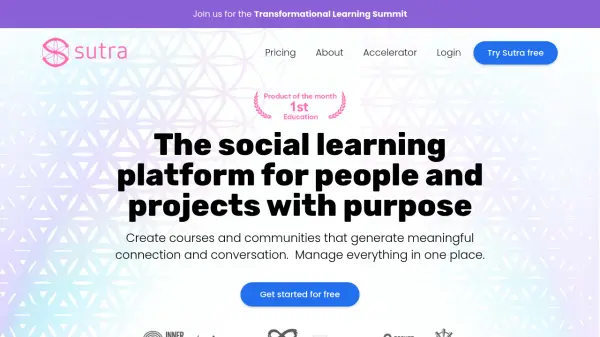
Sutra provides a comprehensive platform for individuals and organizations seeking to foster genuine connection and dialogue through online learning experiences. It facilitates the creation of various types of courses, including self-paced, conversational, cohort-based, and one-on-one coaching programs, alongside vibrant membership communities. The platform emphasizes transformational learning by combining group processes with AI to enhance participant insight and understanding.
Users can design professional landing pages for their offerings, manage event schedules, and handle both online and hybrid programs effectively. Sutra supports multiple languages and integrates seamlessly with tools like Zapier and Stripe for payments, offering flexible options such as tiered pricing and "pay what you can" models. It aims to provide a supportive environment for creators focused on impactful work, offering robust support and features designed for co-creation and emergence.
Users can design professional landing pages for their offerings, manage event schedules, and handle both online and hybrid programs effectively. Sutra supports multiple languages and integrates seamlessly with tools like Zapier and Stripe for payments, offering flexible options such as tiered pricing and "pay what you can" models. It aims to provide a supportive environment for creators focused on impactful work, offering robust support and features designed for co-creation and emergence.
Features
- Conversational Courses: Combine group process with AI to surface participant insights.
- Course Creation Variety: Offer self-paced, conversational, group cohorts, and one-on-one coaching.
- Membership Community Building: Create dedicated spaces for member connection and communication.
- Discussion & Group Organization: Facilitate topic-specific discussions and manage small groups.
- Landing Page Builder: Design professional sales and registration pages.
- Event Management: Set up event spaces and organize schedules.
- Payment & Subscription Processing: Integrate with Stripe for one-time, recurring, and flexible payments.
- Multi-language Support: Available in English, Spanish, Portuguese, French, Italian, German, and Russian.
- Integrations: Connect with tools via Zapier and offer Single Sign-On (SSO).
- Participation Insights: Track engagement metrics (basic and advanced).
- Automation: Automate emails, member additions, and surveys.
- Custom Branding: Add logos, theme colors, and personalized URLs (paid plans).
Use Cases
- Creating transformational online courses.
- Building and managing membership communities.
- Organizing topic-specific discussion groups.
- Facilitating group coaching programs.
- Managing hybrid or in-person training programs and retreats.
- Offering self-paced learning experiences.
- Hosting online events and scheduling calls.
- Setting up flexible payment models for educational offerings.
FAQs
-
Can I use Sutra for free?
Yes. Sutra has a free plan that you can use to get started, which includes up to 5 spaces and 25 members per space. -
Can I cancel my subscription at any time?
Yes. You can cancel via your Sutra account settings under the 'billing' section. -
Is it easy to change plans?
Yes. You can upgrade, downgrade or switch between monthly and annual billing at any time. -
Do you offer refunds?
A 14-day free trial is offered for paid plans. If you forget to cancel before the next invoice date, contact support within 72 hours of your renewal or upgrade for a refund of the most recent payment. -
How do I receive payments for my programs on Sutra?
Payments are processed via Stripe. Simply connect your Stripe account and you’re ready to collect money through Sutra.