What is SubGPT?
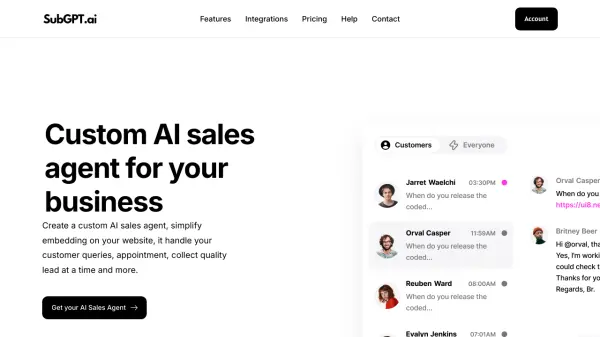
SubGPT provides businesses with custom AI sales agents designed to enhance customer interaction and operational efficiency. These AI agents can be easily embedded onto websites using a no-code builder and trained on specific company data, enabling them to handle customer queries, book appointments, and qualify leads effectively. The platform ensures the AI remains up-to-date by regularly crawling the website for new information, acting as an extension of the brand.
The tool offers seamless integration with various platforms including WordPress, Messenger, and WhatsApp, with planned integrations for Zapier, Slack, and Pabbly Connect on higher tiers. SubGPT aims to streamline customer support through intelligent automation, reducing response times and improving consistency. It operates 24/7, ensuring continuous customer engagement and support even outside of business hours, ultimately boosting lead generation and customer satisfaction.
Features
- Custom AI Sales Agent Builder: Create personalized AI agents trained on your business content.
- No-Code Builder: Easily design and customize AI agents without coding knowledge.
- Website Embedding: Simple integration of the AI agent onto any website.
- Automatic Data Training: Keeps the AI updated by regularly crawling website content.
- Lead Generation: Engage visitors, ask qualifying questions, and capture leads.
- Appointment Booking: Allows the AI agent to schedule appointments.
- Multi-Platform Integration: Connects with WordPress, Messenger, WhatsApp, and planned integrations (Zapier, Slack, Pabbly Connect).
- 24/7 Availability: Provides continuous customer support and interaction.
- GPT-4o Powered: Utilizes advanced AI models for responses.
- Chat History Viewing: Monitor interactions between the AI and customers.
Use Cases
- Automating customer support responses 24/7.
- Generating and qualifying leads from website visitors.
- Booking appointments automatically through the website chat.
- Providing instant answers to frequently asked questions based on website content.
- Integrating AI chat capabilities into WordPress sites, Messenger, and WhatsApp.
- Streamlining support ticket handling and resolution.
FAQs
-
Is there a free trial available?
Yes, you can try us for free for 30 days. If you want, we'll provide you with a free 30-minute onboarding call to get you up and running. -
Can I change my plan later?
Of course you can! Our pricing scales with your company. Chat to our friendly team to find a solution that works for you as you grow. -
What is your cancellation policy?
We understand that things change. You can cancel your plan at any time and we'll refund you the difference already paid. -
How does billing work?
Plans are per workspace, not per account. You can upgrade one workspace, and still have any number of free workspaces. -
Can info be added to an invoice?
At the moment, the only way to add additional information to invoices is to add the information to the workspace's name manually.