What is Stylus?
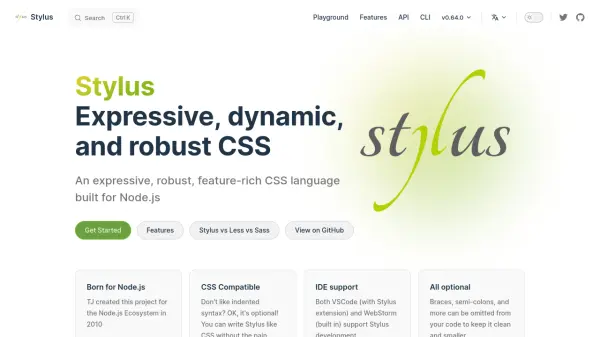
Stylus is a feature-rich CSS preprocessor designed for the Node.js ecosystem. It provides an expressive and dynamic way to write stylesheets, with support for optional indented syntax, making it flexible for developers who prefer traditional CSS braces or a cleaner look. Stylus is fully CSS compatible, allowing you to write standard CSS without any learning curve, while offering advanced features like variables, mixins, functions, and more.
Built originally for Node.js in 2010, Stylus has grown to include robust IDE support in both VSCode and WebStorm, and is released under the MIT License. Whether you are a beginner or an experienced developer, Stylus streamlines your CSS workflow with its powerful preprocessor capabilities.
Features
- Expressive Syntax: Allows clean code by optionally omitting braces, semi-colons, and other punctuation.
- CSS Compatible: Supports standard CSS syntax, making it easy to adopt without a learning curve.
- Dynamic Features: Includes variables, mixins, functions, and arithmetic operations for powerful stylesheets.
- IDE Integration: Provides built-in support in WebStorm and via extensions in VSCode for enhanced development.
- Robust Ecosystem: Built for Node.js, with a command-line interface (CLI) and programmatic API for flexible usage.
- MIT Licensed: Open-source and free to use, maintained by a community of contributors.
Use Cases
- Web development projects requiring a powerful CSS preprocessor with flexible syntax.
- Building dynamic and maintainable stylesheets for Node.js applications.
- Teams looking for a CSS preprocessor with minimal syntax overhead and robust features.
- Creating reusable CSS components with mixins, variables, and functions.
FAQs
-
What is Stylus?
Stylus is an expressive, dynamic, and robust CSS preprocessor built for Node.js, offering optional indented syntax and full CSS compatibility. -
Is Stylus compatible with standard CSS?
Yes, Stylus is fully CSS compatible, allowing you to write standard CSS syntax without any issues. -
Does Stylus require braces and semi-colons?
No, braces, semi-colons, and other punctuation are optional in Stylus, allowing you to keep your code clean and minimal. -
Which IDEs support Stylus?
Stylus is supported by VSCode (through a Stylus extension) and WebStorm (built-in). -
Is Stylus free to use?
Yes, Stylus is released under the MIT License and is completely free and open-source.