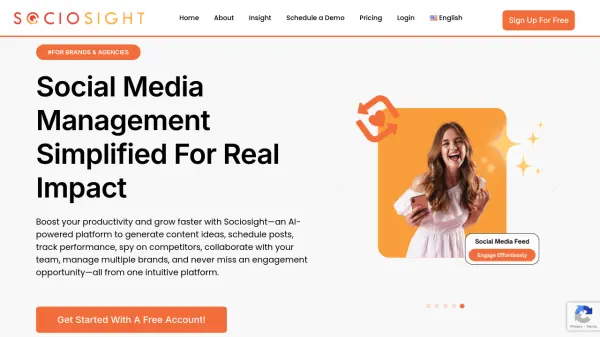
What is Sociosight?
Sociosight offers a comprehensive suite of AI-powered tools designed to simplify social media management for brands and agencies. The platform streamlines workflows, enhances productivity, and helps achieve tangible results. It allows for efficient planning, tracking and growth of social media presence without complexities.
Features include AI-assisted content generation, scheduling, performance analytics, and competitor analysis. It facilitates secure collaboration within teams and management of multiple brands. Sociosight ensures all interactions are captured by providing all in one easy-to-use dashboard.
Features
- AI Writing Assistance: Generates tailored captions, hashtags, and visual descriptions by analyzing past post performance and engagement patterns.
- Content Scheduling: Allows users to schedule posts months in advance and organize content effortlessly.
- Performance Tracking: Provides detailed analytics to identify top-performing content and optimal posting times.
- Competitor Analysis: Analyzes competitors' best posts and offers AI-driven insights to improve content strategy.
- Multi-Brand Management: Enables users to manage multiple brands or clients and securely collaborate with team members.
- Idea Board: Streamlines, manages, and develops content ideas and is easy to be tracked, and ready to execute with your team.
Use Cases
- Creating and scheduling engaging social media content.
- Analyzing social media performance and identifying areas for improvement.
- Monitoring competitor activity and identifying opportunities.
- Managing multiple social media accounts for different brands or clients.
- Collaborating with team members on social media campaigns.
FAQs
-
Is it safe to use the Sociosight App for scheduling posts?
Of course. Sociosight has obtained official permission from every social media platform that can connect with Sociosight. You will see the logo and name of Sociosight.co on each social media platform when you bind the Sociosight app to your social media profiles. -
Will my intellectual property from my posts be protected?
Yes, your intellectual property from your posts will be protected. You retain ownership of all content you post through Sociosight. Sociosight respects your intellectual property rights and does not access, edit, or claim ownership of your posts. In compliance with the terms of all authorized social media platforms, your content remains solely your property. By using our service, you grant Sociosight the right to process your content as necessary to provide our services, but your ownership rights are fully protected. -
How do I sign up as a Sociosight user?
To sign up as a beta user, simply visit https://app.sociosight.co and click the 'Sign Up' button. You can register either by using your email address and creating a password or by signing in with your Google account. -
What features will I get as a Sociosight User?
You will have access to all features included in your active plan, whether you are on the Free Plan or one of the Paid Plans. Please check here for a detailed list of features available under each plan. -
How can I reach out for sales questions or support?
You can contact us via Email at [email protected], or Web Chat.