
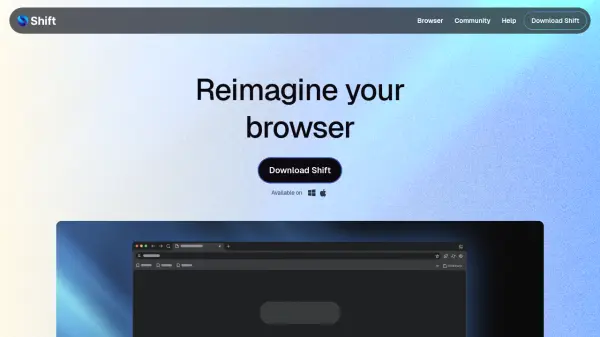
What is shift.com?
Shift is a desktop browser designed to transform how you work online. It allows you to build a custom layout by dragging and dropping bars, apps, and controls. You can organize your browsing into separate Spaces for work, hobbies, and projects, and add unlimited apps to create a command center. The built-in Shift AI provides private, context-aware assistance for writing, summarizing, and answering questions without leaving your current tab. Shift is carbon-neutral and available for free with optional Advanced subscription for expanded features.
Features
- Browser Builder: Drag and drop bars, apps, and controls to create a custom layout.
- Spaces: Organize your browser into separate Spaces for work, hobbies, and projects.
- App Integration: Turn your browser into a command center housing all your apps, tools, and inboxes.
- Shift AI: Use private AI across your browser to write, summarize, and get answers.
- Carbon-Neutral Browsing: The browser is carbon-neutral.
Use Cases
- Managing multiple work accounts and apps in one place
- Separating work and personal browsing with Spaces
- Using AI to draft emails or summarize content without switching tabs
- Customizing browser layout for improved productivity
- Organizing projects with dedicated Spaces and app collections
FAQs
-
I already downloaded Shift, how do I upgrade to Shift Advanced?
You can upgrade to Shift Advanced by visiting the pricing page in the browser or your account settings, where you can select the Advanced plan and complete the purchase. -
What are the limits of Shift AI in the free plan?
The free plan includes limited Shift AI usage. Upgrading to Advanced expands the usage limits. -
Do I need a credit card to download Shift?
No, a credit card is not required to download the free version of Shift. You can start using it immediately. -
How do I decide between Shift’s free version and Shift Advanced?
The free version includes 5 Spaces, 10 apps per Space, and limited Shift AI usage. Advanced offers unlimited Spaces and apps, expanded Shift AI, and priority support with video calling. -
What is your refund policy?
Shift offers refunds for Advanced subscriptions. Please contact support for specific refund terms and conditions.