What is Plandex?
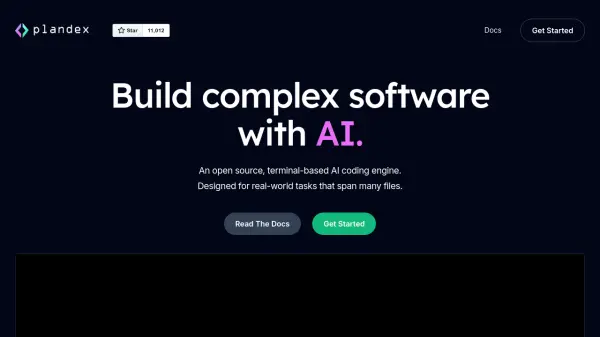
Plandex is a sophisticated terminal-based AI coding engine that bridges the gap between artificial intelligence and practical software development. It employs a git-inspired workflow that enables developers to handle complex, multi-file projects with precision and control, while leveraging the power of Large Language Models (LLMs).
The platform features automatic syntax checking across 30+ programming languages, comprehensive context management, and a version-controlled sandbox for reviewing AI-generated changes. Its architecture separates AI-generated modifications from developer changes, enabling parallel work streams while maintaining code integrity and preventing potential errors from entering the codebase.
Features
- Context Management: Add and automatically update files or directories in terminal with precise control
- Long-Running Agents: Plan and implement large-scale tasks beyond ChatGPT capabilities
- Version-Controlled Sandbox: Review and iterate AI-generated changes before implementation
- Automatic Syntax Checking: Built-in validation and auto-fix for 30+ programming languages
- Error Prevention: Separate workspace for AI changes with version control
- Quick Installation: Zero dependencies with automatic updates
- Real-time Context Updates: Automatic file syncing for improved AI-developer collaboration
- Recovery Tools: Ability to rewind and reject incorrect changes
Use Cases
- Building complex software features across multiple files
- Implementing large-scale code modifications
- Automated code syntax validation and correction
- Managing development projects with AI assistance
- Collaborative coding between AI and developers
- Code review and iteration processes
FAQs
-
How does Plandex handle syntax errors?
Plandex automatically checks for valid syntax and can auto-fix mistakes in over 30 programming languages, including issues like missing imports, variable declarations, and function implementations. -
What happens if the AI generates incorrect code?
Changes are accumulated in a version-controlled sandbox for review before application. Users can rewind to previous states, reject changes, or apply them manually if needed. -
How does the context management system work?
Developers can add files or directories to context in the terminal, which are automatically kept updated. The system provides full transparency and control over what content is available to the AI.