OpenFoundry favicon

OpenFoundry
Ship Open Source AI Products Faster

What is OpenFoundry?

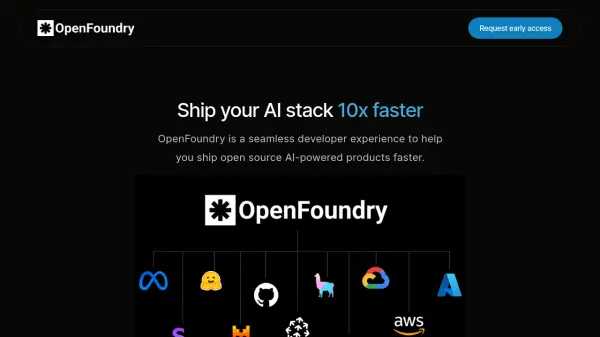
OpenFoundry provides a streamlined developer experience designed to accelerate the deployment of open-source, AI-powered products. This platform simplifies the entire workflow, from initial model selection to final deployment.

Developers can quickly identify the most suitable models for their specific requirements, prototype solutions, perform fine-tuning adjustments with minimal effort, and deploy their applications to the cloud within minutes. OpenFoundry emphasizes efficiency and ease of use throughout the development lifecycle.

Features

  • Model Selection: Find the best open-source models for your specific use case.
  • Prototyping: Quickly prototype AI solutions.
  • Fine-tuning: Easily fine-tune models with a few clicks.
  • Cloud Deployment: Ship your AI stack to your cloud in minutes.

Use Cases

  • Developing new AI-powered applications
  • Integrating AI capabilities into existing products
  • Experimenting with different open-source AI models
  • Accelerating the deployment of AI solutions

Related Tools:

Blogs:

  • Top AI tools for Students

    Top AI tools for Students

    These AI tools are designed to enhance the learning experience for students. From personalized study plans to intelligent tutoring systems.

  • Best text to speech AI tools

    Best text to speech AI tools

    Text-to-speech (TTS) AI tools are designed to convert written or text-based content into natural-sounding spoken audio. These tools utilize various deep learning and neural network architectures to generate human-like speech from textual input.

  • Top 6 AI note-taking tools for 2026: in-person, online, and hybrid use cases

    Top 6 AI note-taking tools for 2026: in-person, online, and hybrid use cases

    Most AI note-taking lists are really lists of meeting bots, which join your video call and transcribe it. That's useful, but it's half the picture. Decisions happen in hallway conversations, client dinners, on-site visits, and hybrid rooms where nobody is on a video link. This guide covers different parts of the note-taking workflow: hardware capture for in-person settings, platform-native tools for online calls, and AI layers for organizing and synthesizing what you've captured. It compares six tools by capture context, workflow fit, pricing, and limitations.

Didn't find tool you were looking for?

Be as detailed as possible for better results