What is Miyagi Labs?
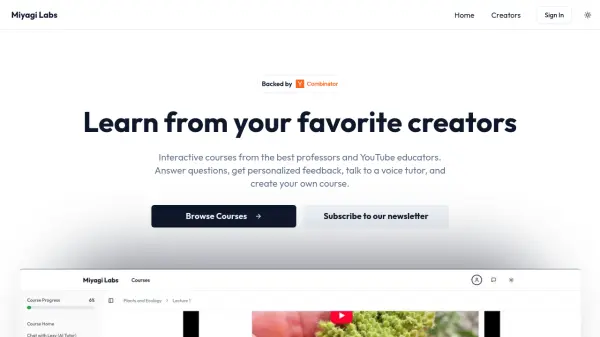
Miyagi Labs provides a platform for educators, content creators, and enterprises to convert their existing content, such as lecture videos, YouTube playlists, notes, slides, and internal documents, into interactive online courses. Positioned as a 'Shopify for online course creation', it focuses on making learning materials more engaging and personalized.
The service facilitates the creation of courses that allow learners to answer questions, receive personalized feedback, and interact with a voice tutor. This approach aims to enhance post-video engagement for creators and provide effective training solutions for businesses, transforming passive content consumption into an active learning experience.
Features
- Interactive Course Creation: Convert videos, notes, and documents into engaging courses.
- Personalized Feedback: Provides tailored feedback to learners within the course.
- Voice Tutor Interaction: Offers learners the ability to interact with a voice tutor.
- YouTube Integration: Generate courses directly from YouTube videos and playlists.
Use Cases
- Creating interactive online lessons from lecture videos and notes for students.
- Developing engaging online courses from YouTube content for audience engagement.
- Building internal training modules for employees using company videos and documents.
- Enhancing online learning experiences with interactive elements and feedback.