What is Lodash?
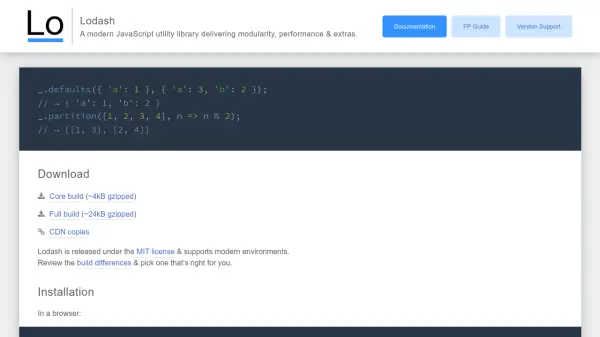
Lodash is a modern JavaScript utility library designed to streamline development by providing modular, high-performance functions for common programming tasks. It offers a wide range of methods for iterating over arrays, objects, and strings, manipulating and testing values, and creating composite functions, making JavaScript coding more efficient and less error-prone.
The library supports multiple build options, including core and full builds, and is compatible with various environments like Node.js and browsers. It includes features like functional programming builds and per-method packages, allowing developers to optimize bundle sizes and maintain code quality across projects.
Features
- Modular Methods: Provides a wide range of functions for arrays, objects, strings, and numbers
- Performance Optimization: Delivers high-speed operations with minimal bundle sizes
- Functional Programming Support: Includes FP builds for immutable, auto-curried methods
- Multiple Build Formats: Offers core, full, and per-method packages for flexibility
- Environment Compatibility: Tested in Node.js, Bun, and modern browsers
Use Cases
- Simplifying array and object manipulation in JavaScript applications
- Enhancing code performance with optimized utility functions
- Implementing functional programming patterns in web development
- Reducing bundle sizes by cherry-picking specific methods
- Streamlining data iteration and value testing in scripts
FAQs
-
What environments does Lodash support?
Lodash is tested in Node.js 4+, Bun 1.0+, and modern browsers like Chrome, Firefox, WebKit, and Edge, with support for older versions including IE 11 and Safari 11+. -
How can I install Lodash in a Node.js project?
Install Lodash using npm with the command 'npm i --save lodash', then require it in your code as 'var _ = require('lodash')' for the full build or other specific builds. -
What is the difference between the core and full builds of Lodash?
The core build is smaller (~4kB gzipped) with essential methods, while the full build (~24kB gzipped) includes all features; choose based on your project's needs to optimize performance.