What is Local SEO Tools and Tips?
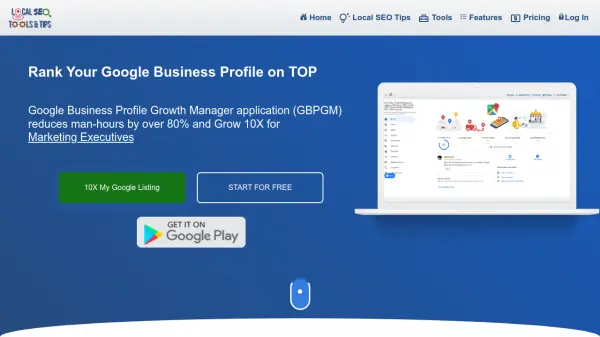
Local SEO Tools and Tips (GBPGM) is a powerful platform that revolutionizes Google Business Profile management by reducing manual effort by over 80%. The platform offers a comprehensive suite of tools for managing multiple business locations, scheduling posts, handling reviews, and building citations efficiently.
The system combines AI automation with practical local SEO features, enabling users to manage unlimited profiles, generate custom review responses, create citation networks, and monitor local search rankings. Its intuitive interface streamlines content management, review handling, and performance tracking across multiple locations.
Features
- Unlimited Profile Management: Manage multiple business profiles from different email IDs in one platform
- AI Review Management: Automated custom reply generation and review suggestions
- Content Scheduler: AI-powered post and media scheduling across multiple locations
- Citation Builder: Automated citation creation and status monitoring
- Local Search Rank Tracking: Monitor keyword rankings across locations
- Category Analysis: Competitor category research tool
- Geo Grid Checker: Visual map position tracking with manual adjustment
- Multi-location Management: Group and bulk manage multiple business locations
- Review Marketing: Custom review poster generation with QR codes
- Automated Notifications: Alerts for reviews, questions, and scheduled content
Use Cases
- Managing multiple business locations
- Automating review responses
- Local SEO optimization
- Citation building and management
- Content scheduling for business profiles
- Competitor analysis
- Review generation campaigns
- Local search rank monitoring
FAQs
-
Can I manage profiles from different Google accounts?
Yes, you can add and manage unlimited profiles from different email IDs on the same platform in the Free version. -
How does the AI review reply system work?
The system generates custom replies based on the star rating and review content, automatically responding to reviews while allowing for later manual editing. -
Is there a limit to the number of locations I can manage?
No, you can manage unlimited Google Business Profiles even with the free version of the platform.