What is Klok?
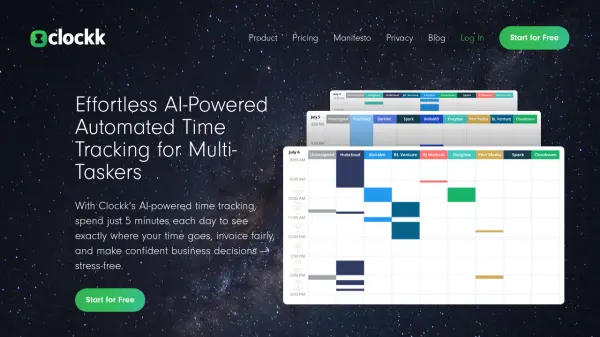
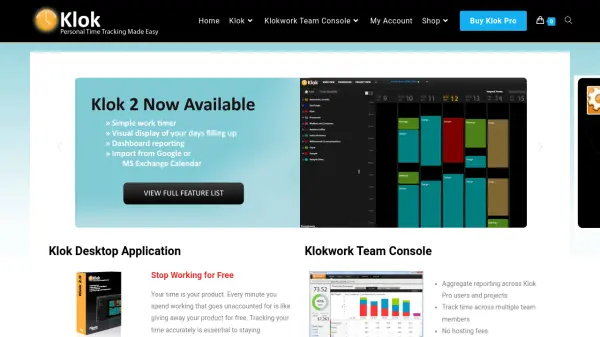
Klok streamlines time management for individuals and teams by enabling users to accurately track work hours across various projects and clients. Its intuitive visual interface provides a clear overview of how each workday is allocated, helping users identify time spent in meetings, calls, and other activities.
The application supports true time tracking with features like timesheet export, invoice generation, and dashboard reporting. Teams can benefit from centralized time submission, aggregate reporting, and flexible project hierarchy management through the Klokwork Team Console and connectors for popular systems such as Harvest, Paymo, Asana, Basecamp, and FreshBooks.
Features
- Visual Display of Time: Intuitive interface showcasing daily and project time allocation
- True Time Tracking: Logs accurate work hours for different activities and projects
- Flexible Client/Project Management: Supports multiple clients and nested project hierarchies
- Time Sheet Export: Allows straightforward export of time tracking data
- Generate Invoices: Automates invoice creation based on tracked hours
- Dashboard Reporting: Provides comprehensive report dashboards for productivity analysis
- Aggregate Team Reporting: Team Console offers centralized reporting across members
- Integrations: Connects with Harvest, Paymo, Asana, Basecamp, and FreshBooks
- Remote Team Support: Enables remote time tracking and data submission
- Self-Managed Data: Does not require cloud hosting or external servers
Use Cases
- Freelancers logging billable hours for accurate client invoicing
- Agencies visualizing and analyzing team productivity
- Project managers tracking time spent on projects for better estimates
- Remote teams submitting timesheets to a centralized dashboard
- Businesses integrating time data with invoicing platforms
- Organizations managing time for meetings, calls, and various activities
FAQs
-
Can Klok be integrated with other project management tools?
Yes, Klok supports connectors for popular time tracking and project management systems such as Harvest, Paymo, Asana, Basecamp, and FreshBooks. -
Is there a version for teams to aggregate time tracking data?
Yes, the Klokwork Team Console allows multiple Klok Pro users to submit timesheets and aggregate reporting across users and projects. -
Do I need to set up any servers or pay hosting fees to use Klokwork Team Console?
No, all data is self-managed, and there are no hosting fees or servers to set up. -
Does Klok offer discounts for bulk or multi-user licenses?
Yes, Klok offers discounts for multi-user license packs, with increasing discounts for 3, 5, 10, and 30+ user packs.