What is Jamahook?
Jamahook is a sound assistant designed to streamline the music production process. This AI-powered plugin integrates directly with your Digital Audio Workstation (DAW) to quickly find suitable audio loops. It listens to the mix and analyzes various musical qualities to suggest the best fitting loops. It offers a comprehensive solution for producers looking to enhance their projects with perfectly matched sounds, saving time and enhancing the creative workflow.
Users have the flexibility to source loops from either their personal, locally stored collection or Jamahook's extensive cloud-based library. The intelligent matching algorithm considers factors such harmonic and rhythmic compatibility, along with the ability to filter based on instrument, mood, and genre, the selection process is highly refined and tailored to the specific needs of the track.
Features
- Harmonic Matching: Finds loops that are harmonically compatible with your project.
- Rhythmic Matching: Identifies loops that match the rhythm of your track.
- Drums Matching: Selects drum loops that complement your music.
- Pitch-Shifted Matching: Automatically transposes off-key loops to fit your project's key.
- Filtering Options: Narrow down matches by source, instrument, mood, or genre.
- Cloud and Local Matching: Find sounds from your own collection or Jamahook cloud library.
Use Cases
- Finding complementary loops for a music track.
- Quickly sourcing drum loops for a new song.
- Discovering new sounds within a personal audio library.
- Adding mood-specific audio elements to a project.
- Experimenting with different rhythmic and harmonic combinations.
- Identifying pitch-shifted loops to add unique textures.
FAQs
-
Is the sound assistant two different products?
The Jamahook Sound Assistant is a creative bundle that includes both the Jamahook Plugin and the Offline Agent. The Plugin is used as the main interface for matching – whether to find matches from the Jamahook Cloud Library or your own local sounds. The Offline Agent is mainly used to add and manage local sounds on your Mac/PC to your local matching library. -
How do I use the plugin?
The Jamahook Sound Assistant installer installs both the plugin and the offline agent on to your Mac/PC. To use the plugin, it must be added as an FX on your Master track so that it can listen to the entire output. You can select where you want your matches from through the Match Settings page – select Cloud or Local matching based on your needs. Move your trackbar to the beginning of the section you want to match with, press the the Match button, and hit play on you DAW. It will listen to what’s playing and then start to provide you matches. To get different results, you can make it listen to combinations of soloed/muted stems even from the same section of your project. Additionally, you can use filters to get more specific matches. -
What is the payment structure?
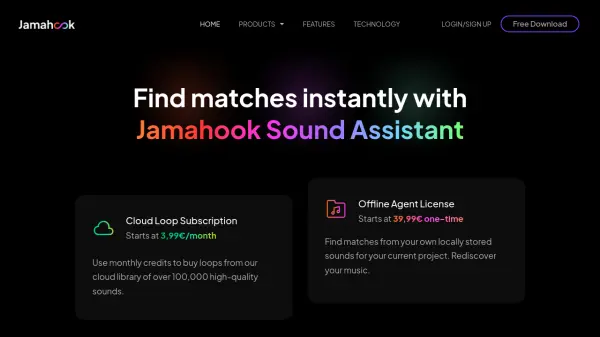
The local matching service using the offline agent has a one-time license fee. There are different prices for packages based on the number of loops you can analyze and match with. To use loops from the Jamahook Cloud through online matching, there are monthly and yearly subscriptions available based on your needs. -
Is there any way to try the Sound Assistant before buying?
The Sound Assistant is free to download and try. You only need to sign up. You get a 14 day (Basic Plan) for the Offline Agent to try local matching and a 1 month Artist plan that allows you to buy loops from Cloud Matching as well. With the trial version of the Offline Agent, you can process up to 10,000 loops. You will have to purchase a one-time license to continue using local matching once the trial period is over. While the Cloud Matching service is always free, you will need a loop subscription once the Artist subscription is over if you want to own and use any loops that you match with. -
What if I only want to use online or offline matching?
You are free to use only online, only local, or even both types of matching based on your needs. There is no requirement for you to buy both a license for the offline agent and the online loop subscription. You are free to buy whichever you like.