What is Ideator?
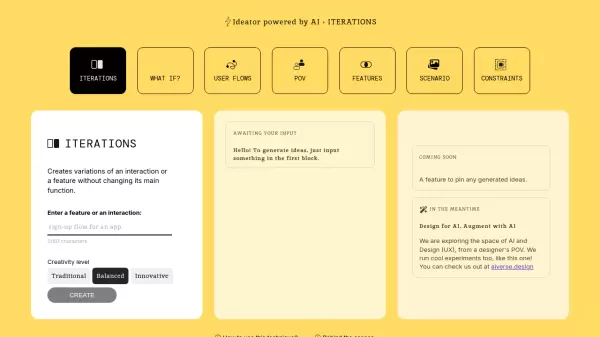
Ideator is an innovative AI-powered design tool that enables UX designers to explore multiple variations of features and interactions. The platform offers different creativity levels ranging from traditional to wild, allowing designers to generate diverse iterations while preserving the core functionality of their original concepts.
Built on GPT-4 technology, Ideator serves as a bridge between artificial intelligence and design thinking, helping designers expand their creative horizons and explore new possibilities for their projects. The platform emphasizes practical innovation while maintaining user experience principles.
Features
- Creativity Level Selection: Choose from Traditional, Balanced, Innovative, or Wild approaches
- Feature Iteration: Generate multiple variations of design features
- Interaction Exploration: Create alternative interaction patterns
- AI-Powered Suggestions: Leverages GPT-4 for intelligent design variations
Use Cases
- Brainstorming new feature implementations
- Exploring alternative interaction patterns
- Generating creative design solutions
- Expanding design possibilities for existing features
- Rapid prototyping ideation
FAQs
-
What creativity levels are available in Ideator?
Ideator offers four creativity levels: Traditional, Balanced, Innovative, and Wild, allowing users to control the scope of variation in generated ideas. -
What technology powers Ideator?
Ideator is powered by GPT-4 artificial intelligence technology. -
Is there a character limit for feature input?
Yes, there is a 60-character limit for entering features or interactions.