What is Growth Grid?
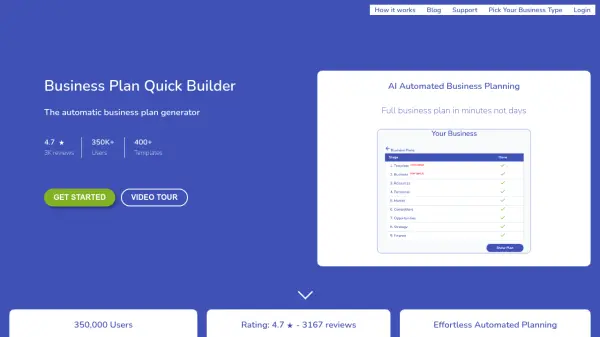
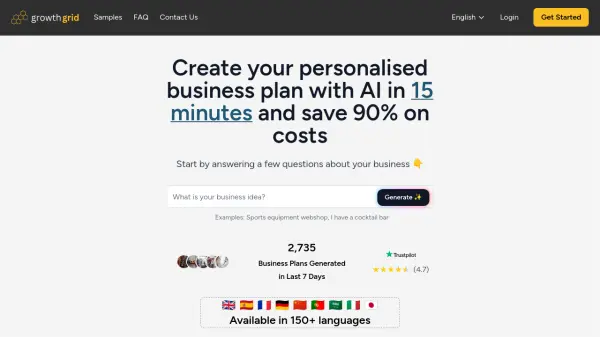
Generate detailed business plans efficiently using artificial intelligence. This platform guides users through a series of questions about their business idea, utilizing advanced algorithms to compile a professional plan tailored to specific needs. The process typically takes less than 15 minutes, significantly reducing the time and cost associated with traditional business plan development.
The generated plans cover essential sections, including executive summaries, market analysis, financial projections, and operational strategies. Users retain full control, with options to edit any section or instruct the AI to rewrite parts based on new requirements. Finished plans are available for download in both PDF and DOC formats, ensuring easy sharing and further customization. This tool supports multiple languages, making it accessible for a global user base.
The generated plans cover essential sections, including executive summaries, market analysis, financial projections, and operational strategies. Users retain full control, with options to edit any section or instruct the AI to rewrite parts based on new requirements. Finished plans are available for download in both PDF and DOC formats, ensuring easy sharing and further customization. This tool supports multiple languages, making it accessible for a global user base.
Features
- AI-Powered Generation: Utilizes AI to create comprehensive business plans based on user input.
- Fast Creation: Generates business plans in under 15 minutes.
- Editable Content: Allows users to edit any section or request AI rewrites.
- Multiple Download Formats: Offers downloads in PDF and DOC formats.
- Multi-Language Support: Available in over 150 languages.
- Comprehensive Sections: Includes Executive Summary, Market Analysis, Financial Projections, Operations Plan, and more.
Use Cases
- Creating a business plan for a new startup.
- Developing a business plan for funding applications.
- Outlining strategic direction for an existing business.
- Quickly generating business plan drafts for review.
- Saving time and cost on business plan creation.
FAQs
-
How does the AI business plan generator work?
Our AI analyzes your business idea and creates a comprehensive business plan by asking you targeted questions. It uses advanced algorithms to generate professional content tailored to your specific business needs. -
How long does it take to create a business plan?
Most business plans are generated in under 15 minutes after you answer the initial questions. Complex plans might take slightly longer. -
Can I edit my business plan after it's generated?
Yes! You can edit any section of your business plan, and even ask our AI to rewrite specific sections with new instructions. -
In what formats can I download my business plan?
You can download your business plan in PDF or DOC format, making it easy to share or further customize. -
Is my business information secure?
Absolutely. We take data security seriously and use encryption to protect your business information. We never share your data with third parties.