What is GitHub CLI?
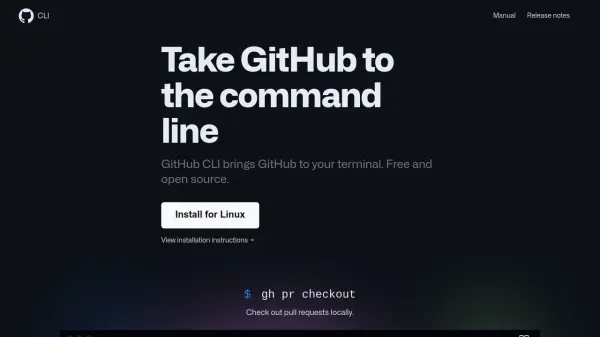
With GitHub CLI, developers can execute common GitHub tasks straight from their terminal environment, reducing the need to switch contexts between browser and code. The tool supports managing issues, creating and checking pull requests, monitoring check statuses, viewing repositories, and publishing releases using intuitive commands.
Users benefit from enhanced workflow customization by setting command aliases and scripting actions via API calls. The GitHub CLI is open source and compatible across major operating systems including macOS, Windows, and Linux, and it also supports connections to GitHub Enterprise Server for enterprise-level collaboration.
Features
- Issue Management: View, filter, and list repository issues directly in the terminal.
- Pull Request Control: Check status, create, and check out pull requests from the command line.
- Release Publishing: Create and publish GitHub releases without leaving the terminal.
- Repository Viewing: Access repository information, including READMEs, through terminal commands.
- Alias Customization: Define command aliases for more efficient task execution.
- API Scripting: Directly call GitHub API endpoints to automate actions and workflows.
- Enterprise Integration: Connect to GitHub Enterprise Server in addition to GitHub.com.
- Cross-Platform Support: Functionality available for macOS, Windows, and Linux.
Use Cases
- Automating issue tracking and resolution within a development workflow.
- Managing and merging pull requests efficiently from the terminal.
- Publishing new releases as part of a continuous integration or deployment process.
- Customizing and scripting repetitive GitHub tasks for teams or individuals.
- Quickly accessing and reviewing repository information without using a web browser.
- Integrating GitHub workflows into existing terminal-based development pipelines.
FAQs
-
Which operating systems are supported by GitHub CLI?
GitHub CLI is compatible with macOS, Windows, and Linux platforms. -
Is GitHub CLI open source?
Yes, GitHub CLI is open source and welcomes community contributions. -
Can GitHub CLI connect to GitHub Enterprise Server?
Yes, it supports integration with both GitHub.com and GitHub Enterprise Server. -
Does GitHub CLI require switching between the terminal and browser?
No, it is designed to perform most GitHub tasks directly in the terminal, minimizing context switching.