
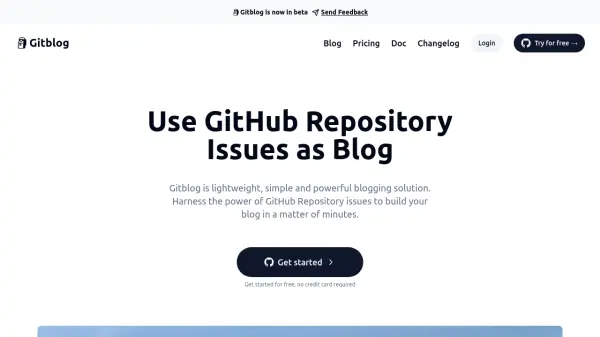
What is Gitblog?
Gitblog is a simple and powerful blogging platform that allows users to create and manage their blog using GitHub Issues. It offers a streamlined approach to blogging, leveraging the familiarity and functionality of GitHub.
The platform automatically synchronizes with GitHub repository issues, converting them into blog posts. It also offers features such as custom domain binding, automatic SSL certificate generation, and AI-powered SEO tools for enhanced visibility.
Features
- GitHub Integration: Built on top of GitHub issues.
- Automatic Synchronization: Automatically syncs GitHub repository issues and generates blog posts.
- Lightweight and Fast: Creates a blog in minutes with a few clicks.
- Data Security: Keeps data on GitHub, eliminating data loss concerns.
- Free Core Features: Offers most core features free of charge.
- Developer Friendly: Optimized for developers comfortable with GitHub and coding.
- Blog Tag: Integrated with GitHub issue labels.
- Native Comments: Integrated with GitHub issue comments.
- Custom Domain: Allows binding a custom domain name for free.
- AUTO SSL: Provides automatic SSL certificate for HTTPS.
- Analytics: Provides tools to analyze blog visitor data.
- AI SEO: Generates SEO-friendly descriptions and keywords using AI.
Use Cases
- Creating a personal blog.
- Developing a technical blog.
- Building a project documentation site.
- Sharing content with a developer community.
FAQs
-
How does Gitblog work?
Gitblog synchronizes with your GitHub repository issues, using them as the basis for your blog posts. -
Is this a GitHub project?
Gitblog is built on top of GitHub issues and requires installing its GitHub app. -
Does Gitblog comply with the GitHub Community Guidelines?
The provided context does not offer information regarding Gitblog's compliance. -
Why do I need to install the Gitblog app on GitHub?
The provided context does not explicitly state the reason, but this is likely for authentication and synchronization with your repository. -
Will Gitblog write or delete data in my GitHub repository?
The context does not explicitly state the extent of Gitblog's writing or deletion capabilities within your repository.