What is Genio Notes?
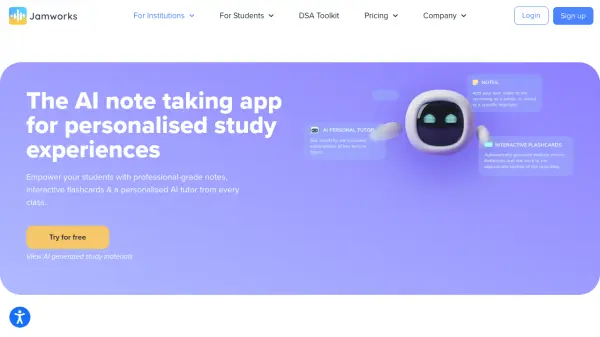
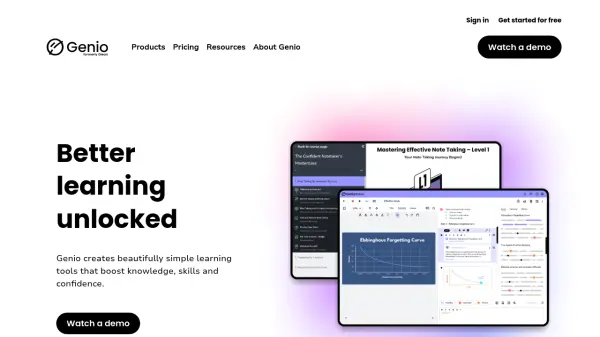
Genio Notes provides a comprehensive AI-powered note-taking solution focused on empowering independent learning for students and academic institutions. The platform enables users to record audio in classes, transcribe recordings, and organize notes with customizable labels and tasks. Additional features include handwritten note support, live multi-language captions, and AI-driven outlines to structure class content. Genio Notes is accessible through web browsers without requiring downloads and synchronizes offline work once internet connectivity is restored.
Institutions benefit from robust user management tools, single sign-on, and detailed data insights to monitor usage and accessibility. Designed in line with learning science and accessibility standards, Genio Notes supports a diverse student population, including those requiring learning accommodations. Training, onboarding, and support resources are provided to facilitate seamless implementation and effective usage at scale.
Features
- AI-Powered Transcription: Automatic transcription of recorded audio after class.
- Live Multi-Language Captions: Real-time captioning in various languages during recordings.
- Handwritten Notes Support: Ability to take handwritten notes and capture diagrams or sketches.
- AI Outlines: Structured summarization of class content using artificial intelligence.
- Cross-Device Compatibility: Accessible via web browsers and across operating systems including Windows, Mac, iOS, Android, and Chromebook.
- User Management Portal: Admin tools for inviting users, tracking licenses, and monitoring usage.
- Offline Functionality: Notes and recordings can be made offline with later synchronization.
- Accessibility Compliance: Built to meet WCAG 2.1 AA and Section 508 accessibility standards.
Use Cases
- Recording and transcribing college or university lectures for easy review.
- Providing accessible learning materials for students with disabilities.
- Organizing class notes efficiently for exam preparation.
- Instituting campus-wide note-taking and study support systems.
- Taking and organizing scientific or medical notes with diagrams and handwritten inputs.
FAQs
-
Does Genio Notes have transcription?
Yes, users on any current Genio Notes subscription have the ability to transcribe their recordings after class. -
Does Genio Notes have live captions?
Live captions are available as an upgrade on Genio Notes Department or Institution Wide subscriptions. -
Does Genio Notes work offline?
Yes, Genio Notes allows users to work offline, synchronizing recordings once the device reconnects to the internet. -
Is Genio Notes accessible?
Accessibility is central to Genio Notes, which conforms to WCAG 2.1 AA and Section 508 standards and incorporates ongoing input from accessibility experts. -
What support is included with Genio Notes?
Genio Notes provides customer support and, for institutional licenses, access to a Customer Success Manager as well as onboarding and training assistance.