Funny Duck favicon

Funny Duck
Control your computer and IoT devices with your mobile voice assistant.

What is Funny Duck?

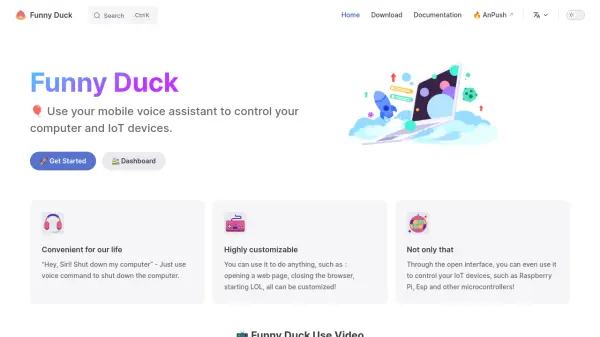
Funny Duck enables users to interact with their computers and IoT devices through voice commands. This is achieved by leveraging the mobile device's voice assistant. The application offers a high level of customization, enabling users to perform many actions, such as opening webpages, closing browsers, or even launching specific applications.

Furthermore, it provides an open interface, allowing for integration with IoT devices. This extends control to microcontrollers, including Raspberry Pi and Esp, broadening the scope of voice-controlled operations.

Features

  • Voice Control: Use mobile voice assistant to control computers and IoT devices.
  • High Customizability: Customize actions like opening web pages, closing browsers, and starting applications.
  • IoT Device Integration: Control IoT devices and microcontrollers (Raspberry Pi, Esp) via an open interface.

Use Cases

  • Shutting down a computer with a voice command.
  • Opening a specific website using voice.
  • Controlling smart home devices connected via Raspberry Pi.
  • Starting applications via voice command.

Related Tools:

Blogs:

  • Boost Engagement in Ads with AI

    Boost Engagement in Ads with AI

    Discover how AI music and AI SDR agents are reshaping modern advertising. Learn how emotional resonance through AI-generated soundtracks combined with smart, automated sales outreach can turn viewers into loyal customers faster, cheaper, and more personally than ever before.

  • Long Videos into Viral Shorts

    Long Videos into Viral Shorts

    Klap.app is an AI-powered video editing tool that transforms long-form videos into engaging short clips optimized for platforms like TikTok, Instagram Reels, and YouTube Shorts

  • Top 6 AI note-taking tools for 2026: in-person, online, and hybrid use cases

    Top 6 AI note-taking tools for 2026: in-person, online, and hybrid use cases

    Most AI note-taking lists are really lists of meeting bots, which join your video call and transcribe it. That's useful, but it's half the picture. Decisions happen in hallway conversations, client dinners, on-site visits, and hybrid rooms where nobody is on a video link. This guide covers different parts of the note-taking workflow: hardware capture for in-person settings, platform-native tools for online calls, and AI layers for organizing and synthesizing what you've captured. It compares six tools by capture context, workflow fit, pricing, and limitations.

Didn't find tool you were looking for?

Be as detailed as possible for better results