Dyspute.ai favicon

Dyspute.ai
Revolutionizing Dispute Resolution

What is Dyspute.ai?

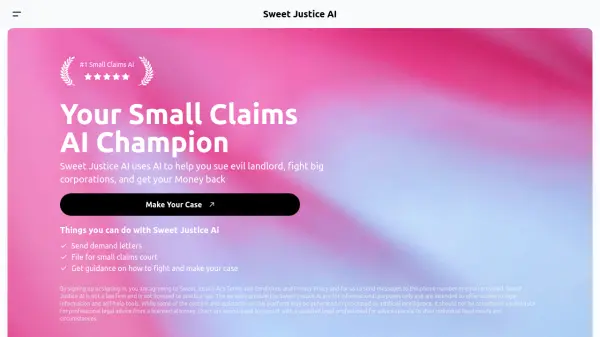
Dyspute.ai offers an innovative approach to conflict resolution with its AI-driven platform. It simplifies the process of creating and responding to demand letters, making dispute resolution more accessible and affordable.

By answering a series of questions, users can generate customized demand letters for various situations, including breach of contract, employment disputes, property damage, and more. Dyspute.ai provides a cost-effective and efficient way to manage disputes, eliminating the need for expensive legal services.

Features

  • Customizable Letters: Tailor dispute correspondence to any situation by answering Dyspute.ai’s questions.
  • AI-Powered Efficiency: Harness the speed and accuracy of AI to generate demand letters.
  • Cost-Effective Solutions: Offers affordable letter packages for under $25.
  • Efficient Online Dispute Management: Quickly generate customized letters and streamline the dispute process.

Use Cases

  • Breach of Contract Letters
  • Employment Disputes
  • Property Damage Claims
  • Property Rental Disagreements
  • Personal Injury Claims
  • Insurance Claims
  • Financial Dispute Resolution
  • Consumer Complaints

Related Tools:

Blogs:

  • Chat with PDF AI Tools

    Chat with PDF AI Tools

    Easily interact with your PDF documents using our advanced AI-powered tool. Whether you're reading lengthy reports, research papers, contracts, or eBooks, our platform lets you chat directly with your PDF files, ask questions, extract insights, and get summaries in real-time.

  • Long Videos into Viral Shorts

    Long Videos into Viral Shorts

    Klap.app is an AI-powered video editing tool that transforms long-form videos into engaging short clips optimized for platforms like TikTok, Instagram Reels, and YouTube Shorts

  • Top 6 AI note-taking tools for 2026: in-person, online, and hybrid use cases

    Top 6 AI note-taking tools for 2026: in-person, online, and hybrid use cases

    Most AI note-taking lists are really lists of meeting bots, which join your video call and transcribe it. That's useful, but it's half the picture. Decisions happen in hallway conversations, client dinners, on-site visits, and hybrid rooms where nobody is on a video link. This guide covers different parts of the note-taking workflow: hardware capture for in-person settings, platform-native tools for online calls, and AI layers for organizing and synthesizing what you've captured. It compares six tools by capture context, workflow fit, pricing, and limitations.

Didn't find tool you were looking for?

Be as detailed as possible for better results