Didymos favicon

Didymos
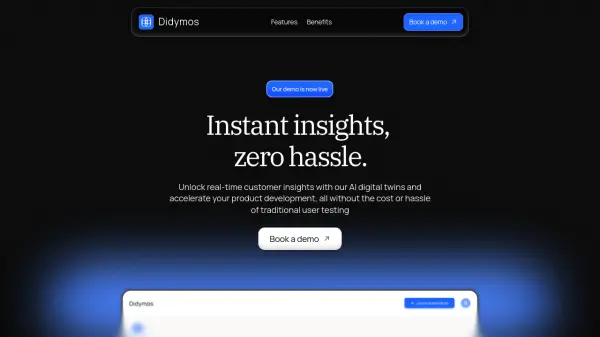
Instant Customer Insights with AI Digital Twins

What is Didymos?

Didymos offers a platform for user research using AI-powered digital twins. It helps teams gather user input and feedback quickly and efficiently.

The platform provides a centralized hub for all research activities, including interviews, surveys, and chat-based feedback. Didymos eliminates the need for expensive agencies, scheduling conflicts, and long wait times associated with traditional user research methods.

Features

  • Interviews: Conduct interviews with large, representative samples of users.
  • Surveys: Gather quantitative data with targeted surveys.
  • Chat: Get user thoughts, feelings, and feedback through chat.
  • A/B Testing and Usability Tests (Coming soon): Evaluate product ease of use.

Use Cases

  • Accelerate product development with faster user feedback.
  • Reduce user research costs.
  • Gather in-depth user insights through interviews.
  • Understand user needs and preferences with targeted surveys.
  • Get quick feedback on specific questions via chat.
  • Evaluate product usability.

Related Tools:

Blogs:

  • Top AI tools for Teachers

    Top AI tools for Teachers

    Explore the top AI tools designed for teachers, revolutionizing the education landscape. These innovative tools leverage artificial intelligence to enhance teaching efficiency, personalize learning experiences, automate administrative tasks, and provide valuable insights, empowering educators to create engaging and effective educational environments.

  • Ghibli Art Generator AI tools

    Ghibli Art Generator AI tools

    List of the best AI tools to turn your photos into images that look like Studio Ghibli movies. Easy to use and fun for everyone.

  • Top 6 AI note-taking tools for 2026: in-person, online, and hybrid use cases

    Top 6 AI note-taking tools for 2026: in-person, online, and hybrid use cases

    Most AI note-taking lists are really lists of meeting bots, which join your video call and transcribe it. That's useful, but it's half the picture. Decisions happen in hallway conversations, client dinners, on-site visits, and hybrid rooms where nobody is on a video link. This guide covers different parts of the note-taking workflow: hardware capture for in-person settings, platform-native tools for online calls, and AI layers for organizing and synthesizing what you've captured. It compares six tools by capture context, workflow fit, pricing, and limitations.

Didn't find tool you were looking for?

Be as detailed as possible for better results