What is Comfortable?
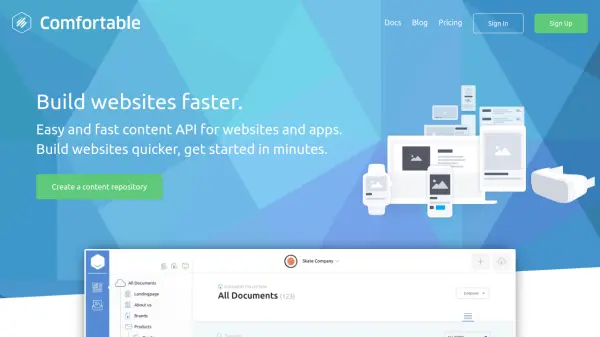
Comfortable provides a content API platform designed to accelerate website and application development. It offers a centralized content repository that can be integrated anywhere using a RESTful API, allowing content to be managed in one place and delivered to multiple endpoints such as websites, apps, email campaigns, or other devices. The platform supports various frameworks and tools, including static site generators and custom CMS setups, making it versatile for different development needs.
For developers, Comfortable includes features like API SDKs for JavaScript, Nuxt.js, and PHP, content collections for filtered data views without coding, and image transformations powered by imgix. Content creators benefit from rich editing tools, localization, workflow-based publishing, and versioning. Agencies can use it to reduce overhead, speed up projects, and integrate content editing efficiently. The platform is built on a scalable microservice architecture with a global CDN for performance and security, offering role-based workflows and webhooks for integration.
Features
- RESTful API: Perform powerful API requests to fetch data and content quickly and efficiently
- API SDKs: Fetch content, apply dynamic filtering, or implement search easily with SDKs for JavaScript, Nuxt.js, and PHP
- Content Collections: Create content views for editors or filtered lists of data without writing code
- Image Transformations: Resize, crop, and optimize images using URL parameters, powered by imgix
- Rich Content Editing: Modern authoring tools with localization, time-based publishing, and workflow management
- Content Tree & Collections: Manage content in a tree structure for an intuitive authoring experience
- Drafts & Versioning: Create drafts, review, and restore content versions with a robust publishing workflow
- Scalable Infrastructure: Built on a resilient microservice architecture with a global CDN for speed and reliability
- Role-Based Workflows: Control permissions with a robust role system for team collaboration
- Webhooks: Integrate into any API or service using system events for automation
Use Cases
- Building websites faster with integrated content management
- Managing content for apps and email campaigns from a single repository
- Creating filtered content lists without coding for editors
- Optimizing images dynamically for web performance
- Developing projects with static site generators or custom frameworks
- Implementing multi-language content with localization support
- Streamlining agency workflows to reduce development costs
- Integrating content into smart devices or IoT applications
FAQs
-
What is a Repository in Comfortable?
A Repository is a separated space for content and users, typically used per individual project to manage content independently. -
What happens if I exceed plan limits?
You won't be cut off; Comfortable will contact you to inform you and offer options to upgrade or pay overage charges. -
Can I run Comfortable on my own server?
No, Comfortable is designed to run on cloud infrastructure for optimal performance and availability, so it cannot be hosted on personal servers.