
What is cleverget.jp?
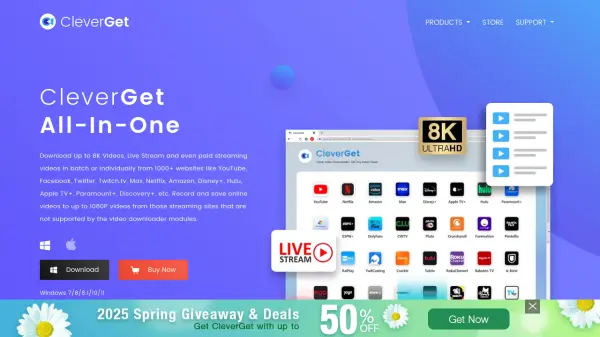
CleverGet is a comprehensive video downloading and screen recording software designed to work with over 1000 streaming platforms worldwide. It features an integrated browser that allows users to stream, search, and download videos directly from popular services like Amazon Prime Video, Netflix, Hulu, Disney+, YouTube, TikTok, and many regional platforms. The software supports downloading videos in high quality up to 8K resolution with 320kbps audio, converting them to MP4/MKV/WEBM formats for compatibility across various devices.
The tool includes specialized modules for different streaming services and a powerful screen recorder module that can capture videos from any site, including DRM-protected content. Users can select preferred subtitle and audio track languages before downloading or recording, and batch download multiple episodes or entire seasons simultaneously. CleverGet operates with a focus on private use compliance and offers both free trial and paid licensing options.
Features
- Multi-Platform Support: Download from over 1000 streaming sites including Netflix, YouTube, Amazon Prime, and Disney+
- High-Quality Downloads: Support for up to 8K video resolution and 320kbps audio quality
- Batch Downloading: Download multiple episodes or entire seasons simultaneously
- Screen Recording: Built-in recorder captures videos from any website, including DRM-protected content
- Format Conversion: Save videos in MP4/MKV/WEBM formats for device compatibility
- Language Selection: Choose preferred subtitle and audio track languages before downloading
- Integrated Browser: Built-in browser for streaming, searching, and downloading without external tools
- Ad-Free Downloads: Remove advertisements from downloaded videos for smooth offline viewing
Use Cases
- Downloading movies and TV shows from subscription streaming services for offline viewing
- Capturing educational content from platforms like YouTube for personal study
- Recording live streams from Twitch or other live broadcasting platforms
- Downloading videos from social media platforms like TikTok, Twitter, and Facebook
- Creating personal video libraries from multiple streaming sources
- Capturing region-specific content from international streaming platforms
FAQs
-
What are the system requirements for CleverGet?
CleverGet requires Windows 7/8/8.1/10/11 (64-bit), 1GHz Intel/AMD processor, 512MB RAM (1GB recommended), 5GB free disk space, and NVIDIA GeForce GTX 260 or later graphics card. -
What video and audio formats does CleverGet support for output?
CleverGet supports MP4, MKV, WEBM, and 3GP video formats, WEBM, M4A, MP4, and MKV audio formats, and SRT and SUP subtitle formats. -
How many videos can be downloaded simultaneously with CleverGet?
CleverGet allows downloading up to 5 videos simultaneously without speed limitations. -
Does CleverGet support downloading entire YouTube playlists or channels?
Yes, CleverGet can batch download all videos from YouTube playlists or channels in one operation. -
What is CleverGet's refund policy?
CleverGet offers a 14-day refund guarantee for permanent licenses and a 5-day refund guarantee for annual subscription plans.