
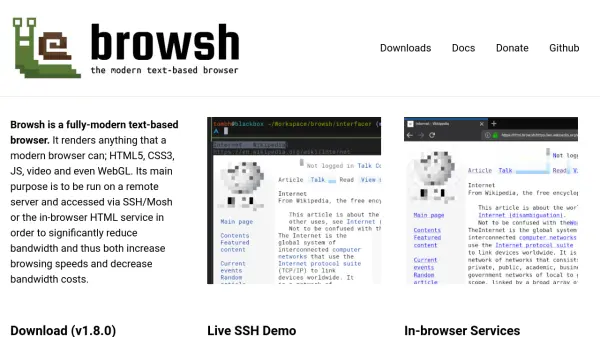
What is Browsh?
Browsh is a fully-modern text-based browser that renders all contemporary web content, including HTML5, CSS3, JavaScript, video, and WebGL. It is engineered to operate on remote servers and be accessed through SSH, Mosh, or in-browser HTML services, significantly reducing bandwidth usage. This design enhances browsing speeds and lowers bandwidth costs, making it ideal for environments with limited or expensive internet connections.
The tool is available as a single static binary across major platforms, requiring only Firefox version 57 or higher as a dependency. It also offers a Docker image for easy deployment. Browsh provides live SSH demos and in-browser services, such as html.brow.sh and text.brow.sh, to demonstrate its capabilities, though these services may have temporary limitations or lack feature parity with the terminal client.
Features
- Modern Rendering: Supports HTML5, CSS3, JavaScript, video, and WebGL for full web compatibility
- Bandwidth Reduction: Designed for remote server access via SSH/Mosh to decrease bandwidth usage and costs
- Cross-Platform Availability: Offered as a single static binary on all major platforms with minimal dependencies
- Docker Support: Includes a Docker image for easy deployment and containerized usage
- Live Demos: Provides SSH and in-browser services for demonstration and testing purposes
Use Cases
- Browsing the web on low-bandwidth or expensive internet connections
- Accessing web content via SSH or Mosh for improved speed and efficiency
- Reducing bandwidth costs for remote server-based browsing
- Testing web rendering in a text-based environment for development or accessibility
- Using Docker to deploy and run a lightweight browser in containerized setups
FAQs
-
What are the system requirements for running Browsh?
Browsh requires a recent version of Firefox 57 or higher as its only dependency and is available as a static binary on major platforms. -
How can I access Browsh for demonstration purposes?
You can use the live SSH demo by pointing your SSH client to brow.sh, or access in-browser services like html.brow.sh and text.brow.sh, though these may be temporarily offline. -
What is the difference between the SSH and in-browser services?
SSH access provides a terminal-based experience, while in-browser services use basic graphics and HTML or pure text, with potential feature disparities. -
Can I run Browsh in a Docker container?
Yes, Browsh offers a Docker image that can be run using the command 'docker run -it browsh/browsh' for easy deployment. -
How does Browsh help reduce bandwidth costs?
By running on a remote server and accessing it via SSH or Mosh, Browsh minimizes data transfer, thus lowering bandwidth usage and associated costs.