What is BrokenLinkCheck.com?
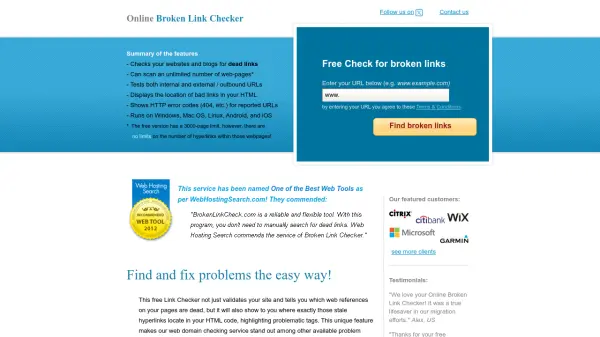
BrokenLinkCheck.com is an online tool designed to help webmasters, developers, and SEO specialists identify and fix broken links on their websites. The tool crawls websites to detect dead links, both internal and external, and provides detailed reports showing the exact location of problematic URLs in the HTML code. This makes it easier to locate and repair broken links quickly, improving site integrity and user experience.
The service is entirely web-based, requiring no software downloads, and works across all major operating systems and browsers. It supports various content management systems and e-commerce platforms, making it a versatile solution for website maintenance. The tool focuses on reporting only genuinely broken links, avoiding the noise of mixed good and bad links, and offers features like HTTP error code display and cross-platform compatibility.
Features
- Dead Link Detection: Scans websites and blogs for broken internal and external URLs
- HTML Location Display: Shows the exact location of bad links in HTML code with highlighted tags
- HTTP Error Reporting: Displays HTTP error codes like 404 for reported URLs
- Cross-Platform Compatibility: Runs on Windows, Mac OS, Linux, Android, and iOS with no software download required
- CMS Support: Works with WordPress, Joomla, Drupal, and other content management systems
Use Cases
- Identifying and fixing broken links on websites to improve SEO
- Maintaining website integrity by regularly checking for dead URLs
- Enhancing user experience by eliminating 404 errors
- Validating outbound links to ensure they point to active resources
- Assisting web developers and QA specialists in website testing and maintenance
FAQs
-
What is the page limit for the free version?
The free version has a 3000-page limit, but there are no limits on the number of hyperlinks within those pages. -
Does the tool check both internal and external links?
Yes, it tests both internal links within the website and external/outbound URLs. -
What operating systems and browsers are supported?
It runs on Windows, Mac OS, Linux, Android, and iOS, and works in browsers like Chrome, Firefox, Safari, MS Edge, Opera, and IE. -
Can it handle websites built with content management systems?
Yes, it supports CMS platforms like WordPress, Joomla, Drupal, Squarespace, Wix, and others. -
What features are available in the commercial version?
The commercial version offers higher page limits, CSV export, scheduled runs, email reports, advanced filtering, and support for scanning sub-folders and resources like images and PDFs.