What is Anki Cozmo Robot?
Anki Cozmo Robot is a small, interactive robot designed as a companion and educational tool for children and adults. Equipped with artificial intelligence, sensors, and cameras, Cozmo exhibits a distinct personality, recognizes faces and emotions, and interacts dynamically with its environment and users. It learns and evolves over time, offering a unique window into the potential of consumer robotics and AI through engaging play and human-like responses.
Beyond its interactive features, Cozmo serves as an introduction to programming concepts via its Code Lab interface, which uses a graphical system based on Scratch Blocks. This allows users, particularly beginners and children, to easily create custom programs and routines for the robot. Made from over 300 parts and tested for durability, Cozmo connects to a compatible iOS or Android device via a dedicated app, enabling control, interaction, and access to features like Explorer Mode and various games.
Features
- Interactive AI Personality: Learns, evolves, and reacts based on its mood.
- Facial and Pet Recognition: Identifies registered users via facial scanning and differentiates between cats and dogs.
- Code Lab Programming: Allows users to program Cozmo using a graphical interface based on Scratch Blocks.
- Environmental Interaction: Explores and analyzes surroundings using a built-in camera, sensors, gyroscope, and cliff detector.
- Durable Construction: Built with over 300 parts and tested for durability.
- Explorer Mode: Enables users to see the world from Cozmo's perspective via the companion app.
- Software Development Kit (SDK): Provides advanced users with tools to create unique experiences using the Python programming language.
- App Compatibility: Connects to iOS and Android devices through a free companion app.
Use Cases
- Teaching basic coding concepts to children and beginners.
- Providing interactive companionship and entertainment for families.
- Exploring robotics and artificial intelligence principles.
- Engaging users in interactive games and challenges.
- Serving as a platform for creative programming projects (using Code Lab or SDK).
FAQs
-
When was Cozmo originally released?
Anki launched Cozmo in the US in October 2016. Subsequent models were released before Anki ceased operations in 2019. Digital Dream Labs later acquired the assets. -
When did Digital Dream Labs acquire the Anki assets?
Digital Dream Labs, an Ed-tech company, acquired the Anki assets, including Cozmo, shortly after Anki shut down in May 2019. -
How much does the Cozmo robot cost?
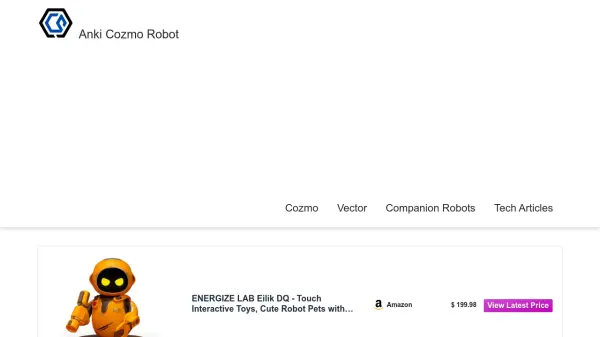
The Cozmo 2.0 pre-sale has ended. The robot can typically be purchased through online retailers like Amazon or eBay, with prices varying. -
What can Cozmo do?
Cozmo enables users to learn, create, and explore robotics and basic coding concepts through an advanced, interactive interface. It plays games, recognizes faces, expresses emotions, and can be programmed by users.