MCP libSQL by xexr
Secure, protocol-compliant libSQL database server for MCP-enabled clients.
Key Features
Use Cases
README
MCP libSQL by xexr
A Model Context Protocol (MCP) server for libSQL database operations, providing secure database access through Claude Desktop, Claude Code, Cursor, and other MCP-compatible clients.
Runs on Node, written in TypeScript
🔧 Quick Start
-
Install:
bashpnpm install -g @xexr/mcp-libsql -
Test locally:
bashmcp-libsql --url file:///tmp/test.db --log-mode console -
Configure Claude Desktop with your Node.js path and database URL (see configuration examples below)
🚀 Status
✅ Complete database management capabilities - All 6 core tools implemented and tested
✅ Comprehensive security validation - 67 security tests covering all injection vectors
✅ Extensive test coverage - 244 total tests (177 unit + 67 security) with 100% pass rate
✅ Production deployment verified - Successfully working with MCP clients
✅ Robust error handling - Connection retry, graceful degradation, and audit logging
🛠️ Features
Available Tools
- read-query: Execute SELECT queries with comprehensive security validation
- write-query: INSERT/UPDATE/DELETE operations with transaction support
- create-table: DDL operations for table creation with security measures
- alter-table: Table structure modifications (ADD/RENAME/DROP operations)
- list-tables: Database metadata browsing with filtering options
- describe-table: Table schema inspection with multiple output formats
Security & Reliability
- Multi-layer SQL injection prevention with comprehensive security validation
- Connection pooling with health monitoring and automatic retry logic
- Transaction support with automatic rollback on errors
- Comprehensive audit logging for security compliance
🔐 Security details: See docs/SECURITY.md for comprehensive security features and testing.
Developer Experience
- Beautiful table formatting with proper alignment and NULL handling
- Performance metrics displayed for all operations
- Clear error messages with actionable context
- Parameterized query support for safe data handling
- Development mode with enhanced logging and hot reload
📋 Prerequisites
- Node.js 20+
- pnpm (or npm) package manager
- libSQL database (file-based or remote)
- Claude Desktop (for MCP integration)
Platform Requirements
- macOS: Native Node.js installation
- Linux: Native Node.js installation
- Windows: Native Node.js installation or WSL2 with Node.js installation
🔧 Installation
# Use your package manager of choice, e.g. npm, pnpm, bun etc

# Install globally
pnpm install -g @xexr/mcp-libsql
mcp-libsql -v # check version

# ...or build from the repository
git clone https://github.com/Xexr/mcp-libsql.git
cd mcp-libsql
pnpm install # Install dependencies
pnpm build # Build the project
node dist/index.js -v  # check version
🚀 Usage
Local Testing
Global installation assumed below, replace "mcp-libsql" with "node dist/index.js" if using local build
# Test with file database (default: file-only logging)
mcp-libsql --url file:///tmp/test.db

# Test with HTTP database
mcp-libsql --url http://127.0.0.1:8080

# Test with Turso database (environment variable, alternatively export the env var)
LIBSQL_AUTH_TOKEN="your-token" mcp-libsql --url "libsql://your-db.turso.io"

# Test with Turso database (CLI parameter)
mcp-libsql --url "libsql://your-db.turso.io" --auth-token "your-token"

# Development mode with console logging
mcp-libsql --dev --log-mode console --url file:///tmp/test.db

# Test with different logging modes
mcp-libsql --url --log-mode both file:///tmp/test.db
Claude Desktop Integration
Configure the MCP server in Claude Desktop based on your operating system:
macOS Configuration
- Create configuration file at
~/Library/Application Support/Claude/claude_desktop_config.json:
Global install
{
  "mcpServers": {
    "mcp-libsql": {
      "command": "mcp-libsql",
      "args": [
        "--url",
        "file:///Users/username/database.db"
      ]
    }
  }
}
Alternative configuration for local build installation:
{
  "mcpServers": {
    "mcp-libsql": {
      "command": "node",
      "args": [
        "/Users/username/projects/mcp-libsql/dist/index.js",
        "--url",
        "file:///Users/username/database.db"
      ],
    }
  }
}
Alternative configuration for global install using nvm lts for node
{
  "mcpServers": {
    "mcp-libsql": {
      "command": "zsh",
      "args": [
        "-c",
        "source ~/.nvm/nvm.sh && nvm use --lts > /dev/null && mcp-libsql --url file:///Users/username/database.db",
      ],
    }
  }
}
Important: The global installation method is recommended as it handles PATH automatically.
Linux Configuration
- Create configuration file at
~/.config/Claude/claude_desktop_config.json:
Global install
{
  "mcpServers": {
    "mcp-libsql": {
      "command": "mcp-libsql",
      "args": [
        "--url",
        "file:///home/username/database.db"
      ]
    }
  }
}
Alternative configuration for local build installation:
{
  "mcpServers": {
    "mcp-libsql": {
      "command": "node",
      "args": [
        "/home/username/projects/mcp-libsql/dist/index.js",
        "--url",
        "file:///home/username/database.db"
      ],
    }
  }
}
Windows (WSL2) Configuration
- Create configuration file at
%APPDATA%\Claude\claude_desktop_config.json:
Global install
{
  "mcpServers": {
    "mcp-libsql": {
      "command": "wsl.exe",
      "args": [
        "-e",
        "bash",
        "-c",
        "mcp-libsql --url file:///home/username/database.db",
      ]
    }
  }
}
Alternative configuration for local build installation:
{
  "mcpServers": {
    "mcp-libsql": {
      "command": "wsl.exe",
      "args": [
        "-e",
        "bash",
        "-c",
        "/home/username/projects/mcp-libsql/dist/index.js --url file:///home/username/database.db",
      ]
    }
  }
}
Alternative configuration for global install using nvm for node
{
  "mcpServers": {
    "mcp-libsql": {
      "command": "wsl.exe",
      "args": [
        "-e",
        "bash",
        "-c",
        "source ~/.nvm/nvm.sh && mcp-libsql --url file:///home/username/database.db",
      ]
    }
  }
}
Important: Use wsl.exe -e (not just wsl.exe) to ensure proper command handling and avoid issues with server command reception on Windows.
Database Authentication
For Turso (and other credentialed) databases, you'll need an authentication token. There are two secure ways to provide it:
Global installation shown below, adjust accordingly for your setup
Method 1: Environment Variable (Recommended)
Configure Claude Desktop with environment variable (macOS/Linux example):
export LIBSQL_AUTH_TOKEN="your-turso-auth-token-here"
{
  "mcpServers": {
    "mcp-libsql": {
      "command": "mcp-libsql",
      "args": [
        "--url",
        "libsql://your-database.turso.io"
      ]
    }
  }
}
Method 2: CLI Parameter
{
  "mcpServers": {
    "mcp-libsql": {
      "command": "mcp-libsql",
      "args": [
        "--url",
        "libsql://your-database.turso.io",
        "--auth-token",
        "your-turso-auth-token-here"
      ]
    }
  }
}
Getting Your Turso Auth Token
-
Install Turso CLI:
bashcurl -sSfL https://get.tur.so/install.sh | bash -
Login to Turso:
bashturso auth login -
Create an auth token:
bashturso auth token create --name "mcp-libsql" -
Get your database URL:
bashturso db show your-database-name --url
Security Best Practices
- Environment variables are safer than CLI parameters (tokens won't appear in process lists)
- MCP config files may contain tokens - ensure they're not committed to version control
- Consider using external secret management for production environments
- Use scoped tokens with minimal required permissions
- Rotate tokens regularly for enhanced security
- Monitor token usage through Turso dashboard
Example: Complete Turso Setup
-
Create and configure database:
bash# Create database turso db create my-app-db # Get database URL turso db show my-app-db --url # Output: libsql://my-app-db-username.turso.io # Create auth token turso auth token create --name "mcp-libsql-token" # Output: your-long-auth-token-string -
Configure Claude Desktop:
bashexport LIBSQL_AUTH_TOKEN="your-turso-auth-token-here"json{ "mcpServers": { "mcp-libsql": { "command": "mcp-libsql", "args": [ "--url", "libsql://my-app-db-username.turso.io" ] } } } -
Test the connection:
bash# Test locally first mcp-libsql --url "libsql://my-app-db-username.turso.io" --log-mode console
Configuration Notes
- File paths: Use absolute paths to avoid path resolution issues
- Database URLs:
- File databases:
file:///absolute/path/to/database.db - HTTP databases:
http://hostname:port - libSQL/Turso:
libsql://your-database.turso.io
- File databases:
- Node.js path: Use
which nodeto find your Node.js installation path - Working directory: Set
cwdto ensure relative paths work correctly - Authentication: For Turso databases, use environment variables for secure token handling
- Logging modes:
- Default
filemode prevents JSON parsing errors in MCP protocol - Use
--log-mode consolefor development debugging - Use
--log-mode bothfor comprehensive logging - Use
--log-mode noneto disable all logging
- Default
-
Restart Claude Desktop completely after updating the configuration
-
Test the integration by asking Claude to run SQL queries:
Can you run this SQL query: SELECT 1 as test
📋 Available Tools
- read-query - Execute SELECT queries with security validation
- write-query - INSERT/UPDATE/DELETE with transaction support
- create-table - CREATE TABLE with DDL security
- alter-table - Modify table structure (ADD/RENAME/DROP)
- list-tables - Browse database metadata and objects
- describe-table - Inspect table schema and structure
📖 Detailed API documentation: See docs/API.md for complete input/output examples and parameters.
🧪 Testing
# Run all tests
pnpm test

# Run tests in watch mode
pnpm test:watch

# Run tests with coverage
pnpm test:coverage

# Run specific test file
pnpm test security-verification

# Lint code
pnpm lint

# Fix linting issues
pnpm lint:fix

# Type check
pnpm typecheck
Test Coverage: 403 tests covering all functionality including edge cases, error scenarios, CLI arguments, authentication, and comprehensive security validation.
⚠️ Common Issues
1. Build Failures
# Clean and rebuild
rm -rf dist node_modules
pnpm install && pnpm build
2. Node.js Version Issues (macOS)
SyntaxError: Unexpected token '??='
Problem: Claude Desktop may default to using an older Node.js version on your system which doesn't support the required feature set.
Solution: Use global installation and nvm node selection method shown above.
3. Server Won't Start
- For global installation:
pnpm install -g @xexr/mcp-libsql - For local installation: Ensure
pnpm buildwas run anddist/index.jsexists - Test locally:
mcp-libsql --url file:///tmp/test.db - Restart Claude Desktop after config changes
4. Tools Not Available
- Verify database URL is accessible
- Check Claude Desktop logs for connection errors
- Test with simple file database:
file:///tmp/test.db
5. JSON Parsing Errors (Resolved)
Expected ',' or ']' after array element in JSON
Resolved: This issue is caused by stdout console logging. The --log-mode option now defaults to file mode which prevents this issue. If you see these errors, ensure you're using the default --log-mode file or not specifying --log-mode at all. Note, the error is harmless, and the tool will still work with it if you wish to have console logging.
6. Database Connection Issues
# Test database connectivity
sqlite3 /tmp/test.db "SELECT 1"

# Fix permissions
chmod 644 /path/to/database.db
🔧 Full troubleshooting guide: See docs/TROUBLESHOOTING.md for detailed solutions to all issues.
🏗️ Architecture
Built with TypeScript and modern Node.js patterns:
- Connection pooling with health monitoring and retry logic
- Tool-based architecture with consistent validation and error handling
- Security-first design with multi-layer input validation
- Comprehensive testing with 244 tests covering all scenarios
🤝 Contributing
- Follow TypeScript strict mode and existing code patterns
- Write tests for new features
- Maintain security measures
- Update documentation
Development: pnpm dev • Build: pnpm build • Test: pnpm test
📄 License
MIT License - see LICENSE file for details.
🔗 Links
Star History
Repository Owner

User
Repository Details
Programming Languages
Tags
Topics
Join Our Newsletter
Stay updated with the latest AI tools, news, and offers by subscribing to our weekly newsletter.
Related MCPs
Discover similar Model Context Protocol servers
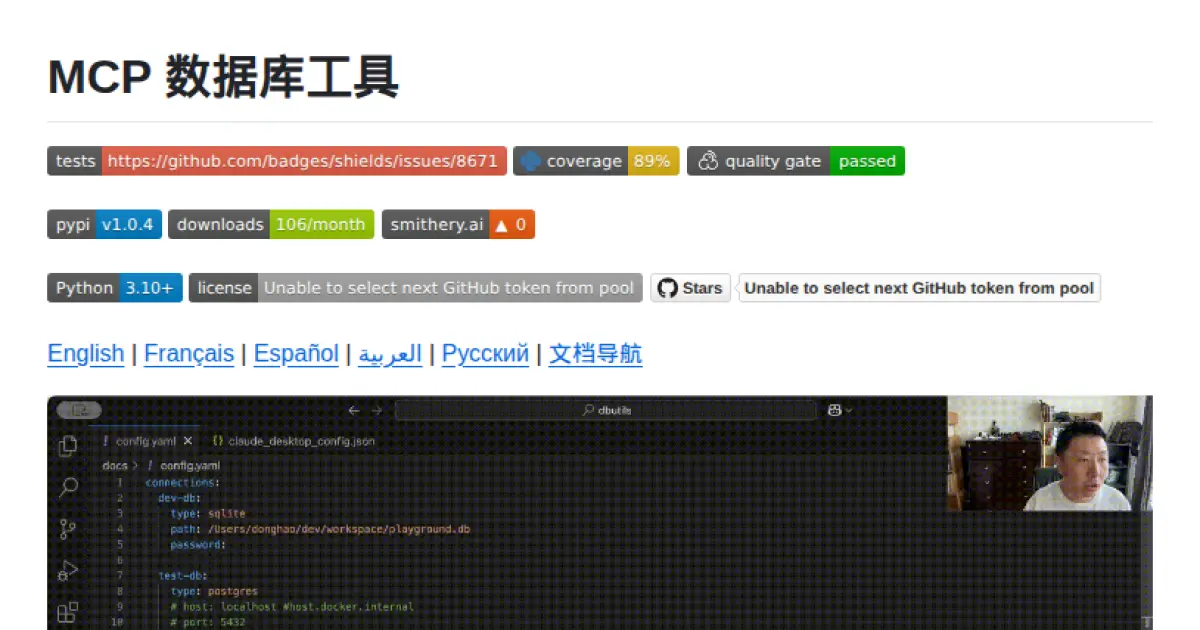
MCP 数据库工具 (MCP Database Utilities)
A secure bridge enabling AI systems safe, read-only access to multiple databases via unified configuration.
MCP Database Utilities provides a secure, standardized service for AI systems to access and analyze databases like SQLite, MySQL, and PostgreSQL using a unified YAML-based configuration. It enforces strict read-only operations, local processing, and credential protection to ensure data privacy and integrity. The tool is suitable for entities focused on data privacy and minimizes risks by isolating database connections and masking sensitive data. Designed for easy integration, it supports multiple installation options and advanced capabilities such as schema analysis and table browsing.
- ⭐ 85
- MCP
- donghao1393/mcp-dbutils
XiYan MCP Server
A server enabling natural language queries to SQL databases via the Model Context Protocol.
XiYan MCP Server is a Model Context Protocol (MCP) compliant server that allows users to query SQL databases such as MySQL and PostgreSQL using natural language. It leverages the XiYanSQL model, providing state-of-the-art text-to-SQL translation and supports both general LLMs and local deployment for enhanced security. The server lists available database tables as resources and can read table contents, making it simple to integrate with different applications.
- ⭐ 218
- MCP
- XGenerationLab/xiyan_mcp_server
MXCP
Enterprise-Grade Model Context Protocol Framework for AI Applications
MXCP is an enterprise-ready framework that implements the Model Context Protocol (MCP) for building secure, production-grade AI application servers. It introduces a structured methodology focused on data modeling, robust service design, policy enforcement, and comprehensive testing, integrated with strong security and audit capabilities. The framework enables rapid development and deployment of AI tools, supporting both SQL and Python environments, with built-in telemetry and drift detection for reliability and compliance.
- ⭐ 49
- MCP
- raw-labs/mxcp
go-mcp-mysql
Zero-burden Model Context Protocol (MCP) server for MySQL automation.
go-mcp-mysql is a ready-to-use server that implements the Model Context Protocol (MCP) for seamless interaction and automation with MySQL databases. Written in Go, it enables users to perform CRUD operations and check query plans without requiring a Node.js or Python environment. The server supports both command-line and DSN configurations, includes a read-only mode, and features a set of tools for managing schema and data. It is designed for low-overhead deployment and flexible MySQL automation workflows.
- ⭐ 46
- MCP
- Zhwt/go-mcp-mysql
Firefly MCP Server
Seamless resource discovery and codification for Cloud and SaaS with Model Context Protocol integration.
Firefly MCP Server is a TypeScript-based server implementing the Model Context Protocol to enable integration with the Firefly platform for discovering and managing resources across Cloud and SaaS accounts. It supports secure authentication, resource codification into infrastructure as code, and easy integration with tools such as Claude and Cursor. The server can be configured via environment variables or command line and communicates using standardized MCP interfaces. Its features facilitate automation and codification workflows for cloud resource management.
- ⭐ 15
- MCP
- gofireflyio/firefly-mcp
dbt MCP Server
Bridge dbt projects and AI agents with rich project context.
dbt MCP Server provides an implementation of the Model Context Protocol for dbt projects, enabling seamless integration between dbt and AI agents. It allows agents to access and understand the context of dbt Core, dbt Fusion, and dbt Platform projects. The tool supports connection to external AI products and offers resources for building custom agents. Documentation and examples are provided to facilitate adoption and integration.
- ⭐ 420
- MCP
- dbt-labs/dbt-mcp
Didn't find tool you were looking for?