
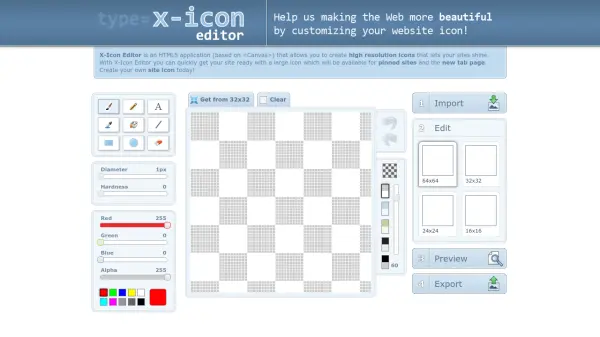
What is X-Icon Editor?
X-Icon Editor is an advanced HTML5 application that allows users to effortlessly create and edit high-resolution icons directly within their web browsers. The platform supports the import of popular image formats such as JPG, GIF, BMP, PNG, and ICO, enabling users to crop images and export customized icons in various resolutions suitable for modern websites.
With a user-friendly workflow from image upload to export, X-Icon Editor helps web designers and site owners prepare favicons and site icons optimized for both traditional bookmarks and features like pinned sites or new browser tabs. Comprehensive export settings and performance optimization suggestions ensure icons integrate seamlessly with site deployment best practices.
Features
- HTML5-Based Editor: Utilizes web-based canvas for icon creation and editing.
- Multiple Format Support: Accepts JPG, GIF, BMP, PNG, and ICO image uploads.
- Icon Size Export: Exports icons in various resolutions including 16x16, 24x24, 32x32, and 64x64 pixels.
- Image Cropping: Includes a cropping tool before exporting icons.
- Live Preview: Offers real-time icon preview in-browser.
- Performance Optimization Tips: Provides guidance for favicon caching and compression.
Use Cases
- Creating favicons for newly launched websites.
- Updating site icons for browser tab visibility.
- Generating multi-size icons for cross-platform compatibility.
- Customizing icons for web applications and pinned browser tabs.
- Preparing image assets for website performance optimization.
FAQs
-
Which file formats does X-Icon Editor support for icon creation?
X-Icon Editor supports JPG, GIF, BMP, PNG, and ICO formats for image uploads. -
Can I crop images before exporting them as icons?
Yes, X-Icon Editor provides cropping functionality before icon export. -
What icon sizes are available for export?
Icons can be exported in 16x16, 24x24, 32x32, and 64x64 pixel resolutions.
Related Queries
Helpful for people in the following professions
X-Icon Editor Uptime Monitor
Average Uptime
0%
Average Response Time
0 ms