

What is OFFLIGHT?
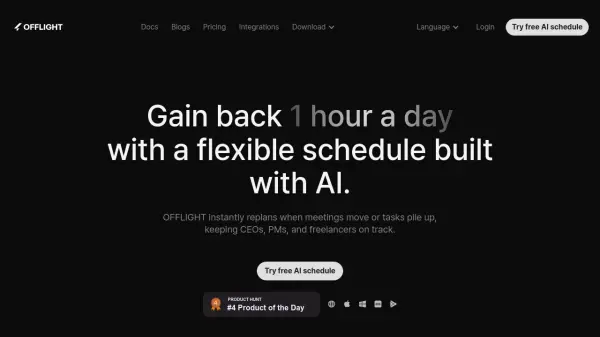
OFFLIGHT is an intelligent calendar application engineered to assist professionals, particularly CEOs, project managers, and freelancers, in managing dynamic workloads. It utilizes artificial intelligence to automatically generate and continuously update schedules based on user-defined priorities, deadlines, and task estimates. When meetings are rescheduled or new tasks arise, OFFLIGHT instantly replans the day to ensure optimal time allocation and focus on impactful activities.
The platform integrates seamlessly with popular productivity tools such as Google Calendar, Gmail, Slack, Notion, Linear, Todoist, and Zapier, consolidating tasks and events into a single interface. This eliminates the need to switch between multiple applications, streamlining workflow management. OFFLIGHT features a keyboard-first interface for rapid task handling, smart notifications to keep users on track, and time tracking capabilities to monitor actual time spent, facilitating reflection and productivity analysis.
The platform integrates seamlessly with popular productivity tools such as Google Calendar, Gmail, Slack, Notion, Linear, Todoist, and Zapier, consolidating tasks and events into a single interface. This eliminates the need to switch between multiple applications, streamlining workflow management. OFFLIGHT features a keyboard-first interface for rapid task handling, smart notifications to keep users on track, and time tracking capabilities to monitor actual time spent, facilitating reflection and productivity analysis.
Features
- AI Auto-scheduling: Automatically plans tasks based on priority, deadlines, and estimates.
- Real-time Replanning: Instantly adjusts the schedule when meetings move or tasks change.
- Multi-channel Task Capture: Integrates with Gmail, Slack, Google Calendar, Notion, Linear, Todoist, Jira (coming soon), and Zapier.
- Dynamic Planning: Continuously optimizes the schedule as situations evolve.
- Keyboard-First Interface: Designed for fast navigation and task management without needing a mouse.
- Time Tracking: Monitors actual time spent on tasks for analysis.
- Smart Notifications: Provides timely reminders for tasks and events.
- Global Command Bar: Allows instant task capture from anywhere.
- AI Task Summary: Summarizes Slack messages and Gmail content.
- Flexible Recurring Tasks: Auto-adjusts recurring tasks to the best available time slots.
- Google Calendar 2-way Sync: Create, modify, and RSVP to events directly.
- Gmail 2-way Sync: Read and archive emails within the app.
Use Cases
- Managing rapidly changing schedules for executives and project managers.
- Optimizing daily planning for freelancers juggling multiple projects.
- Centralizing tasks from various platforms like email, chat, and project tools.
- Automatically scheduling tasks based on priority and deadlines.
- Tracking time spent on activities for productivity analysis.
- Adapting schedules instantly to accommodate unexpected changes.
- Improving focus with a dynamically adjusted daily plan.
FAQs
-
Can I still manually adjust my tasks?
Absolutely! You’re always in the driver’s seat. You can use the Fast track feature for semi-manual planning, and also lock your schedule on the calendar. -
How is my personal data kept safe while using OFFLIGHT?
Your personal data is kept safe through strong encryption and secure data storage practices. OFFLIGHT follows industry-standard security protocols to ensure that your information is protected from unauthorized access. We are committed to maintaining your privacy and security. -
Is there a free plan available?
A free version with limited features or usage is not currently offered. Future updates might introduce a light or free version, which will be announced separately. -
Is there a Lifetime Deal option?
A Lifetime Deal is not currently available. If introduced later, existing subscribers may have the option to purchase it by applying their subscription payments.