What is Nofanity?
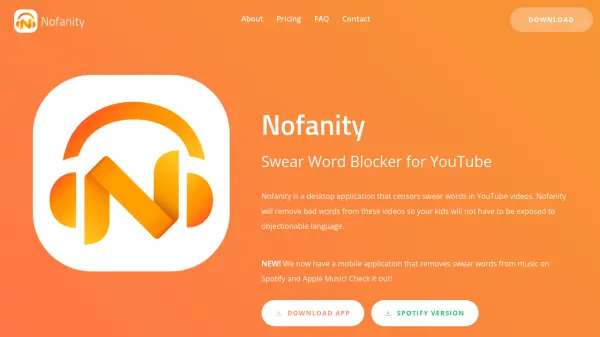
Nofanity is a desktop application designed to censor swear words in YouTube videos, utilizing state-of-the-art speech recognition and natural language processing technologies. The tool identifies curse words through a process called CurseSearch, which analyzes audio to detect offensive language and then bleeps, mutes, or skips those segments, effectively removing objectionable content from videos. This makes YouTube content safer for children and teens by filtering out inappropriate language in real-time.
The application supports videos up to two hours in length and works on most videos with clear audio, though accuracy depends on audio quality. It also includes features like comment filtering, customizable filter levels, and a shared database that speeds up processing for previously analyzed videos. Nofanity is available for free on Windows and Mac, with a mobile version for Spotify and Apple Music, and offers business solutions with custom enterprise APIs.
Features
- Hour-Long Videos: Nofanity can censor videos up to two hours in length.
- Different Bleep Effects: You can change what Nofanity does when it detects a curse word (It can Beep, Mute, or Skip).
- Works On Any Video: Nofanity can work on almost every video, as long as the audio is fairly clear.
- Comment Filter: Nofanity will also remove swear words from YouTube comments.
- Different Filter Levels: You can change how strict Nofanity's swear filter is (Light, Moderate, or Aggressive).
- Always Updating Database: CurseSearch results are uploaded to our database, which means videos that have already been CurseSearched by other people will be filtered faster.
Use Cases
- Making YouTube videos child-friendly by removing swear words
- Filtering offensive language in educational or school settings
- Enhancing content appeal for parents and family viewing
- Censoring swear words in music on Spotify and Apple Music
- Removing objectionable language from YouTube comments
FAQs
-
Who created Nofanity and why?
Nofanity was developed and is currently maintained by Roman Scott, a year-old developer. It was created in order to make YouTube content more child and teen-friendly and to increase the appeal of videos amongst parents. -
How accurate is it?
Nofanity's accuracy depends on the quality of the audio in the video. If the audio is clear, most swear words will be censored. If the audio is hard to hear, murky, or fast-paced, accuracy will decrease. In music videos, sometimes Nofanity will not be able to detect some of the swear words. In addition, CurseSearch will only work on English videos due to the way the speech algorithms were created. If a video cannot be CurseSearched, Nofanity will warn you ahead of time. -
How do I sign up for Nofanity or change my settings?
Once you have downloaded the desktop application, you will be prompted to register and log in from inside the app. You can change your settings by clicking the gear icon in the navigation bar (the top part of your screen). Here, you can change things such as how strict your Swear Filter is or what Nofanity does when it detects a swear word (play a beep noise or mute the video temporarily). -
What are the system requirements?
Nofanity is only supported on Windows and Mac computers and laptops. It is helpful if your computer is fairly recent (has 4GB of RAM and two processor cores, or more), as it will significantly decrease CurseSearch times (due to how computationally expensive speech recognition is). -
Is my information safe?
Your information is safe. Your passwords are encrypted so that even we don't know what your password is (although it can be reset if you forget it). In addition, we do not store or have access to any credit card information - it is processed by a reputable third-party known as Stripe. For more information about the data we collect, please review our privacy policy.