What is Document eSign?
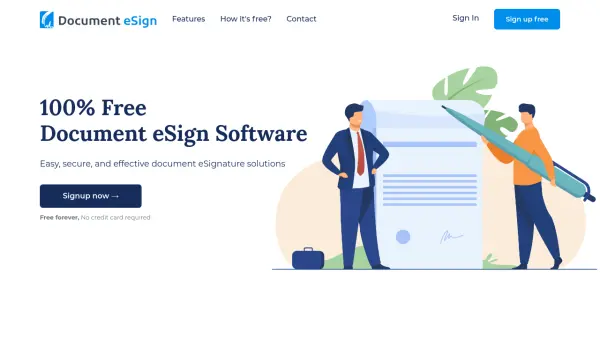
Document eSign provides a comprehensive electronic signature solution designed to streamline document signing processes. This platform allows users to upload various document formats and obtain legally binding signatures through typing, drawing, or importing signature images. The service eliminates traditional paperwork by enabling digital signature collection from any device with complete security measures in place.
The platform offers extensive functionality including an automated PDF eSign process, reusable templates, and seamless integration with popular third-party applications like Salesforce, Dropbox, Google Drive, and Microsoft Dynamics. Document eSign maintains a secure audit trail and provides alerts and notifications throughout the signing workflow, ensuring proper document management and tracking between all parties involved.
Features
- Document Signing: Generate legally binding electronic signatures through typing, drawing, or image upload
- Template Library: Extensive collection of reusable templates to automate PDF eSign processes
- Multiple Signers: Invite partners, customers and employees for document signing with easy coordination
- Cloud Integration: Seamless integration with third-party applications including Salesforce, Dropbox, and Google Drive
- Security Features: Bank-grade AES-256 encryption with secure key management system for document protection
- Audit Trail: Complete tracking of document activities between signers to prevent malpractices
Use Cases
- Real estate document signing for faster deal closures
- Financial consulting and asset management paperwork
- Legal compliance and law enforcement documentation
- Human resources new hire paperwork processing
- Business contract and agreement signing
- General document approval workflows
FAQs
-
What document formats are supported for electronic signing?
Document eSign supports PDF, DOC, DOCX, JPG, JPEG, and XML file formats for uploading and electronic signing. -
How long are signed documents stored in the system?
Signed or cancelled documents are automatically removed after 30 days, while draft envelopes are stored for 30 days from creation date. -
What happens to inactive user accounts?
Accounts that remain unused for 12 consecutive months are automatically marked as inactive by the system. -
Is the service available internationally?
Yes, Document eSign is available worldwide for both individuals and businesses. -
How does the platform ensure document security?
Document eSign uses bank-grade AES-256 encryption with secure key management, similar to systems used by banking institutions and government agencies.