Tool Comparison
PhotoScissors vs BG Remover
Side-by-side comparison of features, pricing, use cases, and reliability to help you choose the right tool.

Tool A
PhotoScissors
Effortless AI-Powered Background Removal
- Pricing
- Freemium
- Starts at
- —

Tool B
BG Remover
AI-Powered Offline Background Removal for Images
- Pricing
- Freemium
- Starts at
- —
Overview
What each tool does and who it's built for.
PhotoScissors
PhotoScissors
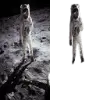
PhotoScissors provides an intuitive solution for removing backgrounds from digital images. Leveraging deep neural networks trained on millions of examples, the tool automatically detects and isolates foreground objects, eliminating the need for manual selection or technical expertise. Users can simply upload an image, and the AI algorithm processes it to create a clean cutout.
Beyond fully automatic removal, PhotoScissors offers tools for refining results. It can effectively handle complex edges, such as hair, and manage transparent objects. Users can also manually mark areas to keep or remove, including a feature to erase backgrounds based on color grouping. The platform allows replacing the removed background with transparency, a solid color, or another background image, making it suitable for various applications like preparing product photos for e-commerce sites (like eBay or Amazon), creating professional portraits, or designing collages.
BG Remover
BG Remover
BG Remover offers a desktop application designed for efficient background removal from images using artificial intelligence. It operates completely offline, ensuring user privacy as images are processed locally without needing an internet connection. The tool leverages AI algorithms, including rembg-compatible ONNX models, to accurately distinguish foreground subjects from backgrounds, even in complex scenarios.
Designed for ease of use, it supports various image formats like JPG, PNG, WEBP, and TIFF, delivering high-quality results for images up to 25 megapixels. Users can process multiple images simultaneously through batch processing, add custom backgrounds or watermarks, and perform basic edits such as cropping and applying filters. This makes it a suitable solution for e-commerce businesses, designers, and photographers needing professional image editing capabilities while maintaining data security.
Pricing
Compare pricing models and starting costs.
PhotoScissors
PhotoScissors Pricing
PhotoScissors offers Freemium pricing .
BG Remover
BG Remover Pricing
BG Remover offers Freemium pricing .
Uptime Monitor
Reliability and response time over the last 30 days.
PhotoScissors
PhotoScissors Uptime
Avg uptime
0%
Response time
0 ms
Last 30 days
BG Remover
BG Remover Uptime
Avg uptime
0%
Response time
0 ms
Last 30 days
Learn More
Explore full profiles or visit each tool's website.
PhotoScissors
PhotoScissors
Effortless AI-Powered Background Removal
BG Remover
BG Remover
AI-Powered Offline Background Removal for Images